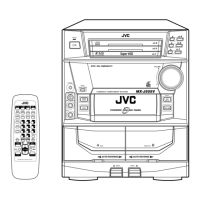
RemoteControl
]--
%--
%--
[]
[] lil
],
[]
/
[]
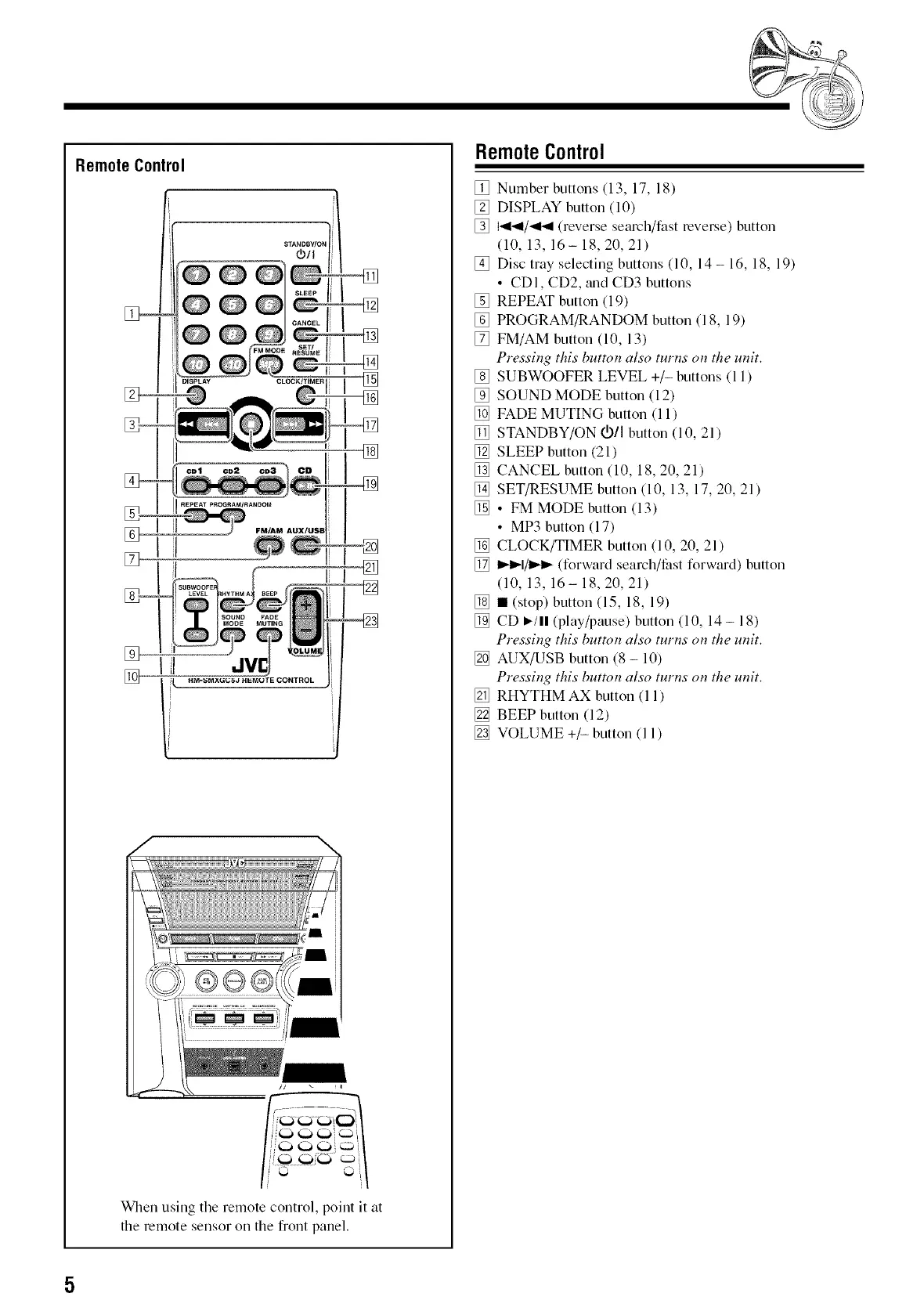
When using the remote control, point it at
the remote sensor oil the front panel.
RemoteControl
[] Number buttons (13, 17, 18)
[] DISPLAY button (10)
[] I'_1_1/_141 (reverse search/fast reverse) bLitton
(10, 13, 16- 18, 20, 21)
[] Disc tray selecting buttons (10, 14 - 16, 18, 19)
• CDI, CD2, mid CD3 buttons
[] REPEAT button (19)
[] PROGRAM/RANDOM button (18, 19)
[] FM/AM button (10, 13)
Pressing this button also turns on the unit.
[] SUBWOOFER LEVEL +/- buttons (11)
[] SOUND MODE button (12)
[] FADE MUTING button (11)
[] STANDBY/ON OD/Ibutton (10, 21)
[] SLEEP button (21)
[] CANCEL button (10, 18, 20, 21)
[] SET/RESUME button (10, 13, 17, 20, 21)
[] • FM MODE button (13)
• MP3 button (17)
[] CLOCK/TIMER button (10, 20, 21 )
[] I_1_1/1_1_(forward search/fast forward) button
(10, 13, 16- 18, 20, 21)
[] • (stop) button (15, 18, 19)
[] CD I_/11(play/pause) button (10, 14- 18)
Pressing this button also turns on the unit.
[] AUX/USB button (8 - 10)
Pressing this button also turns on the unit.
[] RHYTHM AX button (11)
[] BEEP button (12)
[] VOLUME +/- button (11)


 To Next Page