1-10 (No.MB196)
3.1.6 Removing the front panel assembly
(See Fig.10 to 11)
• Prior to performing the following procedures, remove the top
cover.
• Also remove the CD changer unit.
(1) Disconnect the parallel wire and the cord wire from the con-
nectors CN701
, CN101 on the power amp. PCB.
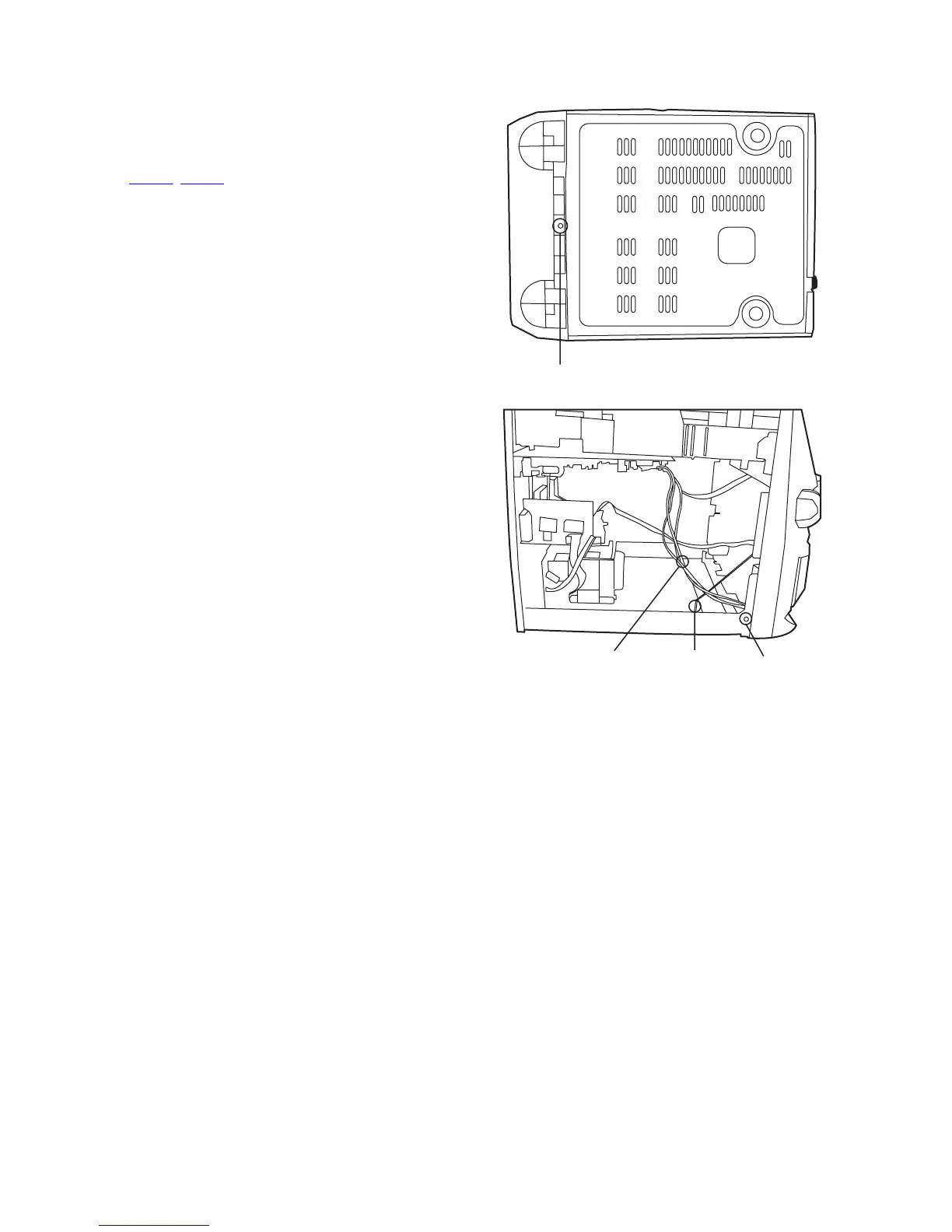
(2) Remove one screws H retaining the front panel assembly
onto the bottom of the body.
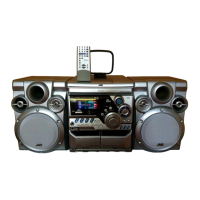
(3) Remove two screws I on the left and right side of the set re-
taining the panel front from the bottom and then remove
then GND lug b that comes from the amp and supply
board.
(4) Disengage the claws c on both sides of the front panel as-
sembly and then remove the assembly.
Fig.10
Fig.11
H
Claw
GND lugGND lug
a
b
c



 To Next Page