22
FILE Menu
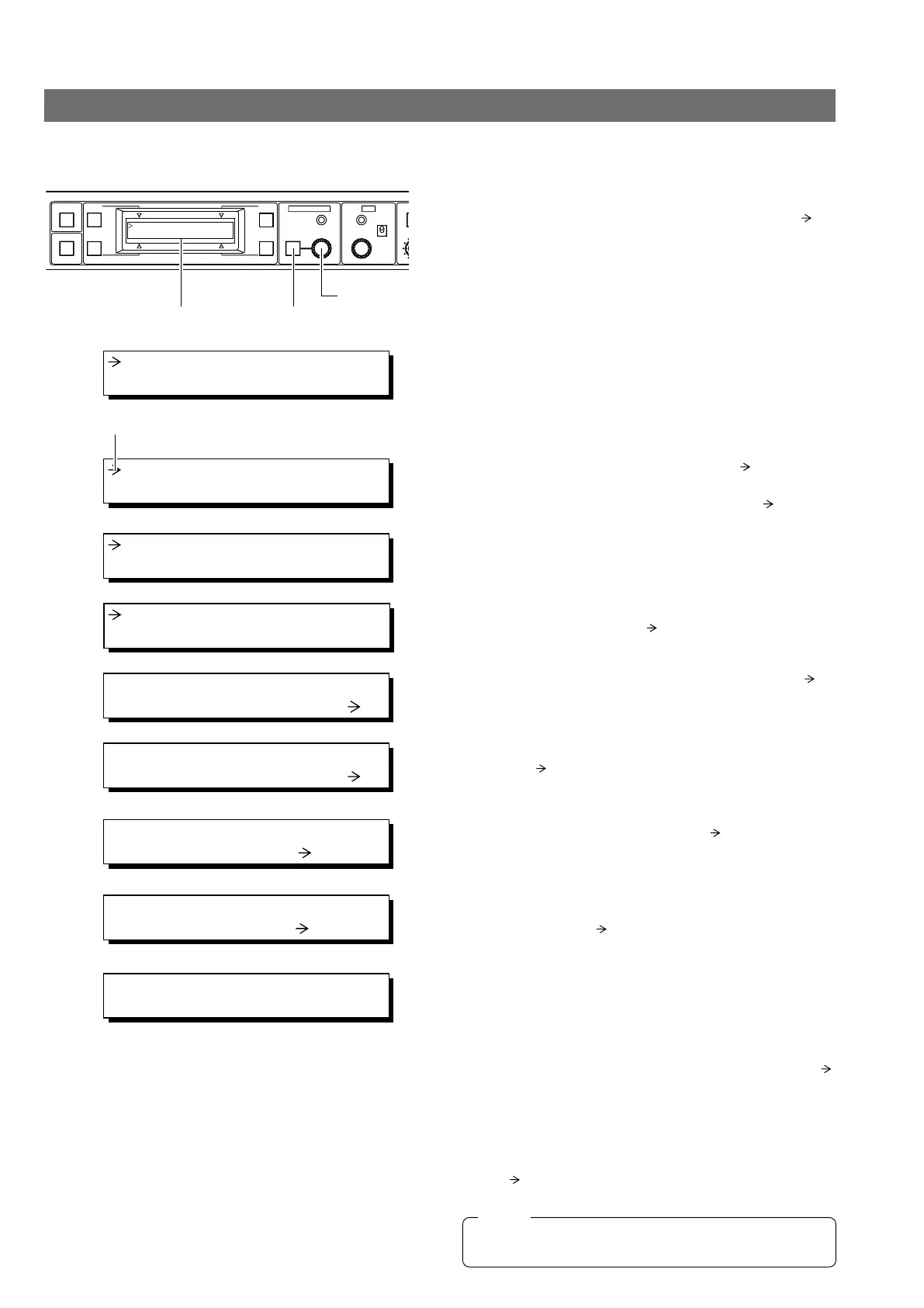
The values set with the menu and applied to the RM-HP250 can be saved in four files named A, B, C
and D.
Menu Operation
1.
Press and hold the MENU button for 3 seconds until the
LCD display shows the menu display. The cursor (
) in-
dicates that the item being pointed to can be varied.
FULL AUTO F1
SHUTTER
GAIN
F2
F3
MENU/SHUTTER GAIN
R
STEP
SHUTTER
MENU
PUSH-ON
DOWN UP
VARIABLE
PUSH-ON
HIGH
LOW
MID
DOWN UP
F4
BARS
LCD display MENU button
Control knob
3. FILE
1.
1: GEN LOCK
2: CABLE
2.
3: FILE
4: PROCESS
Cursor
3.
3A: LOAD FILE
A
4.
3B: STORE FILE
A
5.
3B: STORE FILE
A
6.
3B: STORE FILE
B
2.
Turn the control knob to move the cursor ( ) to “3: FILE”.
3.
Press the control knob to move the cursor ( ) below to
“3A: LOAD FILE”.
Storing data in a file
4.
To store data in one of the two files, press the control
knob to move the cursor (
) to the “3B: STORE FILE”.
7.
STORE FILE B
CANCEL
8.
STORE FILE B
EXECUTE
9.
STR
CMP
OFF
0 dB
ALC
LUX
5.
Press the control knob again to move the cursor ( ) to
the position indicating “A”.
6.
To store data in file B, turn the control knob to move the
cursor (
) to file “B”. (Similar for C, D)
7.
If the control knob is pressed now, the LCD display shows
“STORE FILE B” and the cursor (
) moves to “CAN-
CEL”. If it is not required to write data now, the control
knob should be pressed again.
8.
To store data in a selected file, turn the control knob to
move the cursor (
) to “EXECUTE”.
9.
Press the control knob to write data in a selected file and
return to the previous display.
Loaging the data in a file
To read previously written data, in step 3. move the cursor ( )
to “3A: LOAD FILE”, then perform the same operations as in
steps
4.
to
9.
Resetting data in a file
To reset saved data to the factory settings, in step 3 move the
cursor (
) to “3C: RESET FILE”, then perform the same op-
erations as those in steps
4.
to
9.
During LOAD FILE and RESET FILE, “NOW INITIALIZING”
and “JUST A MOMENT” will be displayed on the LCD.
NOTE



 To Next Page