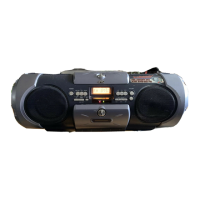
EasyManua.ls Logo

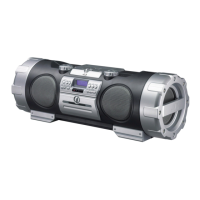
JVC RV-NB10B - User Manual

JVC RV-NB10B
78 pages
Print Icon
To Next Page IconTo Next Page
Loading...
INSTRUCTIONS
LVT1539-001A
[J]
POWERED WOOFER CD SYSTEM
RV-NB10B/RV-NB10W
For Customer Use:
Enter below the Model No. and Serial No.
which are located either on the rear,
bottom or side of the cabinet. Retain this
information for future reference.
Model No.
Serial No.
Cover_RV-NB10[J]2.fm Page 1 Thursday, January 12, 2006 1:41 PM

Table of Contents

Question and Answer IconNeed help?

Do you have a question about the JVC RV-NB10B and is the answer not in the manual?

Summary

Warnings, Cautions, and Regulatory Notices

U.S. Safety and Regulatory Information

FCC compliance, interference mitigation, and general safety warnings for US users.

Wireless Transmitter and FCC Compliance

FCC compliance for wireless operation and radiation exposure limits.

Canadian Regulatory Compliance

Compliance with Canadian digital apparatus emission standards.

Laser Product Safety and General Cautions

Class 1 Laser Product Safety

Identifies the product as Class 1 Laser; warns against opening the unit.

General Operational Cautions

Warnings on ventilation, heat sources, batteries, and exposure to moisture.

System Features and Setup Guidance

Key System Features Overview

Highlights system capabilities like Compu Play, wireless, ACS, and controls.

Important Cautions for Setup and Use

Covers placement, power cord, carrying, and potential malfunctions.

Parts and Controls Identification

System Unit Controls and Indicators

Details buttons, knobs, and display elements of the main unit.

Remote Control and Getting Started

Remote Control Layout and Functions

Identifies remote control buttons and their operational functions.

Compu Play Operation Explained

Describes the one-touch system start feature.

System Accessories Included

Lists essential accessories provided with the system.

System Handling and Remote Setup

Carrying the System Safely

Instructions for using carrying handles and shoulder strap.

Installing Remote Control Batteries

Guide for inserting batteries into the remote control.

System Connections and Power

Connecting External Devices

Guides for wireless, auxiliary, mic, and guitar connections.

Powering the System and Backup Batteries

Instructions for AC power, car battery, and memory backup.

System Powering Options

Operating on Batteries

Details on using the system with batteries and battery life.

Basic System Operations

Turning the System On and Off

Procedures for powering the unit on and entering standby mode.

Adjusting Volume Levels

How to control audio output volume using system or remote.

Sound Customization and Display Features

Adjusting Super Woofer Volume

Controls for enhancing bass levels.

Selecting Sound Modes

Options to alter audio output for different music genres.

Displaying Current Time

How to view the clock and other display information.

Radio Operation and Tuning

Tuning to Radio Stations

Methods for selecting FM/AM stations manually or automatically.

Adjusting Radio Reception

Tips for improving FM and AM signal reception.

Radio Presets and Disc Playback Setup

Presetting Radio Stations

How to store favorite FM/AM stations into memory.

Setting Up a Disc for Playback

Instructions for inserting and securing a CD.

Disc Player Operations

Normal Disc Playback and Track Selection

Playing CDs/MP3s, skipping, searching, and direct track access.

MP3 Group Selection

How to select and play specific groups on MP3 discs.

Advanced Disc Playback Modes

Programming Track Playback Order

Creating custom playback sequences for discs.

Random and Repeat Playback Modes

Utilizing random play and track/disc repeat functions.

Cassette Tape Playback

Regular Cassette Playback

Instructions for inserting and playing tapes.

Tape Winding and Reverse Modes

Features for fast-forward, rewind, and automatic reverse playback.

Cassette Tape Recording

Recording Preparation and Safety

Notes on copyright, tape handling, and recording level.

Standard Recording Procedure

Step-by-step guide for recording from various sources.

Disc-to-Tape Recording Methods

Techniques for copying discs to tape directly.

Recording Specific Sources

Recording AM Radio Stations

How to record AM broadcasts and eliminate beats.

Recording Discs and Single Tracks

Specific methods for disc direct and one-track recording.

Auxiliary Equipment and Wireless Audio

Wireless Transmitter Setup and Operation

Installing batteries and using the wireless transmitter.

Connecting Auxiliary Equipment via AUX

How to connect and listen to external audio devices.

Auxiliary Input and Wireless Frequency Presets

Presetting Wireless Transmitter Frequencies

Storing and selecting wireless transmission frequencies.

Connecting via AUX IN Jack

Steps for connecting audio devices directly to the AUX IN port.

Microphone;Guitar Input and Timer Functions

Microphone and Guitar Mixing

How to mix microphone/guitar sound with other sources.

Setting the System Clock

Procedure for setting the current time, essential for timers.

Timer Settings

Setting the Sleep Timer

Automatically turns the system off after a set time.

Setting the Daily Timer

Schedules automatic turn-on and turn-off times.

Care and Maintenance Guide

Compact Disc Care and Handling

Proper methods for cleaning and storing CDs.

General Maintenance and Lens Cleaning

Tips for keeping the unit clean and the laser lens clear.

Troubleshooting and Maintenance Issues

Common Troubleshooting Solutions

Addresses issues like no power, no sound, poor reception, and skipping.

Cassette Deck and Tape Maintenance

Advice on cleaning cassette deck parts and tape storage.

Troubleshooting and System Specifications

Troubleshooting Guide and Actions

Solutions for remote control, cassette holder, and display issues.

System Technical Specifications

Detailed technical data on amplifier, tuner, speakers, and power.

Customer Information and Support

JVC Customer Assistance and Contact

Information on help, service centers, and accessory purchases.

Service and Safety Cautions

Warnings regarding product servicing and electrical safety.

Limited Warranty Information

Warranty Period and Coverage

Details the warranty duration for parts and labor.

Warranty Exclusions and Limitations

Lists conditions not covered by the warranty.

Customer Record Keeping

Instructions for recording model and serial numbers for service.

Summary

Warnings, Cautions, and Regulatory Notices

U.S. Safety and Regulatory Information

FCC compliance, interference mitigation, and general safety warnings for US users.

Wireless Transmitter and FCC Compliance

FCC compliance for wireless operation and radiation exposure limits.

Canadian Regulatory Compliance

Compliance with Canadian digital apparatus emission standards.

Laser Product Safety and General Cautions

Class 1 Laser Product Safety

Identifies the product as Class 1 Laser; warns against opening the unit.

General Operational Cautions

Warnings on ventilation, heat sources, batteries, and exposure to moisture.

System Features and Setup Guidance

Key System Features Overview

Highlights system capabilities like Compu Play, wireless, ACS, and controls.

Important Cautions for Setup and Use

Covers placement, power cord, carrying, and potential malfunctions.

Parts and Controls Identification

System Unit Controls and Indicators

Details buttons, knobs, and display elements of the main unit.

Remote Control and Getting Started

Remote Control Layout and Functions

Identifies remote control buttons and their operational functions.

Compu Play Operation Explained

Describes the one-touch system start feature.

System Accessories Included

Lists essential accessories provided with the system.

System Handling and Remote Setup

Carrying the System Safely

Instructions for using carrying handles and shoulder strap.

Installing Remote Control Batteries

Guide for inserting batteries into the remote control.

System Connections and Power

Connecting External Devices

Guides for wireless, auxiliary, mic, and guitar connections.

Powering the System and Backup Batteries

Instructions for AC power, car battery, and memory backup.

System Powering Options

Operating on Batteries

Details on using the system with batteries and battery life.

Basic System Operations

Turning the System On and Off

Procedures for powering the unit on and entering standby mode.

Adjusting Volume Levels

How to control audio output volume using system or remote.

Sound Customization and Display Features

Adjusting Super Woofer Volume

Controls for enhancing bass levels.

Selecting Sound Modes

Options to alter audio output for different music genres.

Displaying Current Time

How to view the clock and other display information.

Radio Operation and Tuning

Tuning to Radio Stations

Methods for selecting FM/AM stations manually or automatically.

Adjusting Radio Reception

Tips for improving FM and AM signal reception.

Radio Presets and Disc Playback Setup

Presetting Radio Stations

How to store favorite FM/AM stations into memory.

Setting Up a Disc for Playback

Instructions for inserting and securing a CD.

Disc Player Operations

Normal Disc Playback and Track Selection

Playing CDs/MP3s, skipping, searching, and direct track access.

MP3 Group Selection

How to select and play specific groups on MP3 discs.

Advanced Disc Playback Modes

Programming Track Playback Order

Creating custom playback sequences for discs.

Random and Repeat Playback Modes

Utilizing random play and track/disc repeat functions.

Cassette Tape Playback

Regular Cassette Playback

Instructions for inserting and playing tapes.

Tape Winding and Reverse Modes

Features for fast-forward, rewind, and automatic reverse playback.

Cassette Tape Recording

Recording Preparation and Safety

Notes on copyright, tape handling, and recording level.

Standard Recording Procedure

Step-by-step guide for recording from various sources.

Disc-to-Tape Recording Methods

Techniques for copying discs to tape directly.

Recording Specific Sources

Recording AM Radio Stations

How to record AM broadcasts and eliminate beats.

Recording Discs and Single Tracks

Specific methods for disc direct and one-track recording.

Auxiliary Equipment and Wireless Audio

Wireless Transmitter Setup and Operation

Installing batteries and using the wireless transmitter.

Connecting Auxiliary Equipment via AUX

How to connect and listen to external audio devices.

Auxiliary Input and Wireless Frequency Presets

Presetting Wireless Transmitter Frequencies

Storing and selecting wireless transmission frequencies.

Connecting via AUX IN Jack

Steps for connecting audio devices directly to the AUX IN port.

Microphone;Guitar Input and Timer Functions

Microphone and Guitar Mixing

How to mix microphone/guitar sound with other sources.

Setting the System Clock

Procedure for setting the current time, essential for timers.

Timer Settings

Setting the Sleep Timer

Automatically turns the system off after a set time.

Setting the Daily Timer

Schedules automatic turn-on and turn-off times.

Care and Maintenance Guide

Compact Disc Care and Handling

Proper methods for cleaning and storing CDs.

General Maintenance and Lens Cleaning

Tips for keeping the unit clean and the laser lens clear.

Troubleshooting and Maintenance Issues

Common Troubleshooting Solutions

Addresses issues like no power, no sound, poor reception, and skipping.

Cassette Deck and Tape Maintenance

Advice on cleaning cassette deck parts and tape storage.

Troubleshooting and System Specifications

Troubleshooting Guide and Actions

Solutions for remote control, cassette holder, and display issues.

System Technical Specifications

Detailed technical data on amplifier, tuner, speakers, and power.

Customer Information and Support

JVC Customer Assistance and Contact

Information on help, service centers, and accessory purchases.

Service and Safety Cautions

Warnings regarding product servicing and electrical safety.

Limited Warranty Information

Warranty Period and Coverage

Details the warranty duration for parts and labor.

Warranty Exclusions and Limitations

Lists conditions not covered by the warranty.

Customer Record Keeping

Instructions for recording model and serial numbers for service.

JVC RV-NB10B Specifications

General IconGeneral
BrandJVC
ModelRV-NB10B
CategoryPortable Stereo System
LanguageEnglish

Related product manuals