EasyManua.ls Logo

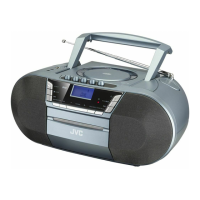
JVC RC-D327B - User Manual

JVC RC-D327B
28 pages
Print Icon
To Next Page IconTo Next Page
Loading...
Instruction Manual
Boombox with DAB and
Cassette
RC-D327B
RC-D327B_IB_Final190408V4.indd 1 09/04/2019 12:24
Question and Answer IconNeed help?

Do you have a question about the JVC RC-D327B and is the answer not in the manual?

Summary

Safety Warnings

Product Overview

Front View

Details of the front panel controls and indicators on the JVC RC-D327B boombox.

Rear View

Identifies connections and ports on the rear of the JVC boombox.

Top View

Shows top panel features and connections, including USB, AUX IN, and headphone jack.

Power Source

Battery Power

Instructions for inserting and handling batteries for the JVC boombox.

Mains Power

Guidelines for connecting the JVC boombox to AC power and safety precautions.

Connections

Using the AUX Connection

How to connect external audio devices via the AUX IN socket.

Using Headphones

Guidance on connecting headphones for private listening.

General Operation

Powering ON;OFF

Steps to turn the JVC boombox on, off, and into standby mode.

Selecting Modes

How to switch between DAB, FM, BT/AUX, TAPE, CD, and USB modes.

Adjusting the Volume

Instructions for controlling the sound volume on the JVC boombox.

Auto Setting of the Clock

How the clock synchronizes automatically via DAB signal.

Manual Setting of the Clock

Step-by-step guide to manually set the time on the JVC boombox.

Setting the Alarm Timer

How to configure the alarm timer function on the JVC boombox.

To Deactivate the Alarm Timer

Procedure to turn off the alarm timer function on the JVC boombox.

DAB Operation

Full Scan

How to perform a comprehensive scan for all available DAB stations.

Manual Scan

Guide to manually tuning DAB channels for better reception.

Secondary Services

Explanation of secondary services available for DAB stations.

Presetting Stations

How to store and recall favorite DAB radio stations.

Recalling a Preset Station

How to access pre-saved DAB radio stations.

DRC (Dynamic Range Compression)

Adjusting audio dynamic range for noisy environments.

Prune

Removing unavailable DAB stations from the list.

DAB Display Modes

Information displayed during DAB radio playback.

FM Operation

Auto Scan

How to automatically search for FM radio stations.

Manual Scan

Guide to manually tuning FM frequencies.

For Better Reception

Tips for optimizing FM signal reception.

Presetting Stations

How to store and recall favorite FM radio stations.

Recalling a Preset Station

How to access pre-saved FM radio stations.

FM Display Modes

Information displayed during FM radio playback.

CD;MP3 Operation

Playback

Instructions for playing CDs and MP3 discs.

To Pause Playback

How to pause and resume playback of CDs/MP3s.

To Stop Playback

How to stop playback of CDs/MP3s.

Skipping to Another Track

How to navigate between tracks on a CD/MP3.

Fast Forward and Fast Reverse

How to fast forward or rewind tracks on a CD/MP3.

Selecting an Album (MP3)

How to select albums when playing MP3 CDs.

Repeat Playback

Options for repeating tracks or all files during CD/MP3 playback.

Programme Setting

How to program a sequence of tracks for playback.

Programme Cancel

How to cancel programmed tracks or clear the memory.

Cassette Playback

Fast Forwarding;Rewinding

How to fast forward or rewind cassette tapes.

Bluetooth Operation

AUX Operation

Maintenance

Cleaning the Unit; Cassette Compartment

Instructions for cleaning the JVC boombox and its cassette compartment.

Handling Discs

Guidelines for proper handling of CDs and MP3 discs.

Cleaning Discs

How to clean discs to ensure optimal playback.

Storing Discs

Recommendations for storing discs to prevent damage.

Hints and Tips

Product Fiche and Specifications

Useful Information and Licences

Summary

Safety Warnings

Product Overview

Front View

Details of the front panel controls and indicators on the JVC RC-D327B boombox.

Rear View

Identifies connections and ports on the rear of the JVC boombox.

Top View

Shows top panel features and connections, including USB, AUX IN, and headphone jack.

Power Source

Battery Power

Instructions for inserting and handling batteries for the JVC boombox.

Mains Power

Guidelines for connecting the JVC boombox to AC power and safety precautions.

Connections

Using the AUX Connection

How to connect external audio devices via the AUX IN socket.

Using Headphones

Guidance on connecting headphones for private listening.

General Operation

Powering ON;OFF

Steps to turn the JVC boombox on, off, and into standby mode.

Selecting Modes

How to switch between DAB, FM, BT/AUX, TAPE, CD, and USB modes.

Adjusting the Volume

Instructions for controlling the sound volume on the JVC boombox.

Auto Setting of the Clock

How the clock synchronizes automatically via DAB signal.

Manual Setting of the Clock

Step-by-step guide to manually set the time on the JVC boombox.

Setting the Alarm Timer

How to configure the alarm timer function on the JVC boombox.

To Deactivate the Alarm Timer

Procedure to turn off the alarm timer function on the JVC boombox.

DAB Operation

Full Scan

How to perform a comprehensive scan for all available DAB stations.

Manual Scan

Guide to manually tuning DAB channels for better reception.

Secondary Services

Explanation of secondary services available for DAB stations.

Presetting Stations

How to store and recall favorite DAB radio stations.

Recalling a Preset Station

How to access pre-saved DAB radio stations.

DRC (Dynamic Range Compression)

Adjusting audio dynamic range for noisy environments.

Prune

Removing unavailable DAB stations from the list.

DAB Display Modes

Information displayed during DAB radio playback.

FM Operation

Auto Scan

How to automatically search for FM radio stations.

Manual Scan

Guide to manually tuning FM frequencies.

For Better Reception

Tips for optimizing FM signal reception.

Presetting Stations

How to store and recall favorite FM radio stations.

Recalling a Preset Station

How to access pre-saved FM radio stations.

FM Display Modes

Information displayed during FM radio playback.

CD;MP3 Operation

Playback

Instructions for playing CDs and MP3 discs.

To Pause Playback

How to pause and resume playback of CDs/MP3s.

To Stop Playback

How to stop playback of CDs/MP3s.

Skipping to Another Track

How to navigate between tracks on a CD/MP3.

Fast Forward and Fast Reverse

How to fast forward or rewind tracks on a CD/MP3.

Selecting an Album (MP3)

How to select albums when playing MP3 CDs.

Repeat Playback

Options for repeating tracks or all files during CD/MP3 playback.

Programme Setting

How to program a sequence of tracks for playback.

Programme Cancel

How to cancel programmed tracks or clear the memory.

Cassette Playback

Fast Forwarding;Rewinding

How to fast forward or rewind cassette tapes.

Bluetooth Operation

AUX Operation

Maintenance

Cleaning the Unit; Cassette Compartment

Instructions for cleaning the JVC boombox and its cassette compartment.

Handling Discs

Guidelines for proper handling of CDs and MP3 discs.

Cleaning Discs

How to clean discs to ensure optimal playback.

Storing Discs

Recommendations for storing discs to prevent damage.

Hints and Tips

Product Fiche and Specifications

Useful Information and Licences

JVC RC-D327B Specifications

General IconGeneral
BrandJVC
ModelRC-D327B
CategoryPortable Stereo System
TypeBoombox
Power SourceAC/DC
TunerYes
Cassette DeckYes
Tuner BandsFM, AM
Battery Type6 x C batteries
Speaker Size4 inches
ConnectivityAux input
Output Power2 x 5W

Related product manuals