Connections
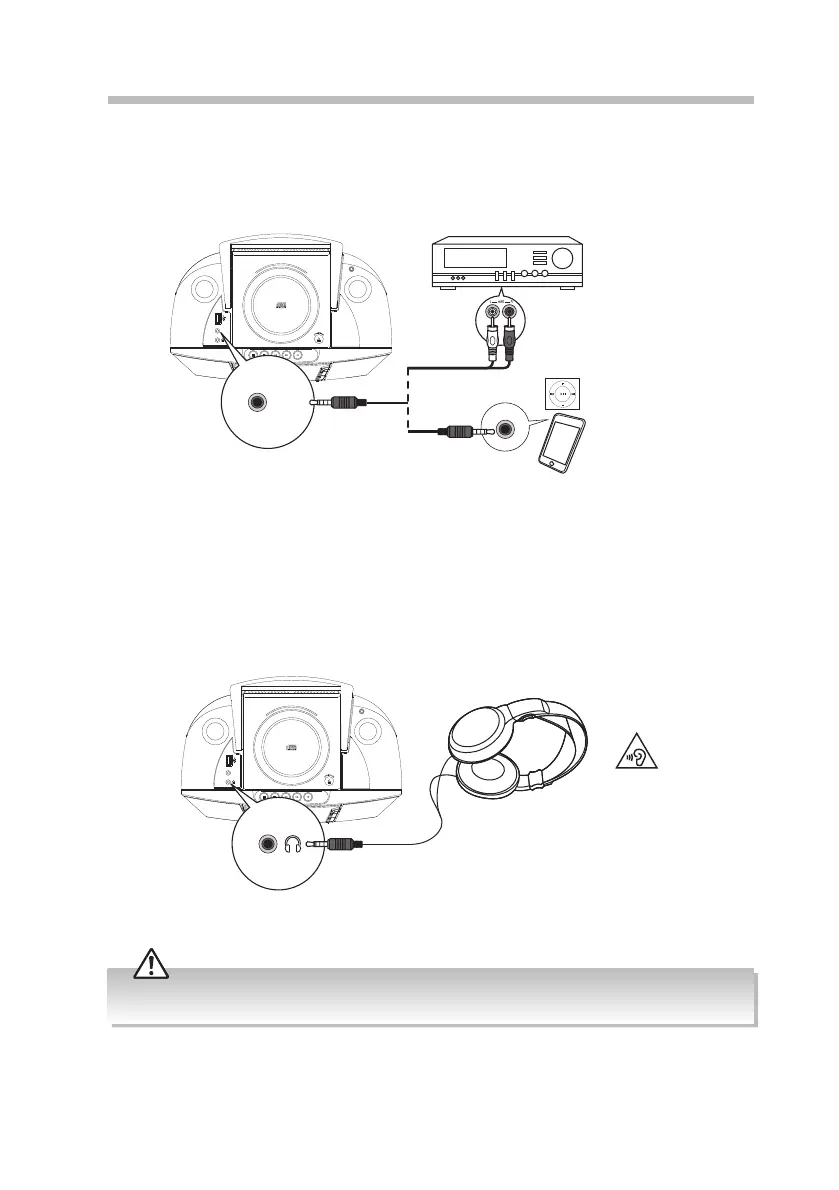
Using the AUX Connection
Use a 3.5mm to RCA stereo audio cable to connect the audio device’s audio output sockets
to the unit’s AUX IN socket.
Using Headphones
Turn down the volume before connecting the headphones. Slowly raise the volume with
the headphones on until you reach your desired volume. When headphones are connected,
the speakers automatically mute.
Long-term exposure to loud music may cause hearing damage. It is best to avoid extreme volume when
using headphones, especially for extended periods.
Top View of Unit Auxiliary device
Audio devices
3.5mm to RCA stereo audio cable
(not included)
3.5mm to 3.5mm
stereo audio cable
(not included)
AUX-IN
AUX IN
Top View of Unit
AUX-IN
12
RC-D327B_IB_Final190408V4.indd 12 09/04/2019 12:24


 To Next Page