Hints and Tips
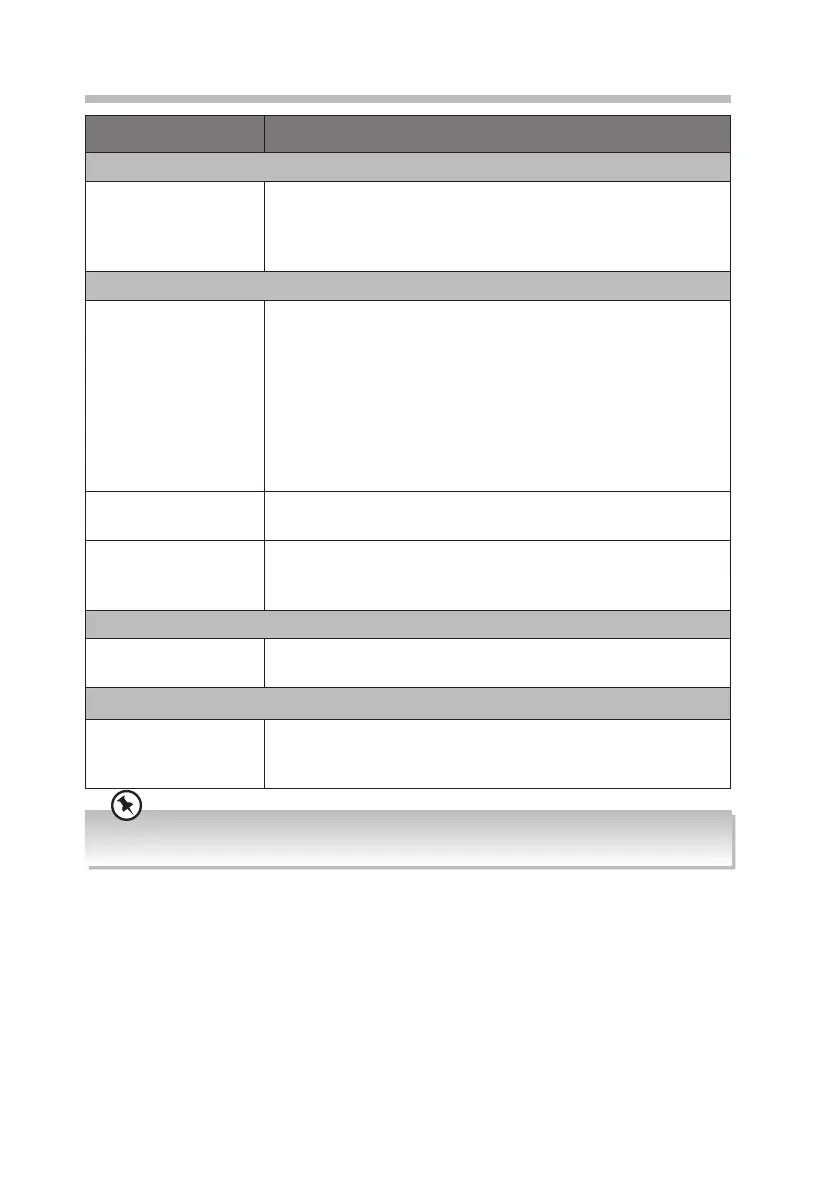
Problem Description
Cassette
Poor cassette sound
quality
• Dust or dirt on the heads, etc. Clean cassette compartment
parts, see Maintenance.
• Use of incompatible cassette types (METAL or CHROME). Only
use NORMAL (IECI) for recording.
CD
The disc does not
play
• There is no disc inside the unit (“NO DISC” appears on the
display).
• Insert the disc correctly with the label side facing up.
• Clean the disc.
• PAUSE mode may be activated, deactivate it.
• A non-valid disc has been inserted.
• Condensation may have formed inside the unit due to a
sudden change in temperature. Wait about an hour for it to
clear and try again.
Disc skips • Make sure the unit is on a secure spot. Vibrations or jarring
can cause the disc to skip.
File from Media
storage device does
not play
• Check the le format.
• This product only supports MP3 File formats.
Radio
Desired station not
found
• Weak signal. Use the Manual Tune function.
Bluetooth®
I cannot nd “RC-
D327B” on my
Bluetooth® device
• Ensure the Bluetooth® function is activated on your
Bluetooth® device.
If any functional abnormality is encountered, unplug the unit from the mains socket and reconnect it
again.
25
RC-D327B_IB_Final190408V4.indd 25 09/04/2019 12:24


 To Next Page