EasyManua.ls Logo

JVC SP-THG51F - User Manual

JVC SP-THG51F
33 pages
Print Icon
To Next Page IconTo Next Page
Loading...
TH-G51
Consists of XV-THG51, SP-THG51F,
SP-THG61C, SP-THG50W and RX-THG51
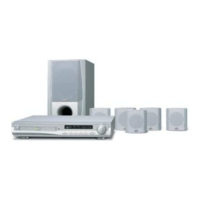
DVD DIGITAL THEATER SYSTEM
INSTRUCTIONS
For Customer Use:
Enter below the Model No. and
Serial No. which are located on
the rear of cabinet. Retain this
information for future reference.
Model No.
Serial No.
LVT2053-001A
[J]
HW994SJ-AHP_BUSAJJK
TUNING TUNING
iPod is a trademark of Apple Inc., registered in the U.S. and other countries.
iPhone is a trademark of Apple Inc.

Table of Contents

Questions and Answers

  • J
    Jason PhillipsSep 12, 2025
    What to do if there is no sound from my JVC Home Theater System?
    • J
      Jennifer CrawfordSep 12, 2025
      If you're experiencing no sound or very low sound from your JVC Home Theater System, consider the following: * Verify that the equipment connected with the audio cable is set to receive DVD audio signal output. * Make sure the audio cables are securely connected. * Ensure that the equipment connected with the audio cable is turned on. * If the audio connecting cable is damaged, replace it.
  • S
    Shelby MooreAug 25, 2025
    Why is there no picture on my JVC SP-THG51F Home Theater System?
    • D
      David HansonAug 25, 2025
      There could be several reasons why you're not seeing a picture. First, ensure your TV is set to the correct video input mode to receive the DVD signal. Second, check that the video cable is securely connected to the jacks. Finally, make sure your TV is powered on.
  • B
    Benjamin RothAug 25, 2025
    What to do if JVC SP-THG51F Home Theater System remote control does not work?
    • H
      Hannah OconnellAug 26, 2025
      If your remote isn't working, first, make sure you're pointing it directly at the remote sensor on the DVD/CD Receiver within a range of about 23 ft (7 m). Check for any obstacles blocking the path between the remote and the receiver. Also, try replacing the batteries in the remote with new ones.
  • A
    Allen GonzalesSep 23, 2025
    Why is there a loud hum or noise heard on my JVC SP-THG51F?
    • C
      colleen26Sep 23, 2025
      If you're hearing a loud hum or noise from your JVC Home Theater System, it could be due to a dirty disc, poorly connected speakers and components, or the DVD/CD Receiver being too close to the TV. Try cleaning the disc, securely connecting the speakers and components, and moving the TV away from the audio components.
  • R
    Robert FullerSep 12, 2025
    Why is my JVC Home Theater System remote control not working?
    • B
      browndarrenSep 12, 2025
      If the remote control for your JVC Home Theater System isn't working correctly: * Make sure you're pointing the remote at the remote sensor on the DVD/CD Receiver. * Ensure you're within 23 ft (7 m) of the DVD/CD Receiver. * Remove any obstacles between the remote and the DVD/CD Receiver. * Try replacing the batteries in the remote with new ones.
  • R
    Richard ThompsonSep 18, 2025
    What to do if there is no sound from JVC Home Theater System or only a very low-level sound is heard?
    • F
      Fred HarrisSep 18, 2025
      If you're experiencing no sound or very low sound from your JVC Home Theater System, ensure the equipment connected with the audio cable is set to receive the DVD signal output by selecting the correct input mode on the receiver. Check that the audio cables are securely connected. Also, verify that the connected equipment is powered on. If the problem persists, the audio connecting cable may be damaged and should be replaced.
  • L
    Lisa RileySep 5, 2025
    What to do if the JVC Home Theater System DVD/CD Receiver audio CD indicator does not work?
    • T
      Tyler ReeseSep 5, 2025
      If the DVD/CD Receiver audio CD indicator on your JVC Home Theater System isn't working, make sure a disc is inserted.
  • T
    Tiffany BellSep 6, 2025
    How to fix JVC SP-THG51F remote control that is not working?
    • T
      Tammy YangSep 6, 2025
      If your JVC Home Theater System remote control isn't working, first, make sure you're pointing it directly at the remote sensor on the DVD/CD Receiver. Ensure you are within 23 ft (7 m) of the receiver and that there are no obstructions in the path. If it still doesn't work, try replacing the batteries with new ones.
  • S
    Suzanne LewisSep 18, 2025
    How to fix a JVC Home Theater System when radio stations cannot be tuned in?
    • J
      Jason BarnesSep 18, 2025
      If your JVC Home Theater System is not tuning into radio stations, check that the antenna is securely connected and properly positioned. If you're using automatic tuning, the signal strength of the stations may be too weak, try tuning in the station manually. If tuning by scanning preset stations, ensure that the stations have been preset.
  • J
    jimenezalexAug 30, 2025
    Why DVD/CD Receiver audio CD indicator does not work on JVC SP-THG51F Home Theater System?
    • D
      Daniel BanksAug 30, 2025
      If the DVD/CD Receiver audio CD indicator isn't working, it might be because no disc is inserted. Try inserting a disc.

Summary

Product Overview

Customer Use Information

Allows customers to record essential product identification details for future reference.

Safety Warnings and Precautions

Electrical Hazard Warnings

Alerts users to risks of electric shock and fire, prohibiting cover removal.

Laser Safety Guidelines

Provides crucial safety information for operating the laser system.

Regulatory and Compliance

FCC Compliance and RF Exposure

Outlines FCC compliance, potential interference, and RF exposure guidelines.

IMPORTANT SAFETY INSTRUCTIONS

Introduction and Setup Guide

System Symbols and Disc Notes

Explains symbols used in the manual and provides important notes regarding disc handling.

Disc Handling and Maintenance

Details proper methods for storing and cleaning discs to maintain quality.

Disc Playback Information

Playable Disc Types and Formats

Lists compatible disc formats and their characteristics.

Regional Codes and Copyrights

Explains regional playback limitations and copyright considerations.

Front Panel Controls

Remote Control Operations

Remote Functions and Battery Installation

Details remote button operations, battery installation, and safety.

Installation and Connections

TV and Antenna Connections

Guides on connecting the unit to a TV and the FM antenna.

External Device Connections

iPod, AUX, OPTICAL, and HDMI Connections

Details connections for auxiliary devices like iPod, AUX, OPTICAL, and HDMI.

HDMI Connection and Resolution Settings

Explains HDMI connectivity and how to set video resolution.

Wireless System Setup

Wireless Receiver ID Matching

Steps for initial wireless system setup and ID matching.

Speaker System Setup

Initial System Settings

On-Screen Display Language Setup

Guide for setting the initial menu and display language.

General Operation and Display Settings

Covers menu language, TV aspect ratio, and display mode adjustments.

Audio Configuration

Audio Output Adjustments and Modes

Explains DRC, Vocal, HD AV Sync, and 5.1 Surround Sound setup.

Parental Control Settings

Rating, Password, and Area Code Configuration

Instructions for configuring parental lock features.

Operation and Playback Features

Basic Operation and Controls

Describes fundamental playback functions like play, pause, and skip.

Advanced Playback Features

Details features such as time search, speed playback, and scene memory.

Media File Playback

Audio CD and MP3;WMA File Playback

Guidance on playing audio discs and compatible media files.

JPEG Image File Viewing

Instructions for displaying JPEG files from discs.

Programmed Playback

Playlist Creation and Management

Steps for programming tracks and managing play lists.

iPod Integration and Control

iPod Operation and Features

How to control and use an iPod through the unit's on-screen display and features.

iPod Compatibility and Notes

Information regarding iPod compatibility and usage caveats.

Radio Tuning and Listening

Station Presetting and Selection

Procedures for storing and recalling FM radio stations.

Listening to Radio Broadcasts

Guidance on tuning into stations and improving reception.

System Control and Audio Features

Sleep Timer, Dimmer, and Muting Functions

Explains how to use the sleep timer, dim the display, and mute audio.

External Audio Input and Surround Modes

Instructions for connecting external audio sources and selecting surround effects.

Reference Code Lists

Language and Area Code Directories

Provides lists of codes for language and geographical area settings.

Troubleshooting Common Issues

Technical Specifications

Main Unit Specifications

Detailed technical data for the primary device.

Wireless Component Specifications

Technical details pertaining to the wireless components.

Warranty and Customer Support

Limited Warranty Terms and Conditions

Outlines the warranty coverage and exclusions.

Customer Service and Servicing Information

Provides contact details and service procedures for customer assistance.

JVC SP-THG51F Specifications

General IconGeneral
BrandJVC
ModelSP-THG51F
CategoryHome Theater System
LanguageEnglish

Related product manuals