8
Getting Started
Illustrations of the input/output terminals below are typical
examples.
When you connect the other component, refer also to its
manuals since the terminal name actually printed on the rear
vary among the components.
If you connect a sound-enhancing device such as a
graphic equalizer between the source component and
the center unit, the sound output through this system
may be distorted.
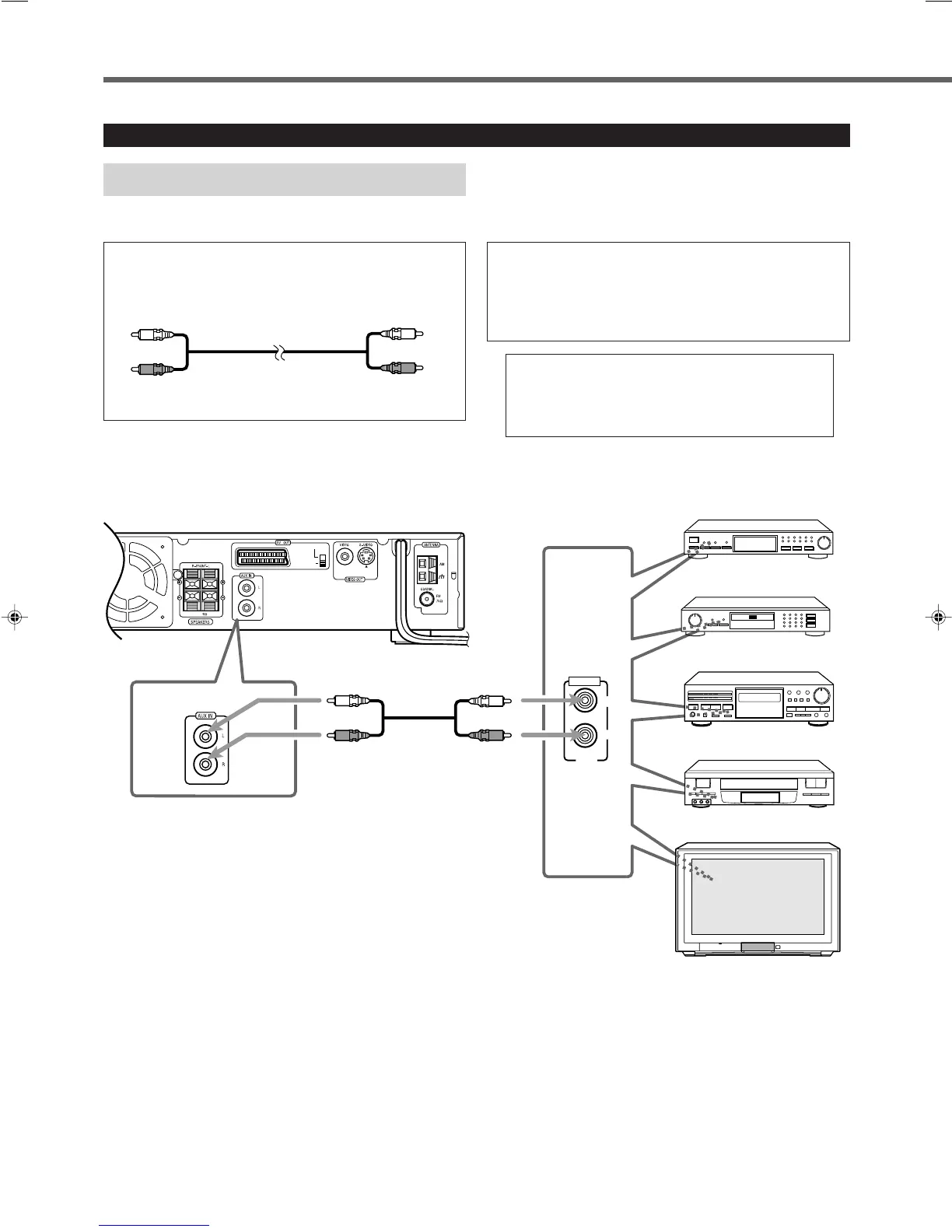
Connecting Audio/Video Component
Turn the power off to all components before connections.
Connect the other component to the center unit with the
audio cord.
Use the cord supplied with the other component or
purchase it at an electric appliance store.
Audio cord (not supplied)
Y/C
COMP.
DBS Tuner
Center unit
MD Recorder
Cassette Deck
OUT
LEFT
RIGHT
AUDIO
VCR
TV
MIN
Audio component connection
EN01-09TH-A5[B]f.pm6 01.11.20, 11:428



 To Next Page