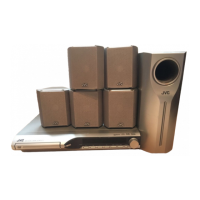
TH-A75
1-6 (No.22009)
2.1.2 Removing the front panel assembly (See Figs.5 to 8.)
• Remove the top cover.
(1) From the left side of the main body, push the section b of
the slide cam using the screw driver, etc. (See Fig.5.)
(2) Pull out the tray. (See Fig.5.)
(3) Push the tray fitting assembly of the tray in the direction of
the arrow and then remove the tray fitting assembly. (See
Fig.6.)
(4) Return the tray into the DVD mechanism assembly.
(5) From the bottom side of the main body, remove the four
screws C attaching the front panel assembly. (See Fig.7.)
(6) From the top side of the main body, remove the two screws
D attaching the front panel assembly. (See Fig.8.)
(7) Disconnect the card wires from the connectors CN206 and
CN207 on the main board. (See Fig.8.)
(8) Remove the screw E attaching the lug wire. (See Fig.8.)
(9) While opening the hooks c to the right and left sides of the
front panel assembly in the direction of the arrow 1, remove
the front panel assembly in the direction of the arrow 2.
(See Fig.8.)
Reference:
In the assembly, through the card wire in the barrier and
then hold the card wire to the sections d of the barrier.
(See Fig.8.)
Fig.5
Fig.6
Fig.7
Fig.8
Slide cam
Front panel assembly
b
Tray
Tray
Tray fitting assembly
Front panel assembly
Front panel assembly
Chassis base
C
Main board
Front panel assembly
Lug wire
Hook c
Barrier
CN207
2
1
CN206
d
D E
Hook c
1


 To Next Page
 Loading...