EasyManua.ls Logo

JVC TH-S1 - User Manual

JVC TH-S1
44 pages
Print Icon
To Next Page IconTo Next Page
Loading...
TH-S1
GVT0141-008A
[B]
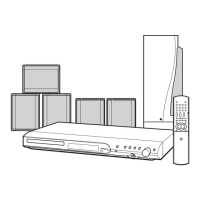
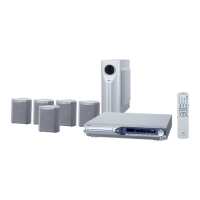
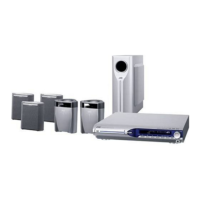
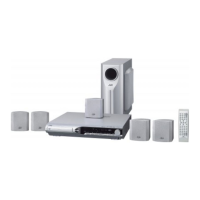
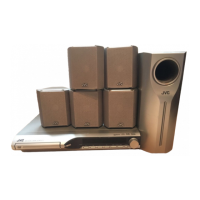
DVD DIGITAL CINEMA SYSTEM
INSTRUCTIONS
Consists of XV-THS1, SP-WS1, SP-THS1F, and
SP-THS1S
TH-S1[B]-2.book Page i Monday, May 31, 2004 10:45 AM

Table of Contents

Questions and Answers

  • B
    Brenda HendersonAug 13, 2025
    Why is there no sound on my JVC TH-S1?
    • F
      floresjeremyAug 14, 2025
      If there is no sound from your JVC Home Theater System, check the speaker cord connections, ensuring they are properly connected. Also, verify that the audio cord is correctly connected to AUX IN and/or DIGITAL IN. Make sure that you have selected the correct source, and that the decode mode is properly set.
  • S
    Samantha HamiltonAug 17, 2025
    What to do if the JVC TH-S1 remote control does not work?
    • Q
      qalvarezAug 18, 2025
      If the remote control for your JVC Home Theater System is not working, the batteries may be exhausted. Try replacing the batteries. Also, direct sunlight falling on the remote sensor can interfere with its operation, so try to shield the sensor from direct sunlight.
  • C
    Cody FrancisAug 21, 2025
    How to fix a JVC Home Theater System that does not power on?
    • T
      Tina GreenAug 21, 2025
      If your JVC Home Theater System power does not come on, the power cord may not be correctly connected. Ensure the power cord is properly connected.
  • K
    Keith MorganAug 25, 2025
    What to do if no picture is displayed on TV screen from JVC Home Theater System?
    • G
      Gregory MartinezAug 26, 2025
      If no picture is displayed on the TV screen when using your JVC Home Theater System, check that the SCART cable is correctly connected. Also, confirm that the disc you are using is playable.
  • S
    Sean DavisAug 29, 2025
    Why are the video and audio distorted on my JVC TH-S1 Home Theater System?
    • N
      Nicole WhiteAug 29, 2025
      If the video and audio from your JVC Home Theater System are distorted, the disc may be scratched or dirty. Try replacing or cleaning the disc. Also, if a VCR is connected between the center unit and the TV, connect the center unit and TV directly.
  • L
    Leah GoldenSep 1, 2025
    Why is the JVC TH-S1 remote control not working as expected?
    • K
      Kari ReedSep 1, 2025
      If the remote control for your JVC Home Theater System is not working as expected, ensure that the remote control mode is set for the desired source by pressing the appropriate source selecting button before operation. Also, check that the position of the remote control mode selector is correct.
  • R
    richard09Sep 5, 2025
    How to adjust the picture size on JVC TH-S1 to fit the TV screen?
    • S
      Shawn HillSep 5, 2025
      If the picture from your JVC Home Theater System does not fit the TV screen, the monitor type may not be set correctly. Set 'MONITOR TYPE' properly.
  • A
    adamsmithSep 8, 2025
    What to do if it's hard to listen to broadcast on JVC Home Theater System because of noise?
    • N
      Nicole SaundersSep 9, 2025
      If it is hard to listen to broadcast because of noise on your JVC Home Theater System, the antennas may be disconnected. Reconnect the antennas correctly and securely.

Summary

Warnings, Cautions and Others

General Safety Precautions

Important warnings for electrical shock, fire, and appliance safety.

Specific Cautions and Warnings

Notes on ventilation, laser product safety, and power handling.

Safety Instructions

Safe Equipment Usage Guidelines

Dos and Don'ts for operating the equipment safely.

Introduction

About Discs

Connections

Connections

Remote Control Operation

Basic Operations

System Power On and Off Procedures

Instructions for turning the system on and off using controls.

Basic Operations

Source Selection, Volume, and Muting

Switching input sources, adjusting volume, and temporary muting.

Playback Operations

Basic Disc Playback Steps

Step-by-step instructions for playing DVDs, VCDs, CDs, MP3s, and JPEGs.

Playback Operations

Playback Operations

Advanced Operations

Surround Sound Mode Selection and Types

Explanation and selection of Auto Surround, Dolby Pro Logic, and DTS modes.

Advanced Operations

Advanced Operations

Advanced Operations

Special Picture Playback and VFP Settings

Frame-by-frame, slow-motion playback, zoom, and video processor adjustments.

Setting DVD Preferences

Navigating and Using Setup Menus

Guide to accessing and utilizing the system's setup menu options.

Picture Menu Settings and Adjustments

Adjusting monitor type, picture source, screen saver, and file type.

Audio Menu and Speaker Configuration

Setting audio range compression and speaker level preferences.

Setting DVD Preferences

Speaker Distance and Parental Lock Setup

Configuring speaker distances and implementing parental control restrictions.

Tuner Operations

Preset Tuning of Radio Stations

Storing and quickly accessing FM and AM radio stations.

Tuner Operations

Tuner Operations

References

Maintenance Procedures and Troubleshooting Guide

Procedures for disc care, system cleaning, and resolving common issues.

References

Detailed System Specifications

Technical specifications for the center unit and speaker system components.

JVC TH-S1 Specifications

General IconGeneral
BrandJVC
ModelTH-S1
CategoryHome Theater System
LanguageEnglish

Related product manuals