EasyManua.ls Logo

JVC TH-S2 - User Manual

JVC TH-S2
45 pages
Print Icon
To Next Page IconTo Next Page
Loading...
TH-S3
GVT0133-002B
[C]
TH-S2
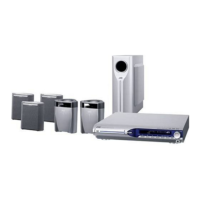
DVD DIGITAL THEATER SYSTEM
SYSTÈME CINÉMA NUMÉRIQUE DVD
INSTRUCTIONS
MANUEL D’INSTRUCTIONS
Consists of XV-THS3, SP-WS3, SP-THS3F, and
SP-THS3S
Consists of XV-THS2, SP-WS3, and, SP-THS3F

Table of Contents

Questions and Answers

  • J
    Joseph CastilloAug 15, 2025
    Why is there no sound from my JVC Home Theater System?
    • K
      Kenneth WoodsAug 15, 2025
      If your JVC Home Theater System isn't producing any sound, there might be several reasons: * A speaker cord might not be properly connected, so check the connection. * The audio cord might not be correctly connected to AUX IN or DIGITAL IN, so ensure the cord is connected correctly. * The incorrect source might be selected, so select the correct source. * The decode mode might not be set correctly, so select the proper decode mode.
  • A
    Ashley SullivanAug 18, 2025
    Why does my JVC Home Theater System remote control not work?
    • A
      Amy JonesAug 18, 2025
      If your JVC Home Theater System remote control isn't working, the batteries might be exhausted, so try replacing them. Also, direct sunlight on the remote sensor can interfere with its operation, so try to shield the sensor from direct sunlight.
  • R
    reginaldwhiteAug 21, 2025
    What to do if no picture is displayed on TV screen from JVC Home Theater System?
    • A
      Andrew HooperAug 21, 2025
      If the picture on your TV screen is not displayed when using your JVC Home Theater System, the video cord may not be connected correctly, so ensure it is properly connected. Alternatively, the disc you are trying to play might not be playable, so try using a playable disc.
  • C
    Christina CaseyAug 25, 2025
    Why are the video and audio distorted on my JVC Home Theater System?
    • V
      victoriagarciaAug 25, 2025
      If the video and audio from your JVC Home Theater System are distorted, it could be due to a scratched or dirty disc, so replace or clean the disc. Alternatively, if a VCR is connected between the center unit and the TV, connect the center unit and TV directly.
  • N
    Nicole ParkerAug 28, 2025
    What to do if JVC Home Theater System remote control does not work as expected?
    • V
      valexanderAug 28, 2025
      If the remote control of your JVC Home Theater System is not working as expected, the remote control mode might not be set for the desired source. Before operating, press one of the source selecting buttons for the desired source. Also, the position of the remote control mode selector might be incorrect, so set the selector to the correct position.
  • C
    Christina MartinezAug 31, 2025
    How to turn on my JVC Home Theater System if it is not powering on?
    • A
      Amanda CarterAug 31, 2025
      If your JVC Home Theater System's power does not come on, it could be that the power cord is not connected properly. Make sure to connect the power cord correctly.
  • R
    reedjamesSep 3, 2025
    Why is it hard to listen to broadcast on my JVC TH-S2 Home Theater System because of noise?
    • A
      Andrew SmithSep 3, 2025
      If you are having trouble listening to the broadcast on your JVC Home Theater System due to noise, the antennas might be disconnected. Reconnect the antennas correctly and securely.
  • T
    Tamara GarciaSep 7, 2025
    What does 'NO AUDIO' mean on my JVC TH-S2 Home Theater System?
    • C
      Christopher SmithSep 7, 2025
      If there is no sound from the speakers and 'NO AUDIO' is displayed on the display window of your JVC Home Theater System, a water-mark on the DVD AUDIO might be detected, and playback has been prohibited. Consult the selling agency of the disc.
  • K
    kristen28Sep 12, 2025
    Why is the picture blurred on my JVC TH-S2?
    • D
      Debbie MitchellSep 12, 2025
      If no picture is displayed on the TV screen, the picture is blurred, or the picture is divided into two parts when using your JVC Home Theater System, the scan mode might be set to 'PROGRESSIVE' even though the TV connected to the center unit does not support progressive video input. Change the scan mode to 'INTERLACE'.

JVC TH-S2 Specifications

General IconGeneral
BrandJVC
ModelTH-S2
CategoryHome Theater System
LanguageEnglish

Related product manuals