EasyManua.ls Logo

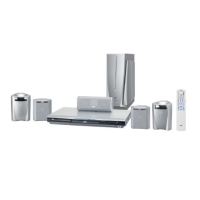
JVC TH-S55 - User Manual

JVC TH-S55
49 pages
Print Icon
To Next Page IconTo Next Page
Loading...
TH-S66
GVT0152-001A
[B]
TH-S55
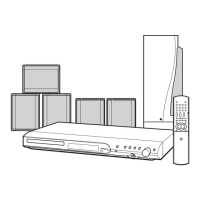
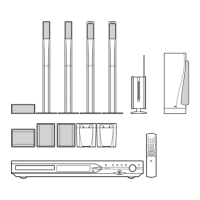
DVD DIGITAL CINEMA SYSTEM
INSTRUCTIONS
Consists of XV-THS66, SP-PWS66,
SP-THS66F, SP-THS66C and
SP-THS66S
Consists of XV-THS55, SP-PWS55,
SP-THS55F, SP-THS55C and SP-THS55S
TH-S66-S55[B].book Page 1 Friday, January 14, 2005 10:40 PM

Table of Contents

Other manuals for JVC TH-S55

Questions and Answers

  • J
    Joshua LynchAug 12, 2025
    Why is there no sound on my JVC Home Theater System?
    • D
      dfergusonAug 12, 2025
      If you're not getting any sound from your JVC Home Theater System, several things could be happening. First, the system cord or speaker cord might not be properly connected, so double-check those connections. Also, the audio cord may not be correctly connected to AUX IN or DIGITAL IN; ensure those are properly connected. It's also possible you've selected the wrong source, so try selecting the correct one. Finally, the decode mode might not be set correctly; in that case, select the proper decode mode.
  • M
    Matthew TerryAug 16, 2025
    What to do if the JVC TH-S55 Home Theater System remote control does not work?
    • J
      Jake HarrisAug 16, 2025
      If the remote control for your JVC Home Theater System isn't working, the first thing to check is the batteries. If they're exhausted, replace them. Also, sunlight falling directly on the remote sensor can interfere with its operation, so try to shield the sensor from direct sunlight.
  • F
    fishersherryAug 20, 2025
    What to do if no picture is displayed on the TV screen with JVC TH-S55?
    • C
      Catherine MitchellAug 20, 2025
      If you aren't seeing a picture on your TV screen when using your JVC Home Theater System, make sure the video cord is correctly connected. Also, ensure that the disc you are using is a playable disc.
  • J
    Jillian RichardsonAug 23, 2025
    Why JVC Home Theater System power does not come on?
    • K
      Kathleen WarrenAug 23, 2025
      If your JVC Home Theater System isn't powering on, it might be because the power cord or the system cord isn't properly connected. Ensure both cords are correctly connected.
  • E
    esantanaAug 27, 2025
    What to do if video and audio are distorted on JVC Home Theater System?
    • L
      Louis DicksonAug 27, 2025
      If the video and audio are distorted on your JVC Home Theater System, it could be due to a scratched or dirty disc. Try replacing or cleaning the disc. Another potential cause is a VCR connected between the center unit and the TV. Connect the center unit and TV directly.
  • R
    Randy CohenAug 31, 2025
    What to do if the picture does not fit the TV screen on JVC TH-S55 Home Theater System?
    • A
      aaron82Aug 31, 2025
      If the picture doesn't fit the TV screen when using your JVC Home Theater System, the monitor type might not be set correctly. You should set “MONITOR TYPE” properly.
  • S
    Sara OconnellSep 4, 2025
    Why no picture is displayed, the picture is blurred, or divided into two parts on JVC TH-S55 Home Theater System?
    • R
      Robert MedinaSep 4, 2025
      If you are experiencing no picture, a blurred picture, or a picture divided into two parts on your JVC Home Theater System, it's possible that the scan mode is set to “PROGRESS,” but your TV does not support progressive video input. Try changing the scan mode to “RGB” or “Y/C”.
  • J
    Joseph AndersonSep 7, 2025
    How to fix hard to listen to broadcast because of noise on JVC TH-S55 Home Theater System?
    • F
      fosterjoannaSep 7, 2025
      If you are finding it hard to listen to broadcasts due to noise on your JVC Home Theater System, the antennas may be disconnected. Reconnect the antennas correctly and securely.

Summary

Safety and Precautions

Electrical Safety and Handling

Covers UK plug, fuse, wiring, earthing, mains connection, and general electrical hazards.

Environmental and Operational Cautions

Details risks from moisture, heat, liquids, naked flames, batteries, and ventilation.

Laser Safety and Installation

Outlines Class 1 laser safety, avoiding beam exposure, and installation handling.

Ventilation and General Safety Guidelines

Specifies clearances and provides essential operational Do's and Don'ts.

Introduction and System Handling

Important Cautions for System Setup

Covers system installation, power cord safety, and general precautions to prevent malfunctions.

Safety Precautions and Notes

Details avoiding moisture, heat, vents, cabinet care, copyright, and copyguard.

Supplied Accessories Check

Lists all items included in the package for user verification.

Disc and File Compatibility

Playable Disc Types and Formats

Lists supported disc types (DVD, CD, VCD) and recording formats (DVD-R/RW, CD-R/RW).

Unplayable Discs and Region Codes

Lists incompatible discs and explains DVD region coding.

Supported File Types

Details compatibility with MP3, WMA, JPEG, MPEG-4, and DivX file formats.

System Components and Controls

Center Unit Front and Rear Panels

Identifies controls and connections on the center unit.

Powered Subwoofer Description

Explains the features of the powered subwoofer unit.

Remote Control Overview and Operation

Describes the remote control, battery installation, and basic operation.

Connecting Antennas

AM;MW Loop Antenna Setup

Guides on setting up and connecting the AM loop antenna for optimal reception.

FM Antenna Setup and Reception

Provides instructions for connecting the FM antenna and improving reception.

Speaker and TV Connectivity

Assembling and Mounting Satellite Speakers

Provides instructions for assembling and wall mounting the speakers.

Connecting the System to a TV

Explains connection methods using component video or SCART.

Audio and Power Connections

Connecting Speakers and Subwoofer

Guides on wiring satellite speakers and connecting the powered subwoofer.

Connecting External Audio Sources

Explains how to connect analog and digital audio components.

Power Cord Connection and Safety

Instructs on connecting the power cord and provides a safety caution.

Operating External Components via Remote

TV Control Setup and Operation

Details how to set up and use the remote to operate a TV.

VCR Control Setup and Operation

Explains how to set up and use the remote to operate a VCR.

Basic System Operations

System Power On;Off

Explains how to power the main system unit and subwoofer on and off.

Core System Functions

Source Selection and Volume Control

Guides users on choosing input sources, adjusting volume, and muting.

Headphone Use, Brightness, Sleep Timer

Covers headphone connection, display brightness, and sleep timer settings.

Speaker Levels, Tone, and Scan Mode

Details adjusting speaker output, treble/bass, and TV scan modes.

Speaker Configuration and Setup

Smart Surround Speaker Optimization

Guides on optimizing speaker settings for the listening environment.

Disc Playback Operations

Basic Playback Controls (Start, Pause, Stop)

Covers opening tray, placing disc, and initiating playback, pause, stop.

Playback Navigation and Information

Explains using number buttons, on-screen guide icons, and display indicators.

Advanced Playback Selection Methods

Guides on locating titles, groups, playlists, and bonus groups.

Advanced Audio and Display Features

Surround Sound Mode Selection

Explains choosing between various surround sound modes (AUTO, Dolby, DTS).

Display Indicators and On-Screen Bar Usage

Details display indicators and how to use the on-screen bar for information.

All Channel Stereo and Display Features

Covers activating stereo modes and using the on-screen bar.

Playback Positioning and Navigation

On-Screen Bar Content and Time Information

Explains on-screen bar elements and changing time displays.

Specifying Playback Position and Chapter Search

Guides on locating scenes via menus or using the on-screen bar for chapter search.

Advanced Playback Features

Resume Playback, View Angles, and Subtitles

Covers resume function, changing camera angles, and subtitle languages.

Audio Selection and Special Picture Playback

Details choosing audio tracks and frame-by-frame/slow-motion playback.

Still Pictures, Zoom, and Program Playback

Viewing Still Pictures and Zooming In

Guides on viewing still pictures on DVD AUDIO and using the zoom function.

Changing Video Fine Processor (VFP) Settings

Explains picture adjustment options for optimal viewing.

Creating Programmed Playback Sequences

Details how to set up a custom playback order for tracks or chapters.

Advanced Playback Modes

Random and Repeat Playback Options

Explains setting random playback and different repeat modes.

A-B Repeat and Tray Lock Functionality

Details repeating specific segments and locking the disc tray.

Setting DVD Preferences

Navigating Setup Menus and Language Options

Explains accessing setup menus and selecting languages.

Picture, Audio, and Speaker Settings

Covers adjustments for monitor type, audio, and speaker levels/delay.

Subwoofer and Other System Settings

Details subwoofer settings and miscellaneous options like resume and DivX registration.

Tuner Operations

Manual and Preset Tuning

Guides on manually tuning radio stations and using preset memory.

Advanced FM;AM Features

Covers FM reception modes, AM noise reduction, and RDS functionality.

Program Selection and Emergency Alerts

Explains temporary program switching and emergency broadcast reception.

Maintenance and Troubleshooting

Disc Handling and System Cleaning

Provides instructions for maintaining discs and cleaning the unit.

Troubleshooting Common Problems

Offers solutions for issues related to power, sound, picture, and reception.

System Specifications

Technical Specifications Overview

Lists detailed technical data for the system components.

JVC TH-S55 Specifications

General IconGeneral
BrandJVC
ModelTH-S55
CategoryHome Theater System
LanguageEnglish

Related product manuals