EasyManua.ls Logo

JVC TH-M606 - User Manual

JVC TH-M606
52 pages
Print Icon
To Next Page IconTo Next Page
Loading...
JVC
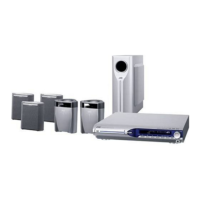
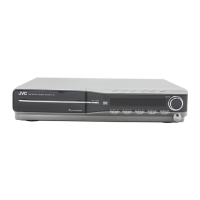
DVD DIGITAL THEATER SYSTEM
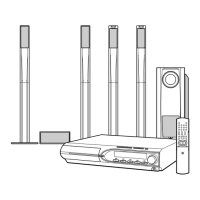
TH-M606/TH-M603
Consists of XV-THM606, SP-PWM606, SP-THM606F,
SP-THM606C and SP-THM606S/
Consists of XV-THM603, SP-PWM603, SP-THM606F,
SP-THM606C and SP-THM606S
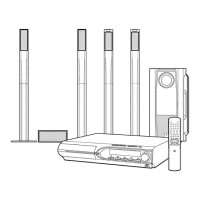
TH-M505/TH-M501
Consists of XV-THM505, SP-PWM505, SP-THM505F,
SP-THM505C and SP-THM505S/
Consists of XV-THM501, SP-PWM501, SP-THM303F,
SP-THM303C and SP-THM303S
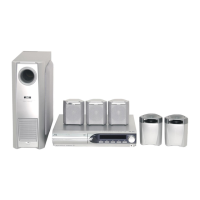
The figure is for the TH-M606.
TH-M303/TH-M301
Consists of XV-THM303, SP-PWM303, SP-THM303F,
SP-THM303C and SP-THM303S/
Consists of XV-THM301, SP-PWM301, SP-THM303F,
SP-THM303C and SP-THM303S
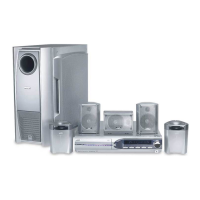
The figure is for the TH-M505.
IIIIIIII/I//
STRUCTIONS
D_GITAL
SURROUND
For Customer Use:
Enter below the Model No. and Serial
No. which are located either on the rear,
bottom or side of the cabinet. Retain this
information for future reference.
Model No.
Serial No.
LVT1147-001B
[J,C]

Table of Contents

Questions and Answers

  • L
    Laura RamirezAug 13, 2025
    Why is there no sound coming from my JVC TH-M606 Home Theater System?
    • T
      Timothy Watkins PhDAug 13, 2025
      If you're not getting any sound from your JVC Home Theater System, several things could be the cause. First, the system cord or speaker cord might not be properly connected, so check those connections. Also, the audio cord may not be correctly connected to VCR IN or DIGITAL IN (DBS). Ensure you've selected the correct source on your system. Finally, the decode mode might not be set correctly; try selecting the proper decode mode.
  • B
    Brooke WilliamsAug 16, 2025
    What to do if JVC TH-M606 remote control does not work?
    • K
      kristinjohnsonAug 16, 2025
      If the remote control for your JVC Home Theater System isn't working, the first thing to check is the batteries. If they're exhausted, replace them. Also, sunlight falling directly on the remote sensor can interfere with its operation, so try to shield the sensor from direct sunlight.
  • M
    Melissa PetersonAug 20, 2025
    What to do if there is no picture displayed on the JVC TH-M606 Home Theater System TV screen?
    • J
      James MartinezAug 20, 2025
      If you're not seeing a picture on your TV screen with your JVC Home Theater System, make sure the video cord is correctly connected. Also, ensure that the disc you are trying to play is a playable disc.
  • K
    Kevin JohnsonAug 25, 2025
    Why JVC TH-M606 power does not come on?
    • D
      dbullockAug 26, 2025
      If your JVC Home Theater System isn't powering on, it could be due to the power cord or system cord not being properly connected. Ensure both cords are correctly connected.
  • J
    John PierceAug 28, 2025
    What to do if video and audio are distorted on JVC Home Theater System?
    • J
      Jordan MorrisAug 28, 2025
      If the video and audio from your JVC Home Theater System are distorted, the disc may be scratched or dirty, so try replacing or cleaning it. Another potential cause is a VCR connected between the center unit and the TV. If this is the case, connect the center unit and TV directly.
  • W
    webertraceySep 1, 2025
    Why is no picture displayed, blurred, or divided into two parts on my JVC TH-M606 TV screen?
    • R
      Rebecca JacksonSep 1, 2025
      If you're experiencing a missing, blurred, or split picture on your TV screen with your JVC Home Theater System, the scan mode might be set to “PAL PROG.” or “NTSC PROG.” while connected to a TV that doesn't support progressive video input. Try changing the scan mode to “PAL” or “NTSC.”
  • S
    Susan YoungSep 5, 2025
    How to adjust the picture to fit the TV screen on JVC Home Theater System?
    • M
      Mr. Kenneth GonzalezSep 5, 2025
      If the picture from your JVC Home Theater System doesn't fit the TV screen, the monitor type might not be set correctly. You should set “MONITOR TYPE” properly.
  • B
    Brandi BaileySep 8, 2025
    Why is it hard to listen to broadcast because of noise on JVC Home Theater System?
    • S
      Sandra CollierSep 8, 2025
      If you're finding it hard to listen to broadcasts due to noise on your JVC Home Theater System, it could be that the antennas are disconnected. Try reconnecting the antennas correctly and securely.

JVC TH-M606 Specifications

General IconGeneral
TypeHome Theater System
Channels5.1
DVD PlayerYes
USB PlaybackYes
BluetoothYes
HDMI Inputs1
HDMI Output1
Surround Sound FormatsDolby Digital, DTS
RadioFM
Optical Digital Input1
Coaxial Digital Input1
Supported FormatsDVD, CD, MP3
InputsHDMI, USB
OutputsHDMI
Speaker TypeSatellite

Related product manuals