EasyManua.ls Logo

JVC TK-1280E - Page 20

JVC TK-1280E
82 pages
Print Icon
To Next Page IconTo Next Page
To Previous Page IconTo Previous Page
Loading...
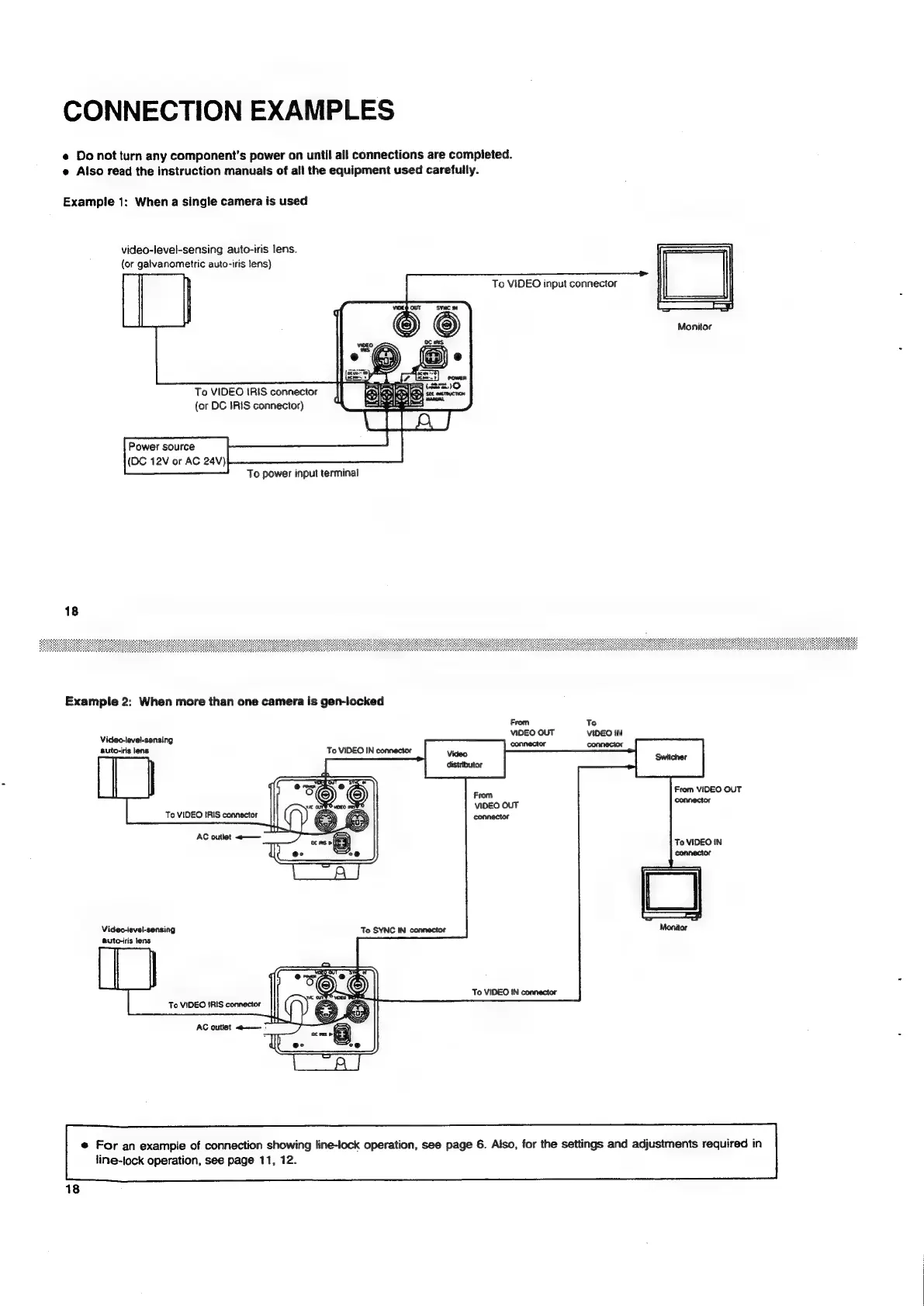
CONNECTION
EXAMPLES
e
Do
not
turn
any
component's
power
on
until
all
connections
are
compieted.
e
Also
read
the
instruction
manuals
of
all
the
equipment
used
carefully.
Example
1:
When
a
single
camera
is
used
video-level-sensing
auto-iris
lens.
(or
galvanometric
auto-iris
lens)
To
VIDEO
input
connector
Monitor
To
VIDEO
IRIS
connector
(or
DC
IRIS
connector)
Power
source
(DC
12V
or
AC
24V)
To
power
input
terminal
18
Example
2:
When
more
than
one
camera
is
gen-iocked
From
To
VIDEO
OUT
VIDEO
IN
Video-level-sensing
auto-iris
lens
From
VIDEO
OUT
connector
To
VIDEO
IN
connector
Video-level-sensing
auto-iris
lens
To
SYNC
IN
connector
To
VIDEO
IN
connector
@
For
an
example
of
connection
showing
line-lock
operation,
see
page
6.
Also,
for
the
settings
and
adjustments
required
in
line-lock
operation,
see
page
11,
12.

Related product manuals