EasyManua.ls Logo

JVC TK-1280E - Page 31

JVC TK-1280E
82 pages
Print Icon
To Next Page IconTo Next Page
To Previous Page IconTo Previous Page
Loading...
|
TK-1280E/-1180E/-1281EG
MIDISASSEMBLY
PROCEDURE
¢
Be
sure
to
turn
OFF
power
before
disassembly
of
parts.
1.
Removal
of
Casing
Parts
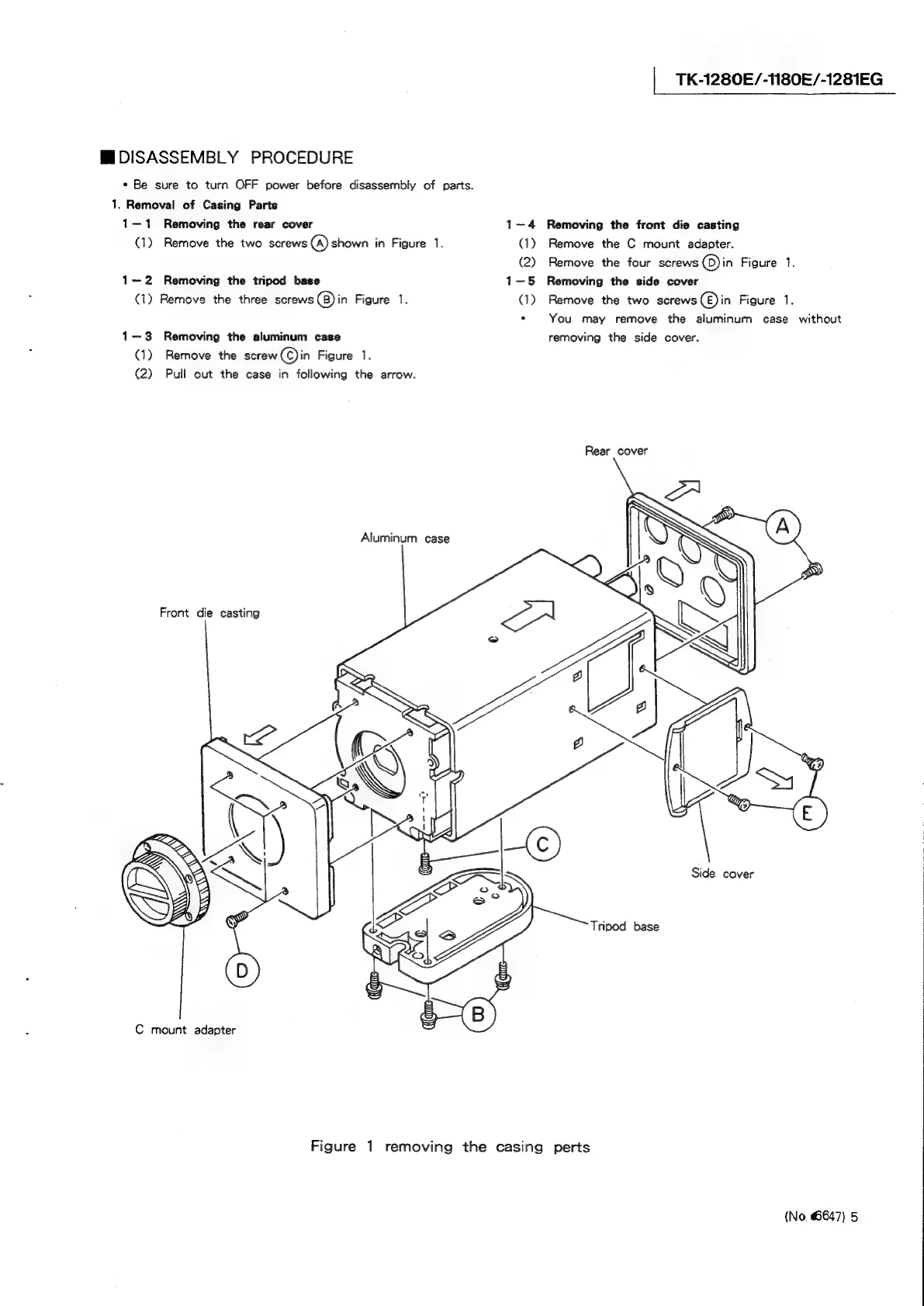
1—1
Removing
the
rear
cover
1-4
Removing
the
front
die
casting
(1)
Remove
the
two
screws
(A)
shown
in
Figure
1.
(1)
Remove
the
C
mount
adapter.
(2)
Remove
the
four
screws
©)in
Figure
1.
1-2
Removing
the
tripod
base
1—5
Removing
the
side
cover
(1)
Remove
the
three
screws
(B)
in
Figure
1.
(1)
Remove
the
two
screws
(E)
in
Figure
1.
*
You
may
remove
the
aluminum
case
without
1—3
Removing
the
aluminum
case
removing
the
side
cover.
(1)
Remove
the
screw(C)in
Figure
1.
(2)
Pull
out
the
case
in
following
the
arrow.
Rear
cover
Aluminum
case
Front
die
casting
Side
cover
Tripod
base
C
mount
adapter
|
|
1
Figure
1
removing
the
casing
perts
(No,
6647)
5

Related product manuals