EasyManua.ls Logo

JVC TK-1280E - Page 33

JVC TK-1280E
82 pages
Print Icon
To Next Page IconTo Next Page
To Previous Page IconTo Previous Page
Loading...
|
TK-1280E/-1180E/-1281EG
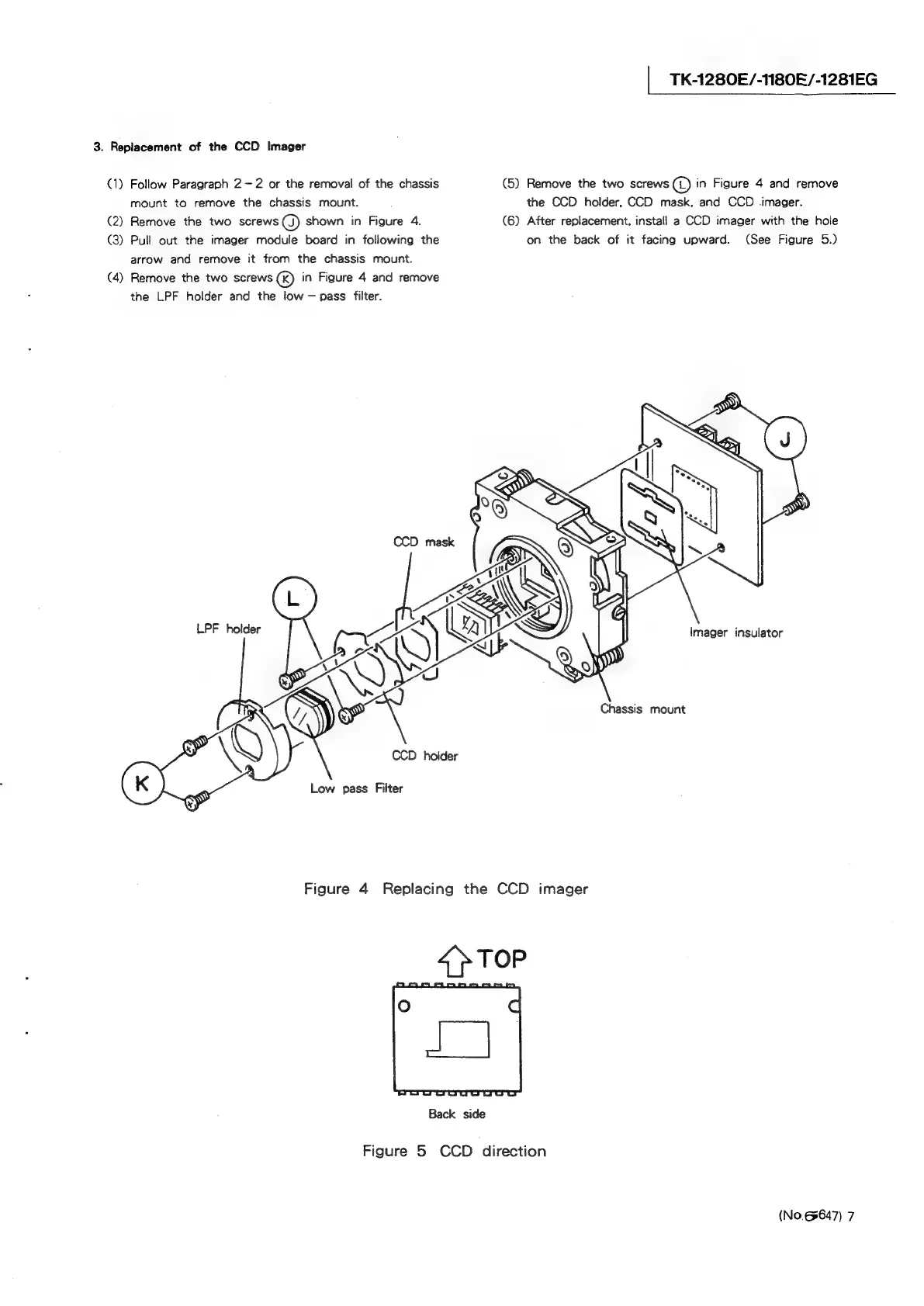
3.
Replacement
of
the
CCD
Imager
(1)
Follow
Paragraph
2-2
or
the
removal
of
the
chassis
(5)
Remove
the
two
screws
©
in
Figure
4
and
remove
mount
to
remove
the
chassis
mount.
the
CCD
holder,
CCD
mask,
and
CCD
imager.
(2)
Remove
the
two
screws
(J)
shown
in
Figure
4.
(6)
After
replacement,
install
a
CCD
imager
with
the
hole
(3)
Pull
out
the
imager
module
board
in
following
the
on
the
back
of
it
facing
upward.
(See
Figure
5.)
arrow
and
remove
it
from
the
chassis
mount.
(4)
Remove
the
two
screws
(K)
in
Figure
4
and
remove
the
LPF
holder
and
the
low
pass
filter.
LPF
holder
Imager
insulator
TH
Chassis
mount
wy
S
Q
CCD
holder
Low
pass
Filter
Figure
4
Replacing
the
CCD
imager
4
TOP
Back
side
Figure
5
CCD
direction
(No.6647)
7

Related product manuals