EasyManua.ls Logo

JVC TK-C600 - Page 12

JVC TK-C600
53 pages
Print Icon
To Next Page IconTo Next Page
To Previous Page IconTo Previous Page
Loading...
e
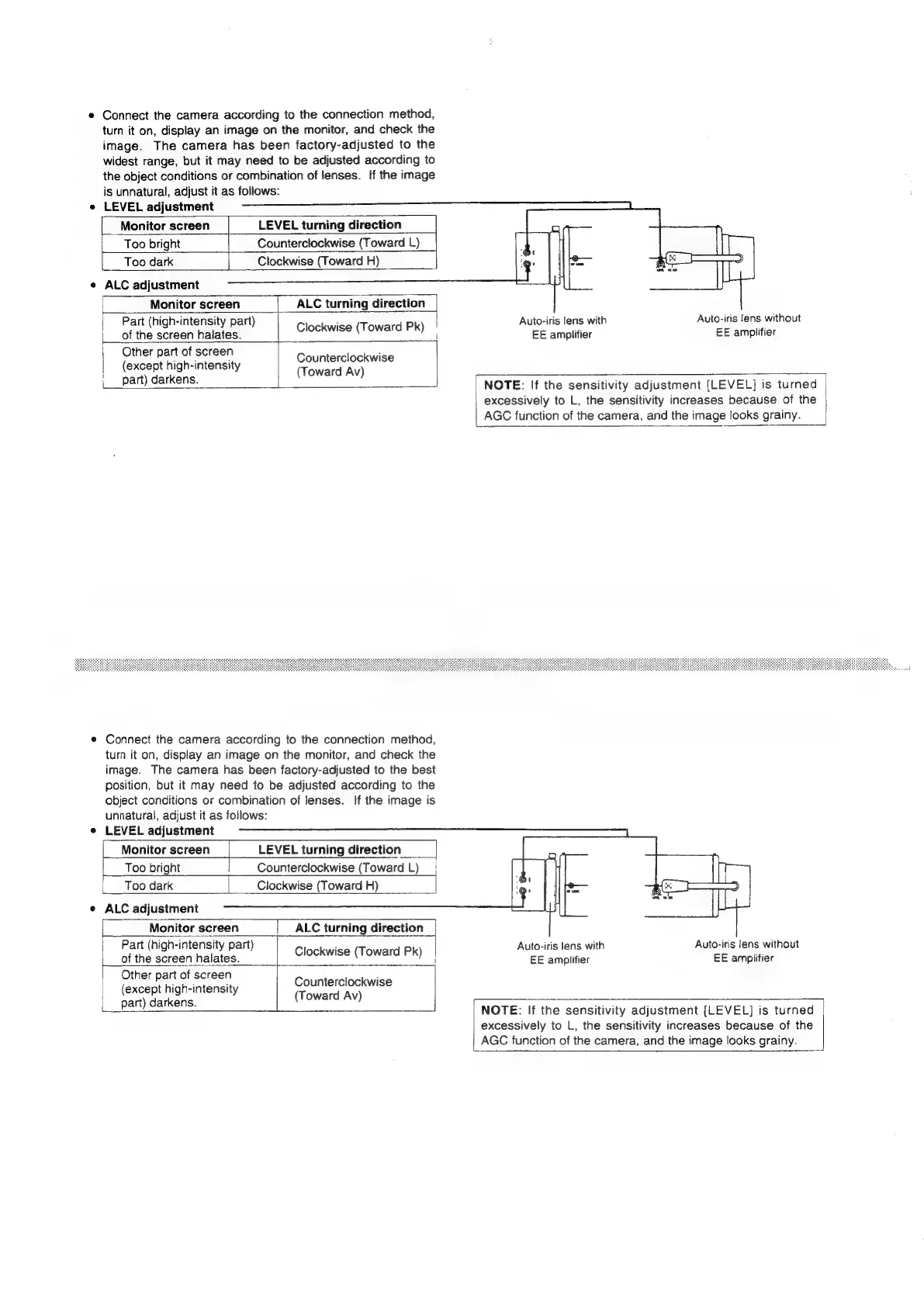
Connect
the
camera
according
to
the
connection
method,
turn
it
on,
display
an
image
on
the
monitor,
and
check
the
image.
The
camera
has
been
factory-adjusted
to
the
widest
range,
but
it
may
need
to
be
adjusted
according
to
the
object
conditions
or
combination
of
lenses.
If
the
image
is
unnatural,
adjust
it
as
follows:
e
LEVEL
adjustment
Monitor
screen
LEVEL
turning
direction
Too
bright
Counterclockwise
(Toward
L)
Too
dark
Clockwise
(Toward
H)
ALC
adjustment
ALC
turning
direction
Clockwise
(Toward
Pk)
Monitor
screen
Tt.
Part
(high-intensity
part)
|
Auto-iris
lens
with
Auto-iris
lens
without
of
the
screen
halates.
i
EE
amplifier
EE
amplifier
Other
part
of
screen
(except
high-intensity
Counterclockwise
(Toward
Av)
i_part)
darkens.
=
NOTE:
If
the
sensitivity
adjustment
[LEVEL]
is
turned
excessively
to
L,
the
sensitivity
increases
because
of
the
AGC
function
of
the
camera,
and
the
image
looks grainy.
©
Connect
the
camera
according
to
the
connection
method,
turn
it
on,
display
an
image
on
the
monitor,
and
check
the
image.
The
camera
has
been
factory-adjusted
to
the
best
position,
but
it
may
need
to
be
adjusted
according
to
the
object
conditions
or
combination
of
lenses.
If
the
image
is
unnatural,
adjust
it
as
follows:
e
LEVEL
adjustment
Monitor
screen
LEVEL
turning
direction
Too
bright
|
Counterclockwise
(Toward
L)
|
Too
dark
Clockwise
(Toward
H)
e
ALC
adjustment
Monitor
screen
|_
ALC
turning
direction
Part
(high-intensity
part)
Ff
Auto-iris
lens
with
Auto-iris
lens
without
of
the
screen
halates.
Clockwise
(Toward
Pk)
|
EE
amplifier
EE
ampiitier
Other
part
of
screen
(except
high-intensity
part)
darkens.
Counterclockwise
(Toward
Av)
NOTE:
If
the
sensitivity
adjustment
[LEVEL]
is
turned
excessively
to
L,
the
sensitivity
increases
because
of
the
AGC
function
of
the
camera,
and
the
image
looks
grainy.

Related product manuals