EasyManua.ls Logo

JVC TK-C600 - Page 19

JVC TK-C600
53 pages
Print Icon
To Next Page IconTo Next Page
To Previous Page IconTo Previous Page
Loading...
@
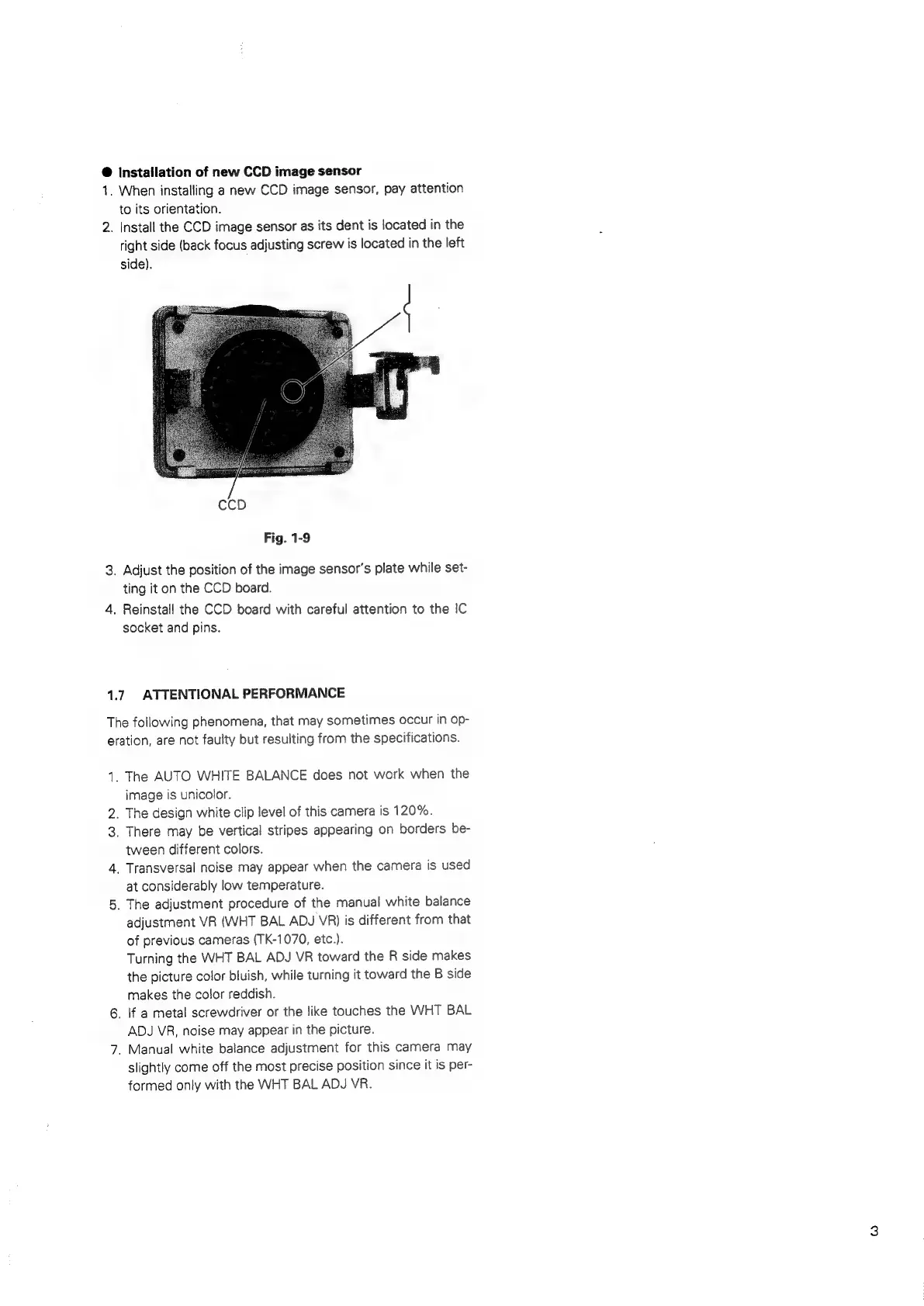
Installation
of
new
CCD
image
sensor
1.
When
installing
a
new
CCD
image
sensor,
pay
attention
to
its
orientation.
2.
Install
the
CCD
image
sensor
as
its
dent
is
located
in
the
right
side
(back
focus
adjusting
screw
is
located
in
the
left
side).
Fig.
1-9
3.
Adjust
the
position
of
the
image
sensor's
plate
while
set-
ting
it
on
the
CCD
board.
4.
Reinstall
the
CCD
board
with
careful
attention
to
the
IC
socket
and
pins.
1.7.
ATTENTIONAL
PERFORMANCE
The
following
phenomena,
that
may
sometimes
occur
in
op-
eration,
are
not
faulty
but
resulting
from
the
specifications.
1.
The
AUTO
WHITE
BALANCE
does
not
work
when
the
image
is
unicolor.
.
The
design
white
clip
level
of
this
camera
is
120%.
3.
There
may
be
vertical
stripes
appearing
on
borders
be-
tween
different
colors.
4.
Transversal
noise
may
appear
when
the
camera
is
used
at
considerably
low
temperature.
5.
The
adjustment
procedure
of
the
manual
white
balance
adjustment
VR
(WHT
BAL
ADJ
VR)
is
different
from
that
of
previous
cameras
(TK-1070,
etc.).
Turning
the
WHT
BAL
ADJ
VR
toward
the
R
side
makes
the
picture
color
bluish,
while
turning
it
toward
the
B
side
makes
the
color
reddish.
6.
If
a
metal
screwdriver
or
the
like
touches
the
WHT
BAL
ADJ
VR,
noise
may
appear
in
the
picture.
7.
Manual
white
balance
adjustment
for
this
camera
may
slightly
come
off
the
most
precise
position
since
it
is
per-
formed
only
with
the
WHT
BAL
ADJ
VR.
nD

Related product manuals