(No.MB665<Rev.004>)1-15
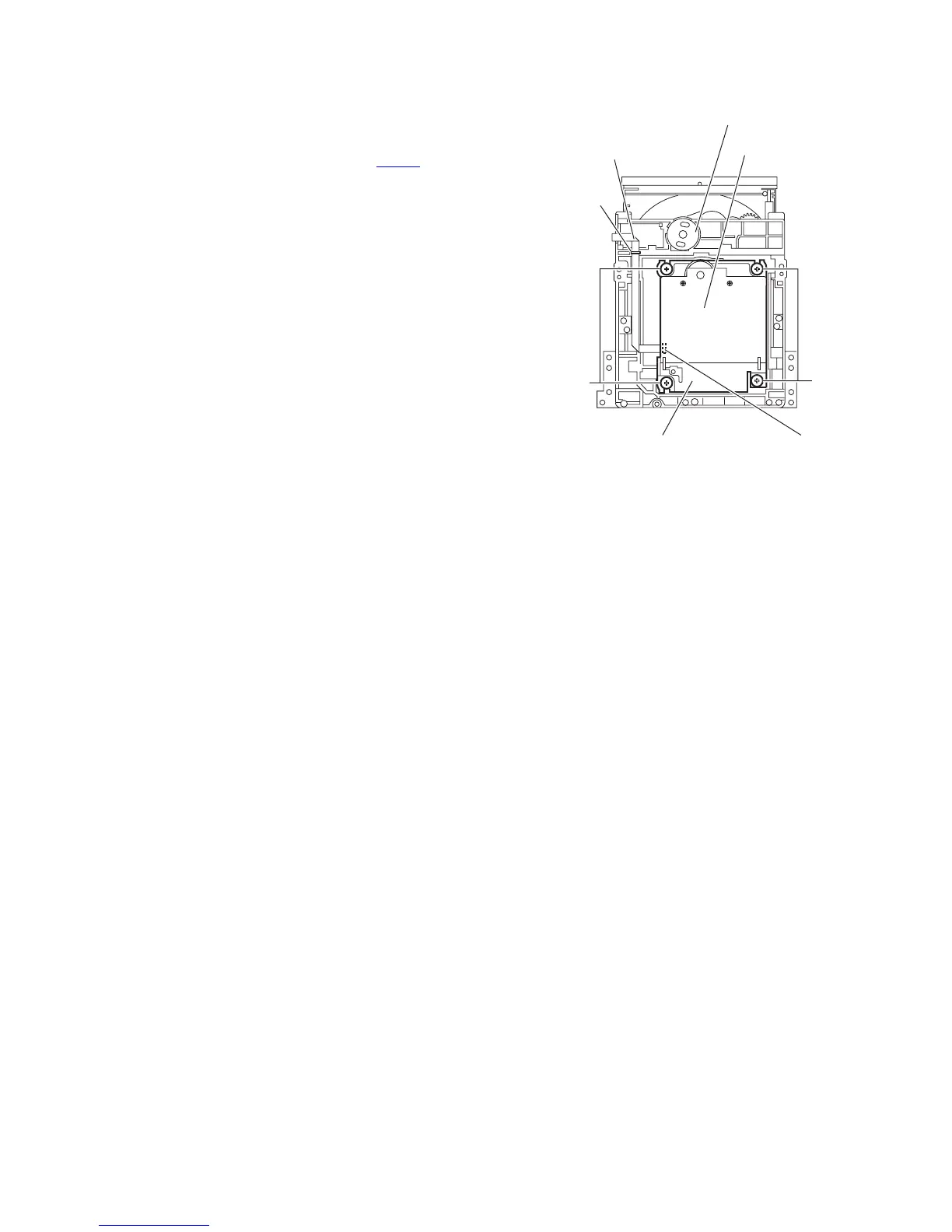
3.2.3 Removing the traverse mechanism assembly
(See Fig.4)
(1) Remove the four screws C attaching the traverse mecha-
nism assembly from bottom side of CD mechanism assem-
bly.
(2) Disconnect the card wire from connector CN602
of the CD
servo board and then take out the traverse mechanism as-
sembly and CD servo board together.
Reference:
When reattaching the traverse mechanism assembly, the card
wire should through the part d.
Fig.4
CD mechanism assembly
CN602
CD servo board
C
C
d
Card wire
Traverse mechanism assembly


 To Next Page
 Loading...