15
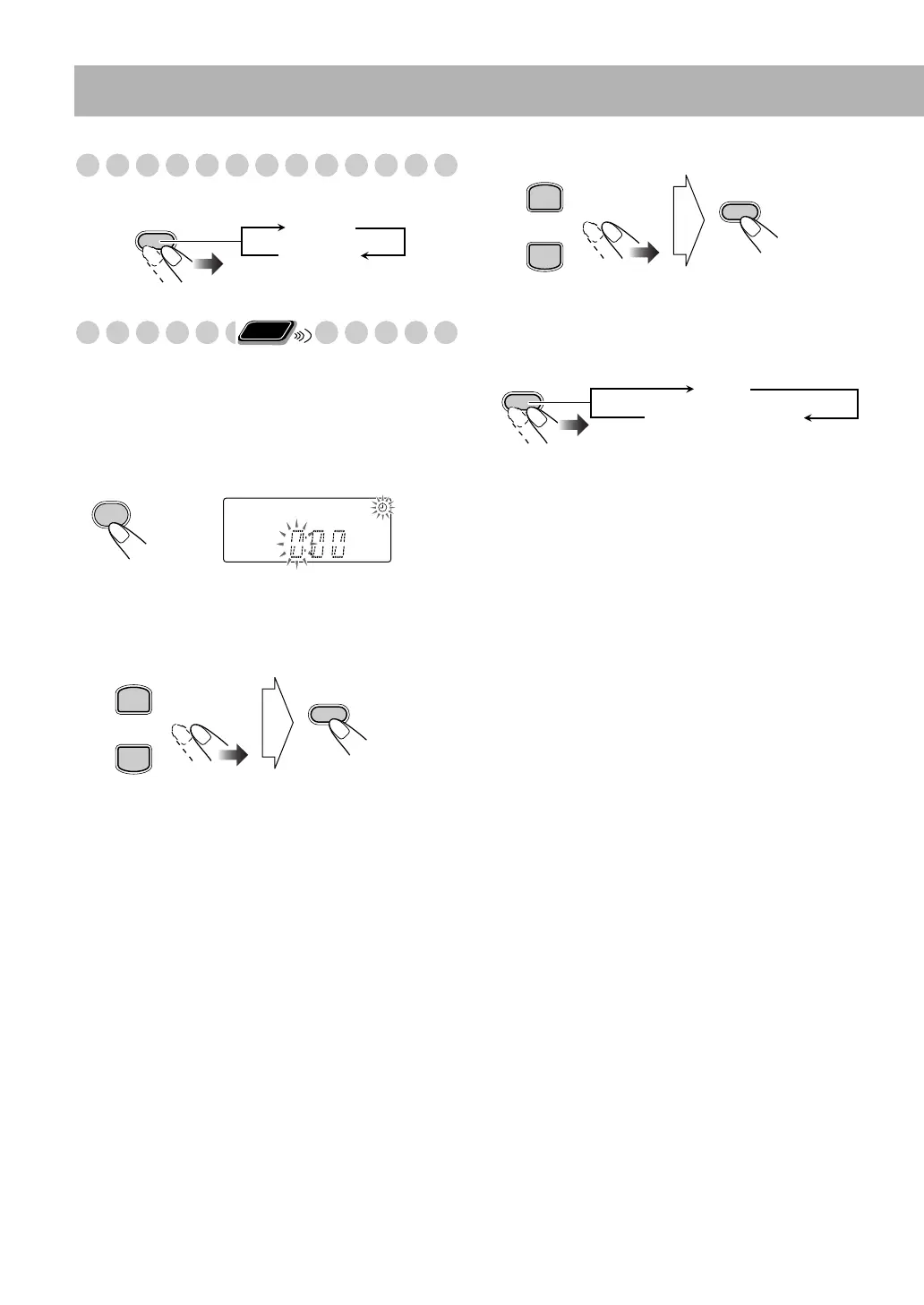
Changing the Display Brightness—DIMMER
You can dim the display window.
Setting the Clock
Without setting the built-in clock, you cannot use the Daily
Timer (see page 22).
• To exit from the clock setting, press CLOCK/TIMER as
required.
• To go back to the previous step, press CANCEL.
1 Activate the clock setting mode.
• If you have already adjusted the clock before, press the
button repeatedly until the clock setting mode (see
page 22) is selected.
2 Adjust the hour.
3 Adjust the minute.
“CLOCK OK” appears and the built-in clock starts
working.
To check the current time during play
If there is a power failure
The clock loses the setting and is reset to “0:00.” You need
to set the clock again.
DIMMER
DIM ON
DIM OFF
(Canceled)
Remote
ONLY
CLOCK
/TIMER
PRESET UP
PRESET DOWN
SET/RESUME
PRESET UP
PRESET DOWN
SET/RESUME
DISPLAY
Clock
Source information
UX-G45[B].BOOK Page 15 Thursday, March 2, 2006 4:26 AM


 To Next Page
 Loading...