EasyManua.ls Logo

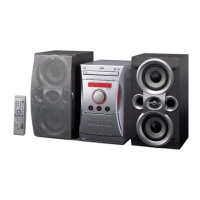
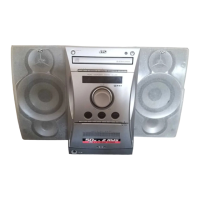
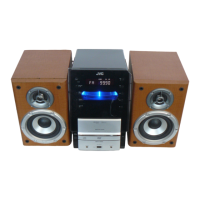
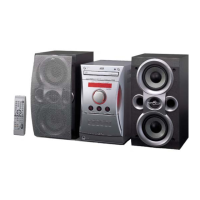
JVC UX-L30UJ - User Manual

JVC UX-L30UJ
56 pages
Print Icon
To Next Page IconTo Next Page
Loading...
GVT0080-003A
[US, UJ]
For Customer Use:
Enter below the Model No. and Serial No.
which are located either on the rear, bot-
tom or side of the cabinet. Retain this
information for future reference.
Model No.
Serial No.
UX-L40 Consists of CA-UXL40 and SP-UXL40
CA-UXL40 SP-UXL40
UX-L30 Consists of CA-UXL30 and SP-UXL30
CA-UXL30 SP-UXL30
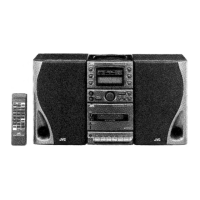
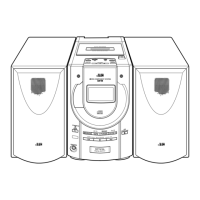
MICRO COMPONENT SYSTEM
INSTRUCTIONS
STANDBY/ON
DISPLAY
CLOCK
/TIMER
SLEEP
BASS
TREBLE
UP
DOWN
CANCEL
SET
CD TAPE
FM/AM
AUX/MD
CD
PRGM RANDOM REPEAT
SURROUND AHB PRO
DIMMER
VOLUME
REV.MODE FM MODE
AUTO
PRESET
RM-SUXL40U REMOTE CONTROL
COMPACT
DIGITAL AUDIO
CD-R/RW PLAYBACK
REC SURROND AHB PRO
VOLUME
BASS TREBLE
PHONES
AUTO REVERSE
CD TAPE
FM/AM
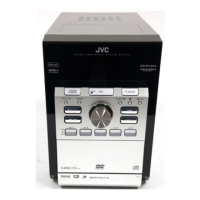
MICRO COMPONENT SYSTEM UX-L40
CLOCK/TIMER AUX/MD
DOWN
UP
STANDBY / ON
+
PUSH
OPEN
0
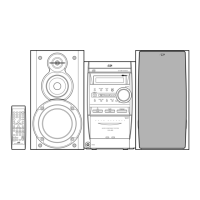
SP-UXL40 SP-UXL40CA-UXL40
SP-UXL30 SP-UXL30CA-UXL30
STANDBY/ON
DISPLAY
CLOCK
/TIMER
SLEEP
BASS
TREBLE
DOWN
CANCEL
SET
0CD
PRGM RANDOM REPEAT
AHB PRO
DIMMER
VOLUME
REV.MODE FM MODE
AUTO
PRESET
1
4
7
10
2
5
8
3
6
9
+10
RM-SUXL30U REMOTE CONTROL
UP
7
CD
3/8
TAPE
23
FM/AM AUX/MD
COMPACT
DIGITAL AUDIO
CD-R/RW PLAYBACK
REC REV. MODE AHB PRO
VOLUME
BASS TREBLE
PHONES
AUTO REVERSE
CD TAPE
FM/AM
MICRO COMPONENT SYSTEM UX-L30
CLOCK/TIMER AUX/MD
DOWN
UP
STANDBY / ON
+
PUSH
OPEN
0
Cover_UX-L40&30[US&UJ]f 02.2.18, 8:16 PM1

Table of Contents

Questions and Answers

  • J
    Jacqueline MartinezAug 8, 2025
    What to do if there is no sound from my JVC UX-L30UJ?
    • Z
      Zachary VaughnAug 8, 2025
      If you are not hearing any sound, there might be a problem with the connections or headphones. First, check all the connections to ensure they are correctly and securely connected. If headphones are connected, disconnect them to see if the sound comes through the speakers.
  • A
    Amber Washington MDAug 12, 2025
    Why is it hard to listen to broadcasts on my JVC UX-L30UJ Stereo System because of noise?
    • A
      Ann SmithAug 12, 2025
      If you're experiencing excessive noise during broadcasts, it could be due to antenna issues. Ensure the antennas are correctly and securely reconnected. If you are using an AM loop antenna, try changing its position and direction. For FM broadcasts, make sure the FM antenna is fully extended and positioned for optimal reception.
  • R
    Raymond CobbAug 17, 2025
    What to do if I cannot operate my JVC Stereo System with the remote control?
    • J
      Juan MartinezAug 17, 2025
      If the remote control isn't working, first ensure that there is a clear path between the remote control and the remote sensor on the unit. Remove any obstructions. If the problem persists, replace the batteries in the remote control, as they may be exhausted.
  • E
    Eric ChurchAug 21, 2025
    What to do if the disc tray on my JVC UX-L30UJ Stereo System doesn't open or close?
    • L
      Lindsey RiosAug 21, 2025
      If the disc tray is not opening or closing, ensure that the AC power cord is properly plugged in.
  • J
    Jennifer HicksAug 26, 2025
    What to do if my JVC Stereo System disc does not play?
    • C
      Cory BirdAug 26, 2025
      If a disc does not play, make sure that the disc is placed correctly with the label side up.
  • F
    fchapmanAug 29, 2025
    What to do if the disc sound is discontinuous on my JVC Stereo System?
    • M
      Morgan ReedAug 29, 2025
      If the disc sound is discontinuous, the disc may be scratched or dirty. Try cleaning the disc, and if the problem persists, replace it.
  • M
    markyoungSep 3, 2025
    What to do if the cassette holder cannot be opened on my JVC UX-L30UJ?
    • T
      Tina HarrisSep 3, 2025
      If the cassette holder cannot be opened, unplug the AC power cord and then plug it back in.

JVC UX-L30UJ Specifications

General IconGeneral
BrandJVC
ModelUX-L30UJ
CategoryStereo System
LanguageEnglish

Related product manuals