EasyManua.ls Logo

JVC XV-M565BK - User Manual

JVC XV-M565BK
52 pages
Print Icon
To Next Page IconTo Next Page
Loading...
XV-M565BK/XV-M567GD [J] EN
LVT0521 -001A
LVT0521-001A
[J]
XV-M565BK/XV-M567GD
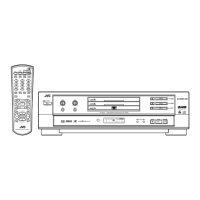
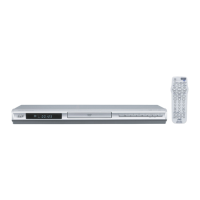
DVD VIDEO PLAYER
For Customer Use:
Enter below the Model No. and Serial No.
which are located on the rear, bottom or
side of the cabinet. Retain this informa-
tion for future reference.
Model No.
Serial No.
SLOW
UP
DOWN
LEFT
CURSOR
RIGHT
AMP
VOL
TV
VOL
TITLE
MENU
TV
ch
AUDIOSUBTITLE
CANCEL
SHIFT
3D PHONIC THEATER
POSITION
PLAY MODE
TV RETURN
DIGEST STROBE ZOOM TIME
TV 0 TV 100+
TV 7 TV 8 TV 9
TV 4 TV 5 TV 6
TV 1 TV 2 TV 3
RETURN
TV/VIDEO
DISPLAY
ANGLE
DISC 2 DISC 3
CHOICE
DISC 1
DVD POWER
TV POWER
456
789
10 +100
REMOTE CONTROL
PLAY
B.SKIP
PAUSE
STOP
ENTER
F.SKIP
B.SEARCH
F.SEARCH
123
'
Introduction 1
Preliminary knowledge 4
Getting started 12
Basic operations 17
Advanced operations 21
Initial settings 36
Additional information 42
INSTRUCTIONS
POWER
DVD PLAYER
STANDBY
SHUTTLE
DVD / VIDEO CD / CD
DVD
3
DVD
2
DVD
1
DISC TITLE CHAP RESUME THEATER
DVD
DIMMER
THEATER
POSITION
3D PHONIC
DIGEST
STROBE
ZOOM
3
2
1
STOP PAUSE PLAY
SKIP
DOLBY
D
I
G
I
T
A
L
EACH
PLAY & EXCHANGE

Other manuals for JVC XV-M565BK

Questions and Answers

  • E
    Ethan FlynnAug 13, 2025
    What to do if no picture is displayed on JVC XV-M565BK DVD Player?
    • M
      martinchristinaAug 13, 2025
      If no picture is displayed, the video cable may be connected incorrectly, so connect the cable correctly. Also, the input selection of your TV might be incorrect, so select the correct input. Finally, make sure you are using a playable disc.
  • E
    edgar16Aug 17, 2025
    How to fix JVC XV-M565BK if power does not come on?
    • A
      Adam CabreraAug 17, 2025
      If the power does not come on, make sure the power plug is inserted securely into the outlet. If it is not, plug it in securely.
  • N
    Natalie HillAug 20, 2025
    What to do if no audio is reproduced on JVC XV-M565BK DVD Player?
    • R
      Rebecca FloydAug 21, 2025
      If no audio is being reproduced, check the connections to ensure they are correct. Also, verify that the input selection of your amplifier is set correctly.
  • G
    Gabriel HarrisAug 25, 2025
    How to eliminate distorted sound or noise from JVC XV-M565BK?
    • K
      Kayla WilliamsAug 25, 2025
      If the sound is distorted or noise is generated, the disc may be dirty. Wipe the disc surface to clean it.
  • B
    Brandy TaylorAug 28, 2025
    What to do if operation is not possible on JVC DVD Player?
    • D
      Doris WalkerAug 28, 2025
      If operation is not possible, it could be due to a microcomputer malfunction caused by lightning or static electricity. Turn off the power and unplug the power cord, then connect the power cord again. Alternatively, it might be due to moisture condensation caused by a sudden change of temperature or humidity; in that case, turn off the power, then turn it on a few hours later.
  • L
    Lisa JohnsonSep 1, 2025
    Why is the picture noisy on my JVC XV-M565BK DVD Player?
    • J
      Jeffrey WillisSep 1, 2025
      If the picture is noisy, it may be because the unit is connected to a VCR directly and the copyguard function is activated. Connect the unit so that the picture signal flows directly to the TV.
  • J
    jeffreycraigSep 5, 2025
    How to adjust JVC XV-M565BK picture to fit television screen?
    • J
      James ColeSep 5, 2025
      If the picture does not fit the television screen, the MONITOR TYPE may not be set correctly, or the television is not correctly set. Set the television correctly.
  • T
    Travis WilliamsSep 8, 2025
    Why JVC XV-M565BK DVD Player remote control does not work?
    • L
      Leslie MartinezSep 8, 2025
      There are several reasons why the remote control might not be working. You may be too far from the unit, so move closer. Ensure that you are pointing the infrared light-emitting window toward the remote sensor on the front panel. The batteries might be exhausted, so replace them with new ones. Finally, check the battery polarity and re-insert them in the correct direction if they are incorrect.

JVC XV-M565BK Specifications

General IconGeneral
BrandJVC
ModelXV-M565BK
CategoryDVD Player
LanguageEnglish

Related product manuals