Need help?
Do you have a question about the JVC XV-N322S and is the answer not in the manual?
Covers risk of electric shock, fire, rain, moisture, and general safety icons.
Information regarding FCC (USA) and Canadian standards compliance.
Covers ventilation, flames, batteries, moisture, and power cord safety.
Details disc compatibility and potential playback issues.
Instructions for audio/video and S-video connections to a TV.
Guides for component video, stereo amplifier, and digital audio connections.
Steps for inserting the AC power plug and batteries into the remote.
On-screen setup for language, picture type, and audio output.
Instructions for opening the disc tray, inserting discs, and closing.
Explanation of various icons displayed during playback.
Details on start, stop, pause, speed adjustments, and chapter skipping.
How to use disc menus and playback control (PBC) features.
Changing audio languages, subtitles, and viewing angles.
Customizing picture settings via the Video Fine Processor (VFP).
Accessing and operating the menu bar icons and features.
Using time, repeat, program, and random playback functions.
Important notes on disc format, file naming, and compatibility.
Details on repeat, random, and program playback for media files.
Instructions for zooming, rotating, thumbnail lists, and slide shows.
General player configuration options and adjustments.
Specific options within the Language and Picture menus.
Settings for digital/analog audio outputs and sound range control.
Configuration for resume playback, auto standby, and parental lock.
Solutions for power, disc operation, and region code related problems.
Troubleshooting for video quality, sound output, and media file issues.
Reference tables for parental lock country codes and language settings.
Details on warranty period, what is covered, and customer obligations.
Details on disc formats, video standards, power consumption, and dimensions.
Information on audio outputs, frequency response, and distortion.
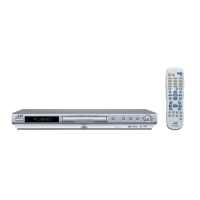
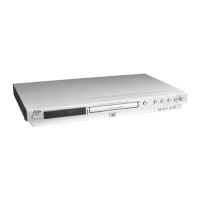
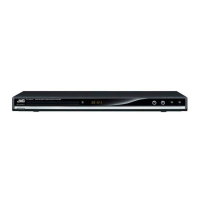
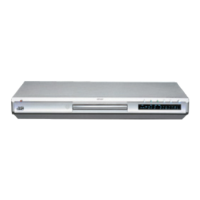
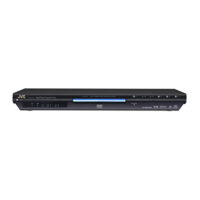
This document describes the JVC XV-N320B and XV-N322S DVD Players, offering comprehensive instructions for setup, operation, and maintenance.
The JVC DVD Player is designed to play various disc formats, including DVD VIDEO, DVD-R/-RW (Video format), SVCD, Video CD, Audio CD (CD-DA), and CD-R/RW discs containing CD-DA, SVCD, Video CD, MP3, or JPEG files. It supports both NTSC and PAL video systems, converting PAL signals to NTSC for output. The player features multiple audio outputs, including analog and digital (coaxial), to connect to a TV, stereo amplifier, or digital audio device with a built-in decoder for high-quality surround sound (Linear PCM, Dolby Digital, DTS).
Key playback functions include:
The player also includes a Video Fine Processor (VFP) function to adjust picture characteristics, offering presets like NORMAL and CINEMA, and two USER presets for customized settings (Gamma, Brightness, Contrast, Saturation, Tint, Sharpness, Y Delay). Sound effects can also be applied, with increasing intensity as the effect value increases.
The JVC DVD Player is designed for user-friendly operation with a remote control and on-screen displays.
Upon first power-on, the player guides the user through initial settings for:
The remote control provides access to all player functions, including disc tray open/close, playback controls, menu navigation, direct numeric input, and specific function buttons like DISPLAY, SOUND EFFECT, VFP-I/P, ZOOM, and DIMMER. The operating range for the remote is approximately 5 meters.
During playback, icons appear on the TV screen to indicate current status (e.g., Playback, Pause, Slow-motion, Fast Forward/Backward) and available features (e.g., multi-angle, multi-audio, multi-subtitles). These icons can be toggled on or off in the initial settings.
Pressing ON SCREEN twice brings up a menu bar with status information and various functions (TIME, REPEAT, CHAPTER, AUDIO, SUBTITLE, ANGLE, PROG, RND) that can be selected and adjusted.
A parental lock feature allows users to restrict playback of discs based on country code and a set level, protected by a 4-digit password.
The player supports DVD VIDEO discs with region code "1" and various other region codes if they include "1." It plays back DVD-R/-RW in DVD VIDEO format and CD-R/RW in SVCD, Video CD, Audio CD, MP3, and JPEG formats (ISO 9660). Unplayable discs include DVD-RW in VR format, DVD-ROM, DVD-RAM, DVD AUDIO, CD-ROM, PHOTO CD, SACD, unfinalized discs, and discs with irregular shapes or foreign materials on the surface.
The manual provides a troubleshooting section to address common issues such as:
For any issues not resolved by troubleshooting, users are advised to consult their dealer or qualified service personnel. The manual emphasizes that the product uses a laser system and unauthorized procedures may result in hazardous radiation exposure.
 General
| Type | DVD Player |
|---|---|
| Video Output | Composite, S-Video, Component |
| Progressive Scan | Yes |
| Remote Control | Yes |
| Video DAC | 10-bit / 27MHz |
| Audio DAC | 24-bit / 96kHz |
| Disc Compatibility | DVD, DVD-R/RW, CD, CD-R/RW |
| Audio Output | Digital Audio Coaxial |
| Video Formats Supported | MPEG2 |
| Audio Formats Supported | Dolby Digital |
| Output Resolution | 480p |

 To Next Page