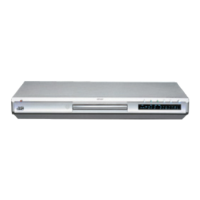
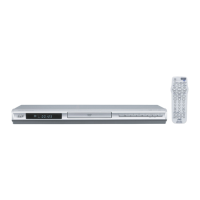
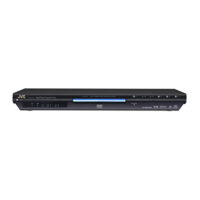
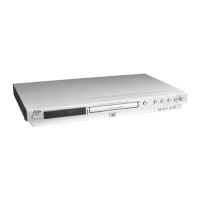
EasyManua.ls Logo

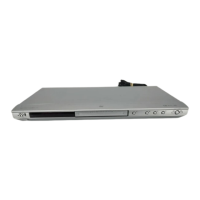
JVC XV-NK58SL - User Manual

JVC XV-NK58SL
280 pages
Print Icon
To Next Page IconTo Next Page
Loading...
LVT1002-008B
[US]
HOME CINEMA CONTROL CENTER
DVD VIDEO PLAYER
RX-ES1SL
XV-NK58SL
INSTRUCTIONS
For Customer Use:
Enter below the Model No. and Serial No.
which are located either on the rear, bot-
tom or side of the cabinet. Retain this
information for future reference.
Model No.
Serial No.
English
coverRX-ES1&XV-NK58[US] 03.8.5, 17:251

Table of Contents

Other manuals for JVC XV-NK58SL

Questions and Answers

  • J
    Justin LawsonAug 15, 2025
    Why is there no sound from my JVC DVD Player speakers?
    • S
      sandovalchristopherAug 16, 2025
      If you're not getting any sound from the speakers connected to your JVC DVD Player, several factors could be the cause. First, ensure that the speaker signal cables are properly connected. It's also possible that the incorrect source is selected, so ensure that you have selected the correct source. Also, check if muting is activated and, if so, deactivate it by pressing the MUTING button. Another potential issue is selecting an incorrect input mode (analog or digital), so ensure that you have selected the correct mode. Finally, verify that all connections are correct.
  • R
    Robert SantosAug 18, 2025
    What to do if JVC DVD Player remote control does not work?
    • A
      Austin RuizAug 18, 2025
      If your JVC DVD Player remote control isn't working, there are a few things to check. First, make sure there isn't anything blocking the remote sensor on the unit. If there is, remove the obstruction. Also, check the batteries, and replace them if they're weak. Finally, verify that the mode selector is in the correct position.
  • J
    Justin BeltranAug 21, 2025
    Why does my JVC XV-NK58SL turn off and go into standby mode?
    • D
      Dawn ShermanAug 22, 2025
      Your JVC DVD Player might be turning off and going into standby mode due to a few reasons. One possibility is that the speakers are overloaded because of high volume. In this case, stop the playback source, turn the unit on again, and adjust the volume. Another potential cause is that the speakers are overloaded because of a short circuit at the speaker terminals. Check the speaker wiring. If the speaker wiring is not short-circuited, contact your dealer. The unit could also be overloaded because of a high voltage, consult your dealer after unplugging the power cord.
  • S
    Seth WrightAug 25, 2025
    What to do if operation is not possible on JVC DVD Player?
    • K
      Kaitlyn MaldonadoAug 25, 2025
      If operation is not possible on your JVC DVD Player, it could be due to several reasons. A microcomputer malfunction due to lightning or static electricity could be the cause; in this case, turn off the power and unplug the power cord, then connect the power cord again. Another reason might be moisture condensation caused by a sudden change of temperature or humidity, in which case you should turn off the power, then turn it on a few hours later. Finally, the disc may not allow the operation, or an unplayable disc is inserted, so check and replace the disc.
  • J
    Jacqueline OwensAug 27, 2025
    How to fix a noisy picture on JVC XV-NK58SL?
    • C
      Carrie FosterAug 27, 2025
      If the picture on your JVC DVD Player is noisy, it could be due to a couple of reasons. If the player is connected to a VCR directly, the copyguard function may be activated; connect the player so that the picture signal flows directly to the TV. Also, with some discs, the picture may be blurred when [PICTURE SOURCE] is set to [FILM] or [AUTO]. Set [PICTURE SOURCE] to [VIDEO (NORMAL)] or [VIDEO (ACTIVE)].
  • R
    robertjohnsonAug 30, 2025
    Why is there continuous hiss or buzzing during FM reception on my JVC XV-NK58SL?
    • P
      Pamela CruzAug 30, 2025
      If you're experiencing a continuous hiss or buzzing during FM reception on your JVC DVD Player, it could be due to several reasons. The incoming signal might be too weak. The station might be too far away, so try selecting a new station. An incorrect antenna might be in use. Also, make sure that the antennas are connected properly.
  • E
    Eric ReedSep 2, 2025
    What does 'REGION CODE ERROR!' mean on my JVC DVD Player?
    • S
      Seth SmithSep 3, 2025
      If you see a “REGION CODE ERROR!” message on your TV screen when using your JVC DVD Player, it means the region code of the inserted disc does not match the player. Check the region code of the disc printed on the disc jacket.
  • B
    Beverly StevensSep 5, 2025
    Why is the DVD VIDEO disc playback sound level lower than TV broadcast sound level on JVC DVD Player?
    • M
      Mary BrownSep 5, 2025
      If the DVD VIDEO disc playback sound level is lower than the TV broadcast sound level on your JVC DVD Player, the [D.RANGE CONTROL] preference might be set to other than [TV MODE]. Set the [D.RANGE CONTROL] preference to [TV MODE].
  • M
    Michael BaldwinSep 8, 2025
    Why is the analog audio output distorted on my JVC DVD Player?
    • K
      kathleenbaldwinSep 8, 2025
      If the analog audio output is distorted on your JVC DVD Player, the [OUTPUT LEVEL] preference might be set to [STANDARD]. Set the [OUTPUT LEVEL] preference to [LOW].
  • D
    David MarksSep 12, 2025
    Why can't I turn on the KARAOKE function while playing back an MP3/WMA disc on JVC DVD Player?
    • A
      Austin TaylorSep 12, 2025
      If you cannot turn on the KARAOKE function while playing back an MP3/WMA disc on your JVC DVD Player, it is because the KARAOKE function cannot be turned on when an MP3/WMA disc is played back.

Summary

Parts Identification

Remote Control

Identifies components of the remote control for the JVC RX-ES1SL and XV-NK58SL.

Getting Started

Precautions

General safety, location, handling, and cleaning guidelines for the JVC receiver.

Checking the Supplied Accessories

Lists all included accessories and advises to contact the dealer if any are missing.

Putting Batteries in the Remote Control

Provides instructions on inserting batteries into the remote control, including safety precautions.

Setting the Voltage Selector

Instructs on how to set the voltage selector on the receiver's rear panel for correct voltage.

Connecting the FM and AM Antennas

Details on connecting FM and AM antennas for optimal reception.

Connecting the Speakers and DVD Player

Guides on connecting speakers and the DVD player to the receiver.

Connecting the DVD Player (XV-NK58 SL)

Instructions for connecting the DVD player using various video/audio cables.

Connecting Other Video Components

Instructions for connecting VCR, TV, and DBS tuner using video cables.

Connecting the Power Cord

Instructions for connecting the power cord and safety precautions.

RX-ES1 SL Basic Operations

Turn On the Power

How to turn the receiver on and off (standby mode).

Select the Source to Play

Guides on selecting input sources like DVD, VCR, TV, or FM/AM.

Adjust the Volume

Instructions for adjusting volume using the receiver or remote control.

Selecting the Digital Decode Mode

How to select Dolby Digital or DTS decode modes for optimal sound.

Turning Off the Sounds Temporarily-Muting

Mutes sound through connected speakers, indicated by 'MUTING'.

Turning Off the Power with the Sleep Timer

Allows the receiver to turn off automatically after a set time.

Changing the Display Brightness

Adjusts the brightness of the display window.

Basic Adjustment of Auto Memory

Explains how sound settings are memorized for each source.

Speaker Settings

Setting the Speakers Information Automatically-Smart Surround Setup

Automatically calculates speaker delay and output levels via clapping.

Setting the Speakers and Subwoofer Information Quickly-Quick Setup

Quickly sets speaker/subwoofer info by entering room size and speaker count.

Setting the Speakers and Subwoofer Information Manually-Manual Setup

Allows manual adjustment of subwoofer, speaker size, delay time, etc.

Basic Settings

Operating Procedure

General steps for accessing and performing basic settings.

Setting the Digital Input (DIGITAL IN) Terminals-DIGITAL IN

Registers connected components for digital input terminals.

Setting Auto Surround-AUTO SR

Automatically activates surround modes for digital inputs.

Setting the Video Component Input Mode-DVD VIDEO;DBS VIDEO

Registers component video input terminals for DVD/DBS.

Sound Adjustments

Operating Procedure

Steps to access and adjust sound settings like Bass, Treble, and Subwoofer.

Adjusting the Tone-BASS, TREBLE

Allows adjustment of bass and treble sounds to personal preference.

Adjusting the Subwoofer Output Level-SUBWFR

Adjusts the subwoofer output level for connected subwoofers.

Adjusting the Front Speakers Output Balance-BAL

Balances the output level between front left and right speakers.

Reinforcing the Bass-B.BOOST

Boosts the bass level, affecting only the front speakers.

Attenuating the Input Signal-ATT

Reduces input signal level to prevent distortion for high analog sources.

Tuner Operations

Setting the AM Tuner Interval Spacing

Adjusts AM station spacing to 9 kHz or 10 kHz intervals.

Tuning in to Stations Manually

Instructions for manually tuning FM/AM stations using the remote.

Using Preset Tuning

Guides on storing and tuning to preset FM/AM stations.

Selecting the FM Reception Mode

Adjusts FM reception between AUTO MUTING and MONO.

Creating Realistic Sound Fields

Reproducing Theater Ambience

Explains how surround/DSP modes simulate theater sound.

Introducing the Surround;DSP Modes

Lists available surround and DSP modes.

Dolby Pro Logic II

Details Dolby Pro Logic II modes (Movie, Music) for 2-channel sources.

Dolby Digital

Explains Dolby Digital's multi-channel encoding and decoding features.

DTS

Describes DTS digital signal compression for multi-channel audio.

DSP (Digital Signal Processor) Modes

Introduces DAP modes for creating acoustic surround effects.

All Channel Stereo

Expands stereo sound field using all connected speakers.

About Relations between Speaker Layout and Surround;DSP Modes

Explains how speaker configuration affects mode availability.

Using Surround Modes

Guides on selecting and adjusting surround modes.

Using DSP Modes

Guides on selecting and adjusting DSP modes.

Using the DVD MULTI Playback Mode

Activating the DVD MULTI Playback Mode

Steps to activate DVD MULTI playback mode.

Adjusting the Speaker Output Level

Adjusts speaker output levels for DVD MULTI playback.

AV COMPU LINK Remote Control System

CONNECTIONS 1: AV COMPU LINK Connection

Diagrams and instructions for AV COMPU LINK connection.

CONNECTIONS 2: Video Cable Connection

Details on connecting via composite, S-video, or component cables.

One-touch DVD Play

Enables automatic power-on and source selection for DVD playback.

Automatic Selection of TV’s Input Mode

Automatically switches TV input mode based on selected source.

Automatic Power On;Off

Controls power of connected components along with the receiver.

Operating Other JVC Products

VCR Operations

How to operate a VCR using the remote control.

DVD Player Operations

How to operate a DVD player using the remote control.

TV Operations

How to operate a TV using the remote control.

Operating Other Manufacturers Equipment

Changing Transmittable Signals for DBS Tuner

Sets manufacturer codes to operate a DBS tuner.

Changing Transmittable Signals for VCR

Sets manufacturer codes to operate a VCR.

Changing Transmittable Signals for TV

Sets manufacturer codes to operate a TV.

Troubleshooting

General Problems

Troubleshoots common issues like no power, no sound, or remote control problems.

FM;AM and Surround;DSP Issues

Troubleshoots FM reception issues and surround/DSP mode selections.

Troubleshooting by Category

Addresses issues related to power, operation, picture, audio, MP3/WMA, KARAOKE, and JPEG.

Specifications

Amplifier Specifications

Details amplifier output power and frequency response.

Audio Specifications

Lists input sensitivity, output levels, and signal-to-noise ratio.

Video Specifications

Provides video input/output sensitivity, impedance, and resolution details.

FM Tuner (IHF) Specifications

Details FM tuner sensitivity and stereo separation.

AM Tuner Specifications

Specifies the tuning range for AM reception.

General Specifications

Covers power requirements, consumption, dimensions, and mass.

JVC XV-NK58SL Specifications

General IconGeneral
BrandJVC
ModelXV-NK58SL
CategoryDVD Player
LanguageEnglish

Related product manuals