Digital Photo Frame V10M10_IM_EN_08172007
www.jWIN.com
- 13 -
GETTING STARTED
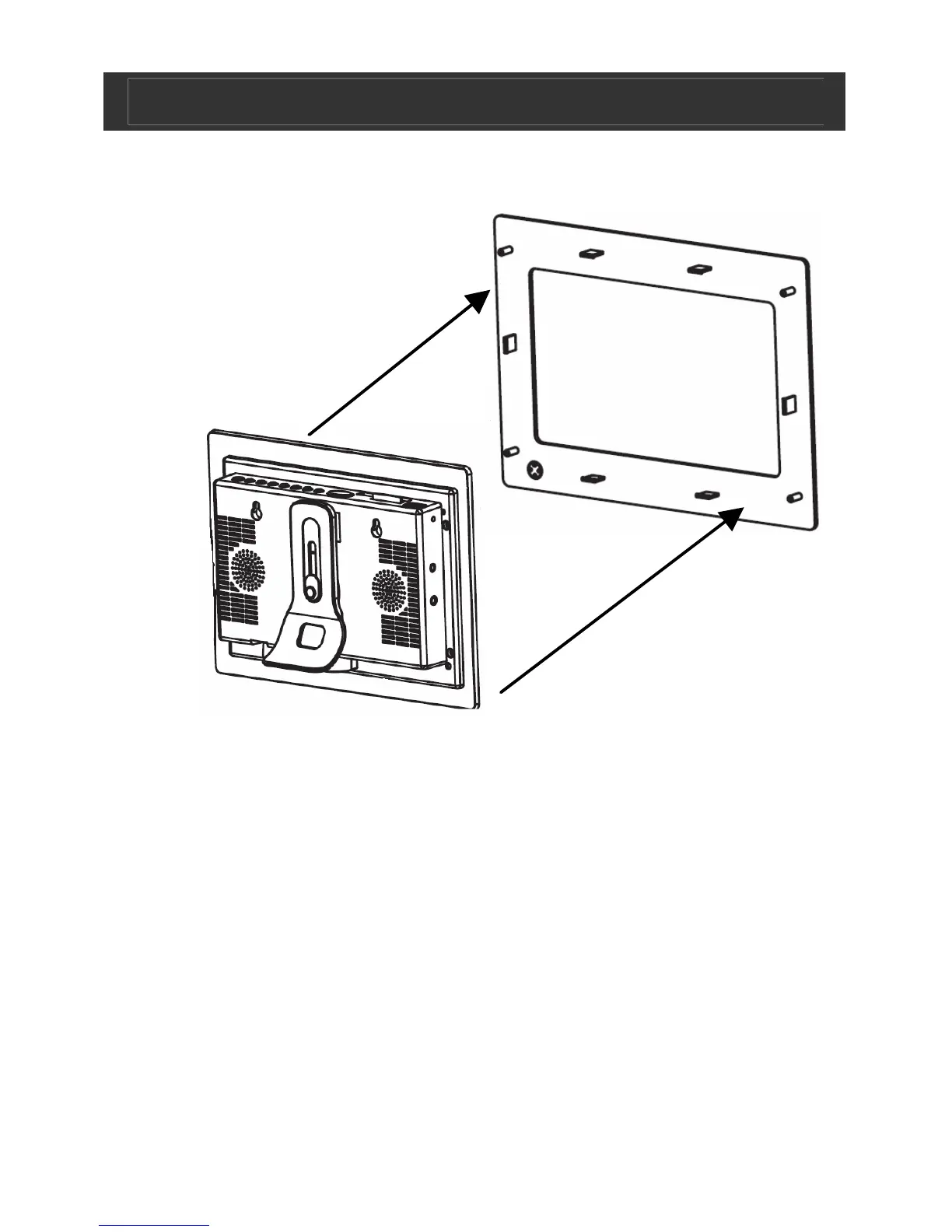
Removing the faceplate
To assemble:
1. Choose a preferred faceplate.
2. Align with connectors inside the main unit
3. Push together to connect.
To dis-assemble:
1. Use the small pin (included) and push through the hole in the
back of the main unit (see location of controls)
2. Face plate will disconnect to be replaced.


 To Next Page