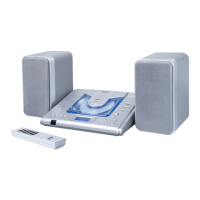
Mini Portable Stereo Audio System V10M10_IM_EN_04102007
www.jWIN.com
-7 -
GETTING STARTED
Location of Controls (back)
1. FM ANTENNA CONNECTION 2. SPEAKER TERMINALS 3. AC CORD CONNECTION
Location of Controls (Remote Control)
1. 2. 3.
1.
2.
3.
4.
5.
6.
7.
8.
9.
10.
11.
12.
1. POWER BUTTON
2. PLAY/PAUSE
BUTTON
3. RANDOM BUTTON
4. REPEAT BUTTON
5. SEARCH - BUTTON
6. VOLUME - BUTTON
7. INFRARED SENSOR
(TOP)
8. STOP BUTTON
9. MUTE BUTTON
10. SEARCH + BUTTON
11. VOLUME + BUTTON
12. BATTERY DOOR
(REAR)
Note: For best results, point
the infrared transmitter on
the remote control directly at
the remote sensor on the
main unit.


 To Next Page