14
3
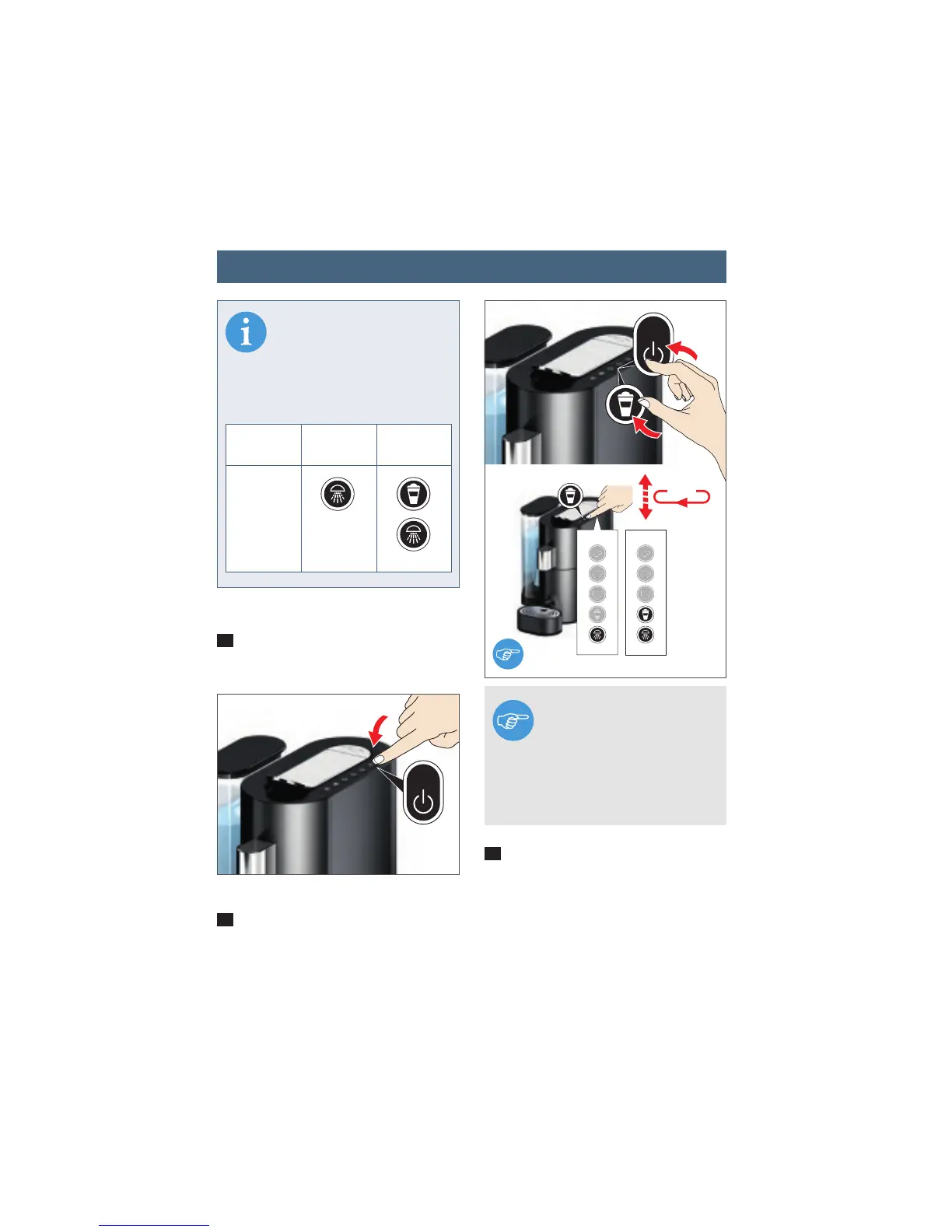
The new setting will be saved if
you press the milk button for at least 3
seconds. All buttons will blink once brie-
fl y to confi rm.
1
First switch the appliance on by pres-
sing the ON/OFF button.
2
To display the water fi lter status,
press the milk button and the ON/OFF
button simultaneously (see table above).
To activate or deactivate the water fi lter,
press the milk button briefl y once.
INFO
In addition to the water fi lter,
the appliance also takes the
water hardness you have set (see page
15) into consideration when calcula-
ting the descaling intervals.
Water fi lter
Illuminated
button(s)
deactivated activated
NOTE
1. To cancel programming,
please press the ON/OFF
button.
2. If you are not using a water fi lter,
you should set the appliance to "deac-
tivated".
deactivated activated
0-1-2
2
Off
1
Activating / deactivating the water fi lter




 To Next Page