K1EL WKUSB with WinKeyer3 User Manual WKUSB
WKUSB User Manual 12/20/2017 Rev 1.0 Page 7
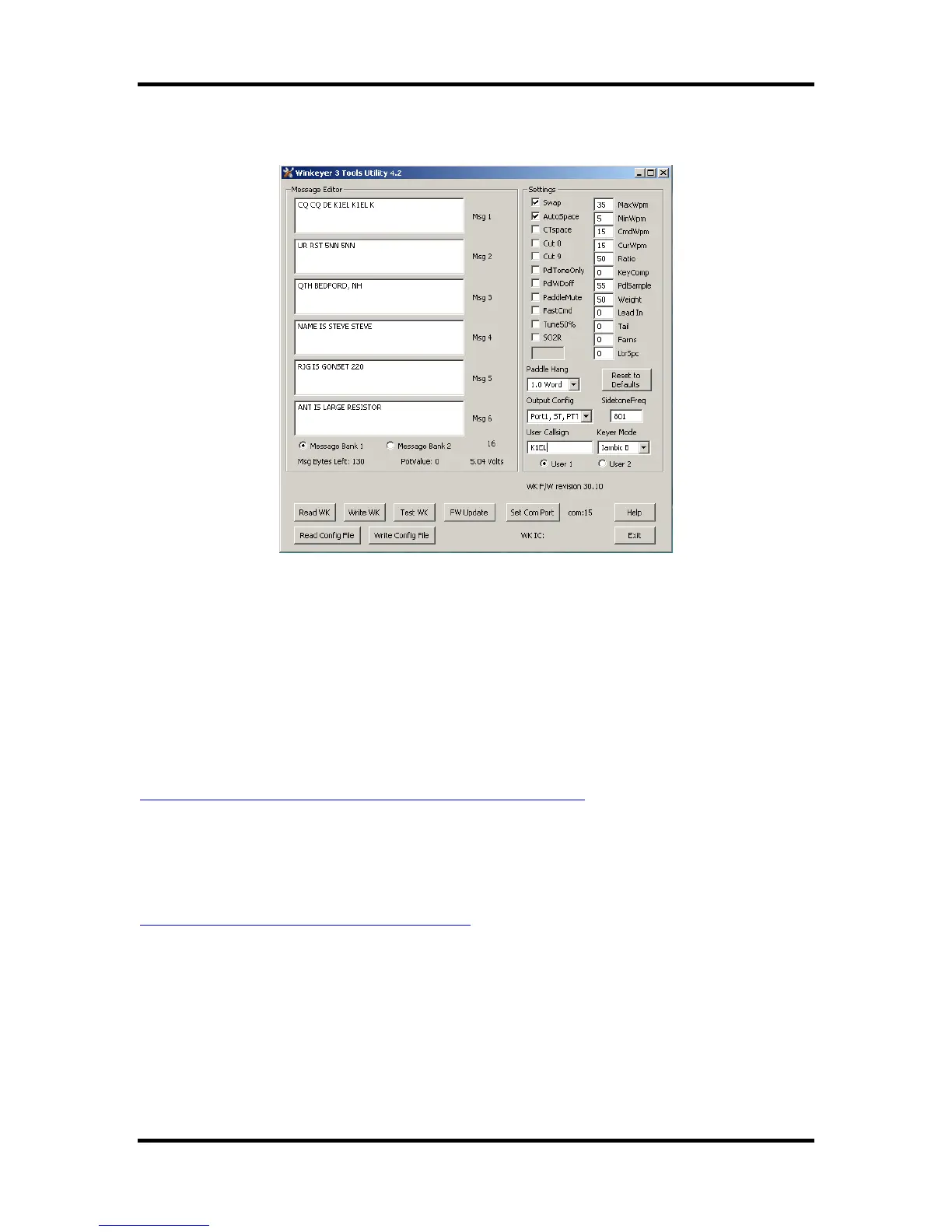
capability to handle 12 messages in two banks. Don’t forget that you have to write the messages
back to WK with the WriteWK button. If you want to test them, press the buttons on top of WK.
Once you have saved messages and settings, they are ready for use. You can now disconnect
WK from the PC. You don’t need to use WK3tools again until you want to make changes. Don’t
forget you can still make changes to WK settings by using paddle commands. A detailed
description of standalone paddle commands can be found in Appendix D.
Restoring Factory Settings
This control is provided to restore original default settings. All of the control settings are initialized
and messages are erased. Don't forget to write new settings back to WK when you are done.
Help File
A separate help document for WK3tools can be downloaded from the WK3tools webpage:
http://www.hamcrafters2.com/files/WK3ToolsOperationGuide.pdf
Upgrading WKUSB Firmware
WK3tools is used to install new firmware revisions in the field. A special webpage is provided for
WK3 upgrade information:
http://www.hamcrafters2.com/WK3upgrade.html


 To Next Page