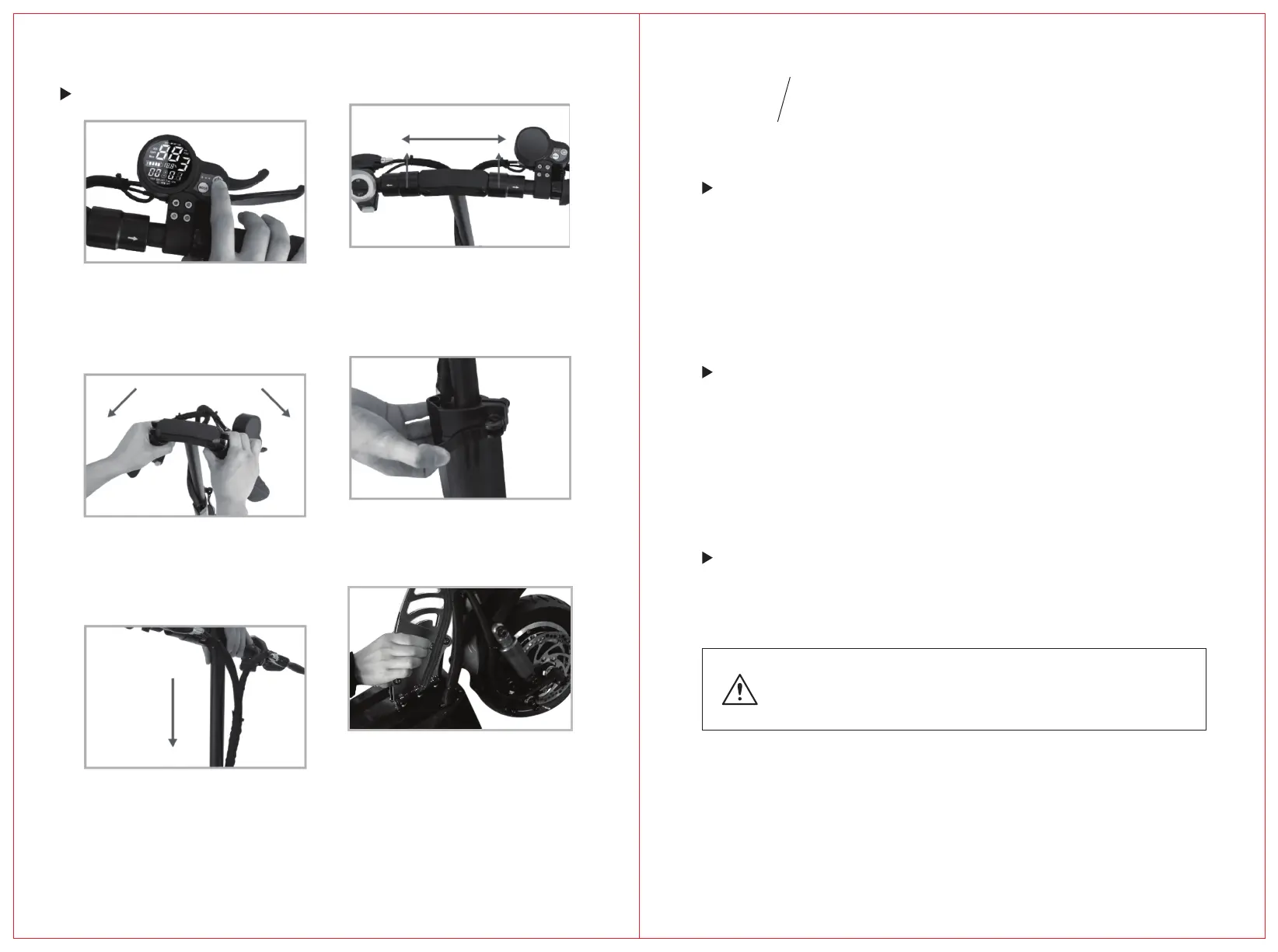
Step1:
Step2:
Step3:
Step4:
Step5:
Step6:
Switch off
Pull T-tubes to the le and
right sides respecvely.
Fold the handles.
Open the locking nut.
Withdraw the extension
Unlock the protecon pin.kick down
the folding lever and push the handlebar
forward to fold the scooter.
Always keep protecon pin in posion
when the scooter is unfold
Fold
Power Switch
04
BASIC
OPERATION
Press the power switch for 3 seconds and the LCD panel will light
up, power on now.If the scooter le 90 second unmoved, power
will be off automacally.
Speed Control
Power Indicator
When the power is on ,press the power switch and then
the MODE buon, the screen will show the level of speed.
press Mode to change the Level (L1,L2,L3).
Small rectangles indicates baery power.
Do not wait to change unl baery is fully running out.
Change the scooter mely when there is only one rectangle
or two le to avoid damage of baery.
17 18



 To Next Page