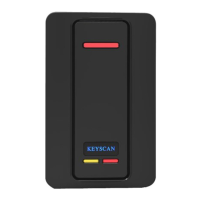
K-SMART3 shown with ABS wall switch plate.
KI-00600E-0517
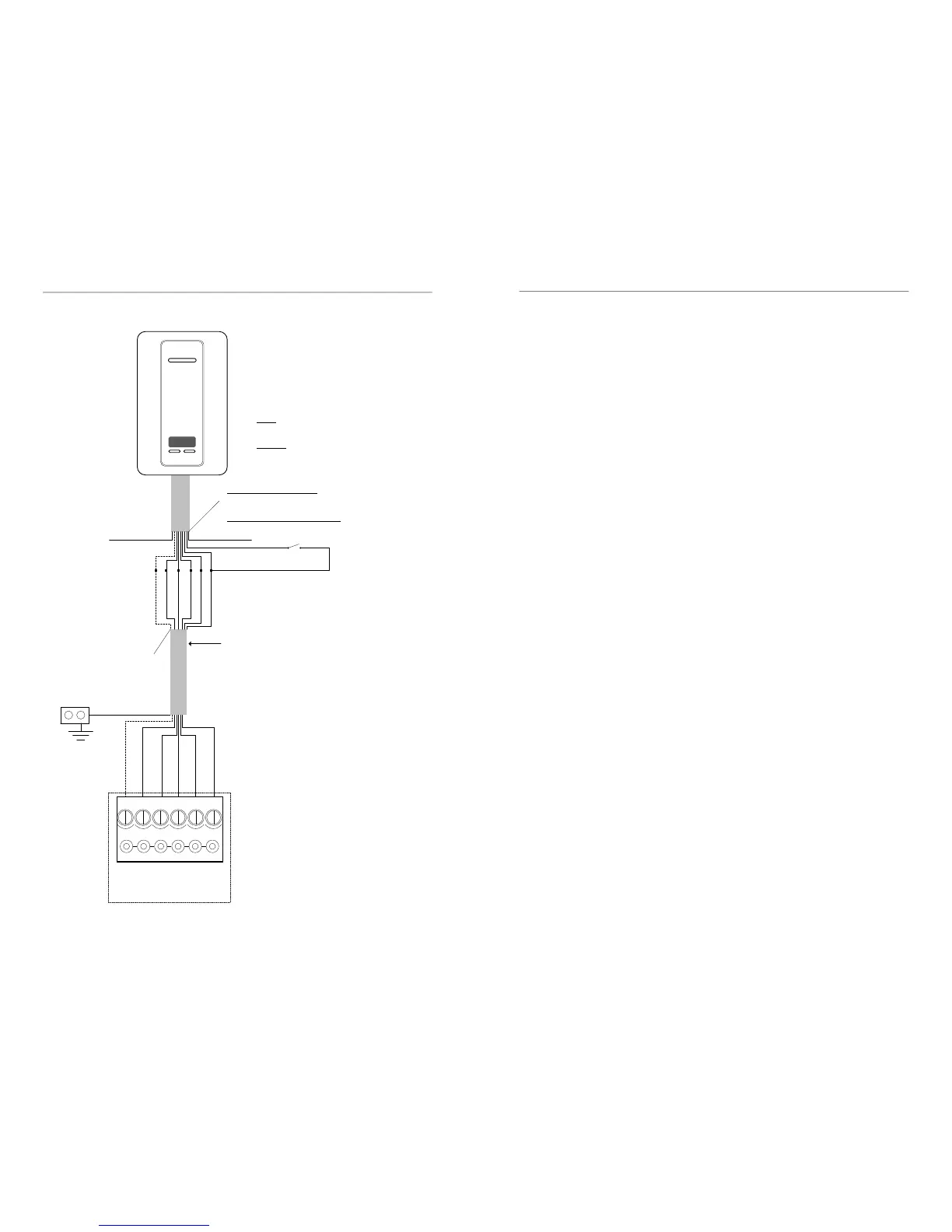
LED (Brown)
D1 (White)
D0 (Green)
PWR (Red)
GND (Black)
Shield not connected.
Isolate with electrical tape.
Shield
ACU
Ground
Lug
D1 (White)
D0 (Green)
PWR (Red)
GND (Black)
LED (Brown)
Yellow not used.
Isolate with electrical
tape.
Purple
Pre-alert (Blue)
Orange
Shield not connected.
Isolate with electrical tape.
Pre-alert (Blue)
6 conductors – shielded 22 AWG
Maximum 500 ft (152.4 m)
Blue used for pre-alert
otherwise isolate with
electrical tape
Yellow
Reader terminal on control board
LED D1
WHT
D0
GRN
PWR
RED
GND
BLK
C1
(BEEP)
KEYSCAN
Shield
Purple (Read Mode)
For Secure Sector Read only—Isolate and tape back Purple
wire at reader. This is the recommended read mode which
offers higher security.
For Secure Sector and/or CSN Read—Connect Purple wire to
GND Black wire at reader.
Orange (Tamper)
- when using an optional Tamper Switch (Normally
Closed) locally at reader, connect to GND Black
wire.
- when not using Tamper Switch, connect to GND
black wire at reader.
3
Anti-Tamper Capability
When connected to an anti-tamper switch (not supplied), the K-SMART3 offers an en-
hanced level of security. Connect the K-SMART3’s orange conductor as follows:
• With tamper switch—connect the orange wire to the optional tamper switch
(normally closed) locally at the reader and connect to GND black wire at the reader
• Without tamper switch—connect the orange wire to GND black wire at the reader
In the event of tampering, the Client software reports a reader tamper alarm. Refer to
the wiring diagram on page 6.
Heartbeat
The K-SMART3 has an innovative heartbeat that detects wiring faults and/or reader dam-
age. The heartbeat is sent by the reader to the ACU every 45 seconds. In the event that
3 consecutive heartbeats are not received by the ACU (approx. 180 seconds), the Client
software reports a reader communication failure alarm.
K-SMART3—ACU Compatibility
The K-SMART3’s enhanced features—Present3 LED, lockdown LED, heartbeat and orange
tamper conductor—require PC1097 control boards with firmware version 9.39 or higher.
The K-SMART3 is backwards compatible with PC1094, PC1095 and previous green ACU/
ECU control boards. The K-SMART3 can be used with other access control systems, but
the enhanced features will not be available. To configure the K-SMART3 for backwards
compatibility with the listed control boards or other manufacturer’s control boards, an
optional programming card (not supplied) Part # K-PC2 is required. See details on page
7.
K-SMART Credential Compatibility
The K-SMART reader keypad is compatible with the following credential formats: K-
SECURE 1k & 4k cards, K-SF-1K key fobs, K-TX2-1K — Four Button RF Transmitter,
14443A Credentials (CSN only).
Bluetooth Functionality
The K-SMART3 is a Bluetooth-enabled reader and is capable of working with Keyscan
mobile credentials. The default read state out of the box is Polling Mode — Short Range.
K-BLE Mobile Credential
This reader uses K-BLE mobile credentials loaded on any supported mobile device
(contact Keyscan for ordering information). This mobile credential can be used in con-
junction with physical credentials used with proximity readers. Download the “Keyscan
Mobile” App from either the App Store on IOS-based devices or Google Play on Android-
based devices. K-BLE mobile credentials are not sold through distribution. Only available
for purchase directly from Keyscan.
Reader Modes & Reader Ranges
The K-SMART3 has two reader modes: Watch Mode and Polling Mode. Watch Mode has
only short range BLE and standard range for physical credentials. Polling Mode can have
different ranges: short, medium, long and standard range (for physical credentials). The
default reader mode out of the box is Polling Mode (short range). To change reader
modes or polling ranges, the purchase of an optional BLE1 Programming Card pack is
required.
Note: Read ranges are omnidirectional. Actual BLE mobile read ranges will differ based
upon the mobile device manufacturer and model number type; these aspects cannot be
specified.


 To Next Page
 Loading...