9
WEB GUI INTRODUCTION
LOGIN TO THE WEB GUI:
STEP1: Search for WIFI through phone or PC.
WifiName: gbscontrol
Password: qqqqqqqq
STEP2: Enter IP (192.168.4.1) or URL (http://gbscontrol) in the browser
address bar and
STEP3: Click to enter the configuration page.
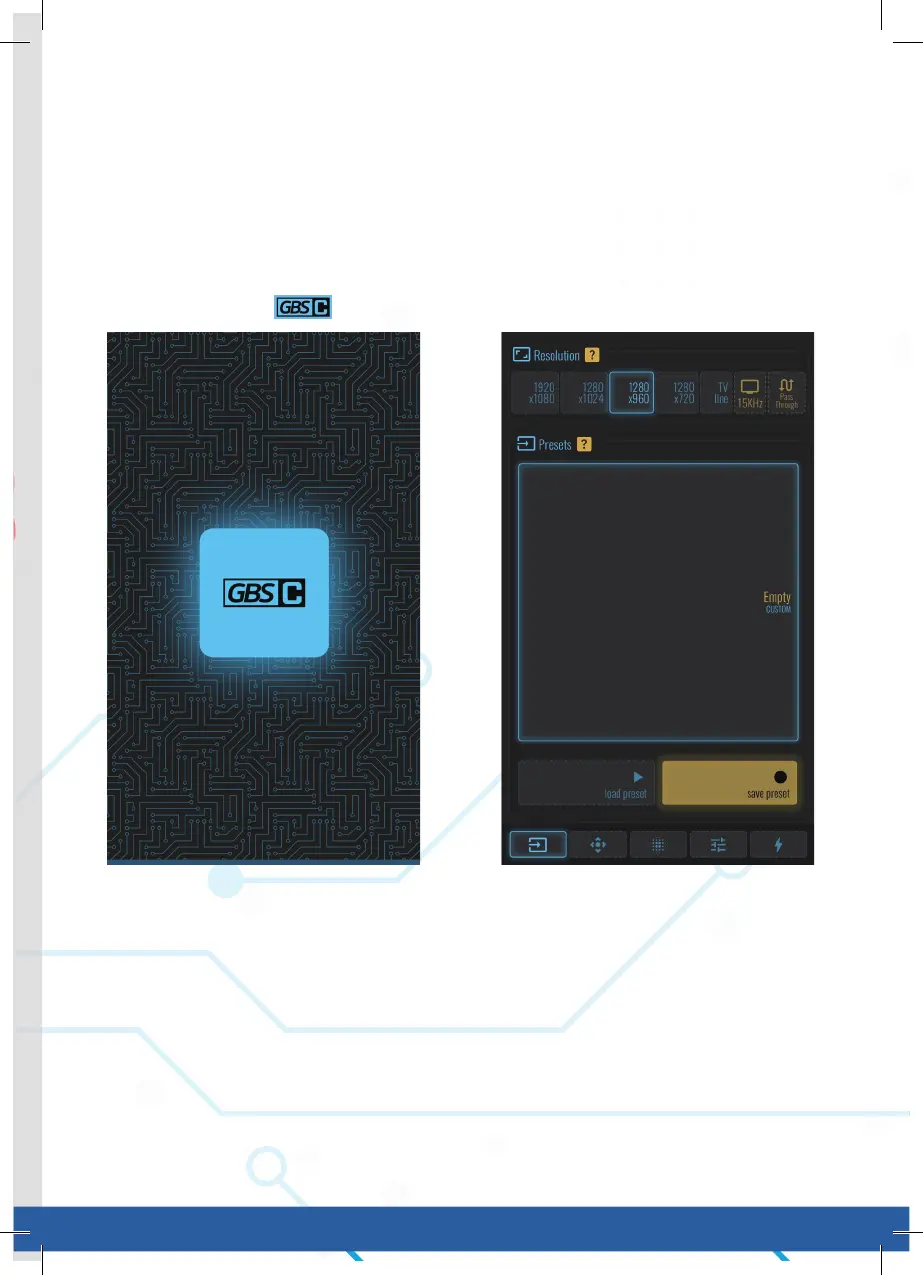
FIRST PAGE
1. Resolution:
• Your selection will also be used for startup.1280x960 is recommended for
NTSC sources. 1280x1024 for PAL.
• Use the “Matched Presets” option to switch between the two automatically
(Preferences tab).
• Choose an output resolution from these presets.
2. Presets:
• lf you want to save your customizations, first select a slot for your new
preset, then save to or load from that slot.
• Selecting a slot also makes it the new startup preset.
Login Page First Page



 To Next Page