http://www.kaidengdg.com
2.8Disconnectsequence
AccordingtoKaiDengWVCModem’serialportconnection,pleaseDONOTdisconnectorinstallKaiDengWVCModemto
keepthehardwaresafewhenpoweron.Pleaserefertothefollowingstepstodisconnect:
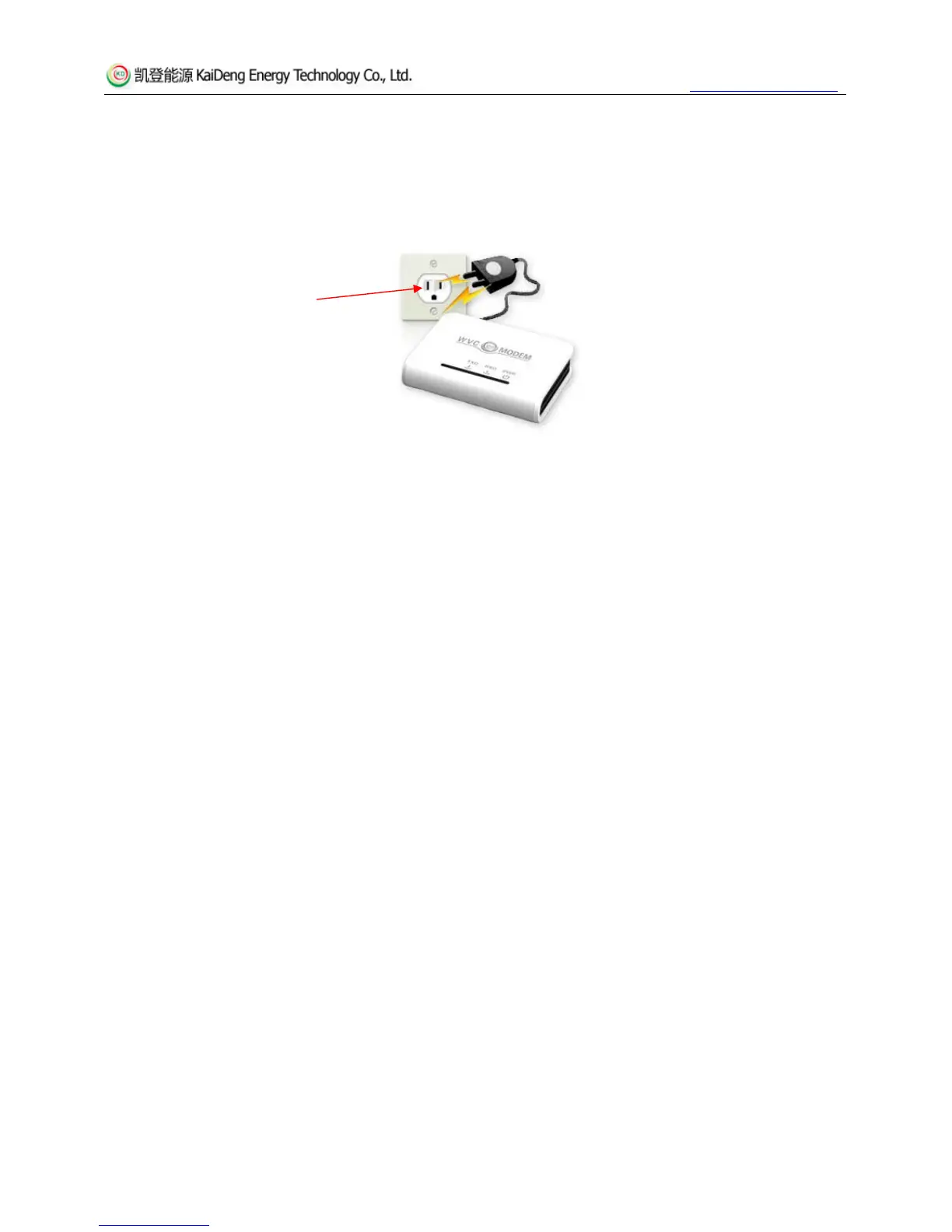
1.DisconnectKaiDengWVCModempowerplug;
First you need to disconnect
the power of Modem
2.DisconnectWVCModemwithserialportline;
3.DisconnectPCwithserialportline;
4.WVCModemdisconnectedcomplete;
3Operationalenvironment&faulthandling
3.1Naturalenvironment
KaiDengWVCModemisanordinarycommunicationaltrunkingdevice,anditwouldnotworkingoodcondition,orevenbe
damagedinaverybadenvironment.Pleasenotethatnohightemperature,nohighhumidityandnoultra‐lowtemperature
workingenvironment.waterproofboxesneededforoutdoorworkingenvironment,nodirectsunli
ghtexposureandno
extremelycoldenvironmentwithoutheatpreservationdevices.
3.2Applicationenvironment
KaiDengWVCModemtransfersdatabypowerlinescarriercommunicationtechnology,whichhassimpleinstallation,low
cost,highefficiencyandeasymaintenanceadvantagestobringourcustomersenormouseconomicbenefits.Butthereare
requirementsforarrangementofpowerlines:InvertersandWVCModeminthesamegroupshouldbeinstalledwiththe
powerlineinph
ase,andaddwitha2mHfilterorotherdevicestopreventsignalinterferencefromothergroups.
3.3Errorshandling
Howtodealwithfailingtoconnectdevicesandmonitoringsystemonline?
Therearereasonsabout
failuretoconnectasthefollowingbelow,pleasekindlycheck:
8


 To Next Page