If the Pilot holds full Right Roll, the Drone will fly in a circle, clockwise
around the Pilot (although the circle’s radius may tend to grow slightly with
each orbit due to “lag”)
Also, remember that GPS is only accurate to around 10 metres, so close fly-
bys of the Take-o Location should be avoided.
To avoid confusion, you should ensure the controls are correct from take-
o. You should arm the Drone while you are standing behind it, so that
both you and Drone are both facing in the same direction. Please note,
SOM can be turned on while in flight.
Return to Home
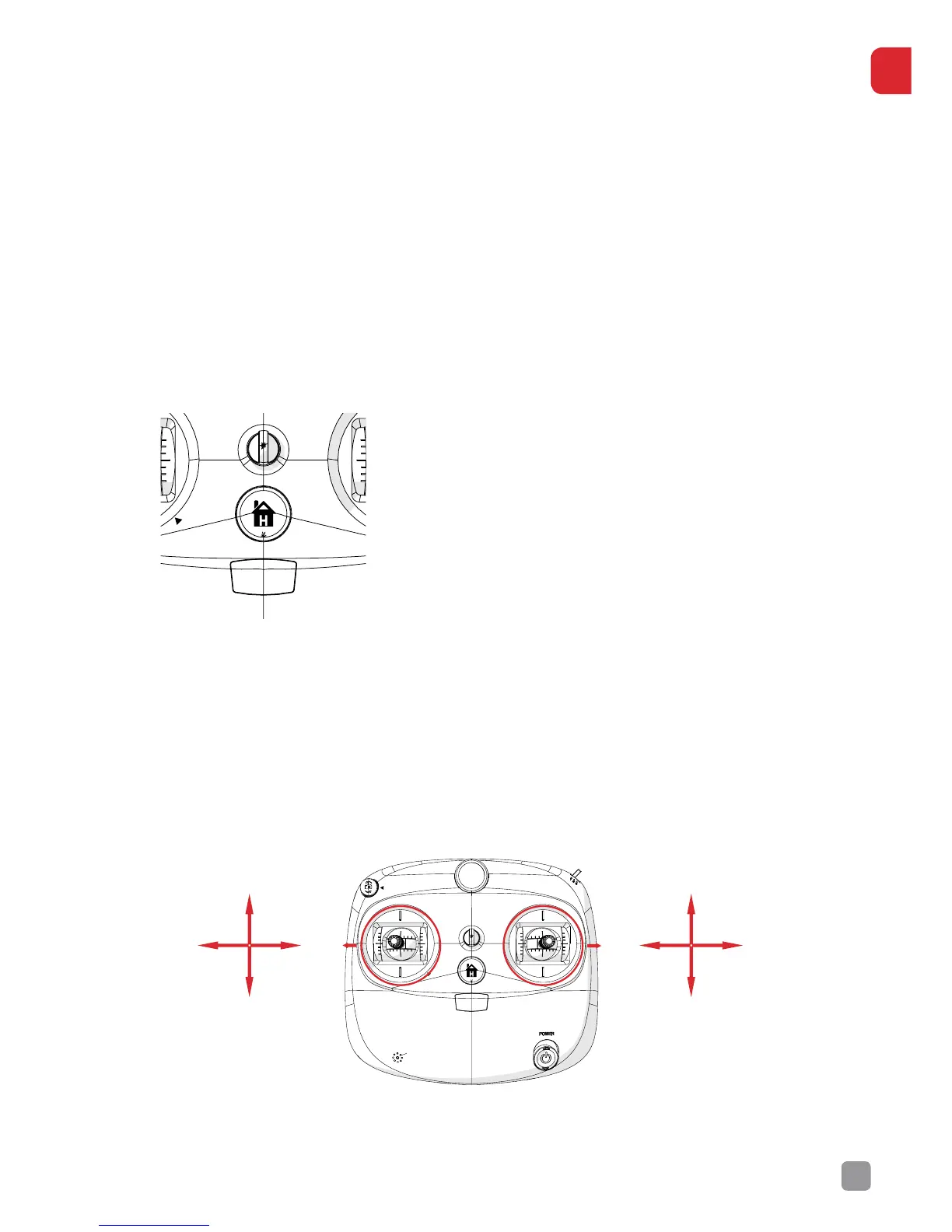
The Return to Home function is triggered by
pressing the RTH button on the Transmitter,
indicated by the image of a house.
This button will only trigger the RTH function
when the Drone has been initialised with GPS
Lock.
When the RTH button is pressed, the Drone
will lift to a height of approximately 15 metres
and begin to return to its Take-o Location.
[WARNING] RTH does not detect obstacles and the Pilot should ALWAYS
be aware of any obstructions. Please note, you will be able to manoeuvre
the Drone in this mode to safely land. Ensure that you have given a
clearance area of 5m (Safe Landing Zone) before attempting to land the
Drone.
Transmitter Operation.
The Transmitter has two control sticks, Left (Throttle/Yaw) and Right
(Pitch/Roll).


 To Next Page