EasyManua.ls Logo

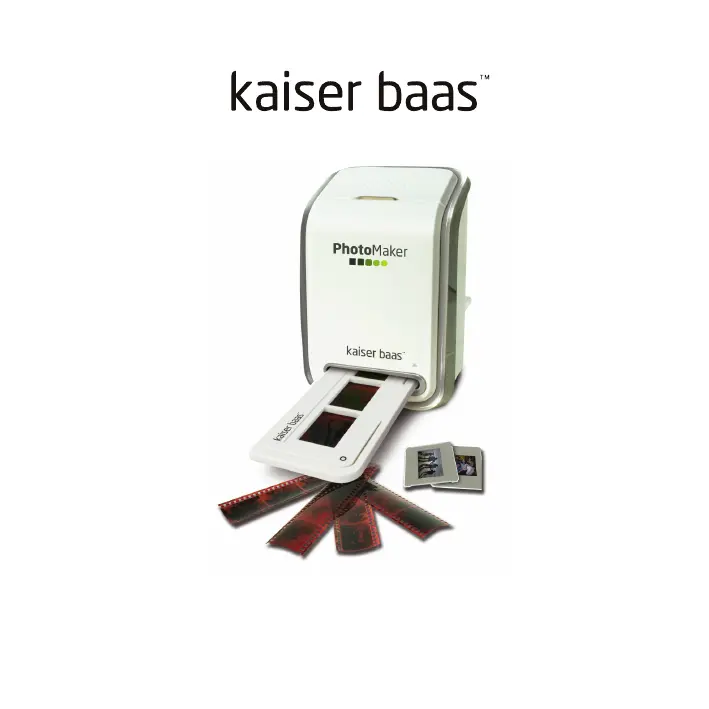
Kaiser Baas PhotoMaker - User Manual

Kaiser Baas PhotoMaker
34 pages
Print Icon
To Next Page IconTo Next Page
Loading...
PhotoMaker User Guide

Questions and Answers

Summary

PRECAUTIONS

WHATS IN THE BOX

PRODUCT DIAGRAM

INSTALLING THE SOFTWARE (PC)

INSTALLING THE SOFTWARE (MAC)

PLACING FILM; SLIDE INTO THE HOLDER

CONNECTING THE PHOTOMAKER

CAPTURING PHOTOS (PC)

CAPTURING PHOTOS (MAC)

EDITING PICTURES - ADJUST

Enhance

Features for improving image quality, including auto and manual adjustments.

Manual Fix

For precise image enhancement, adjust brightness, contrast, and sharpen sliders.

Colour

Fix unnatural colors, darkness, or faded prints by adjusting color balance.

Red-Eye

Feature to fix red-eye problems in flash photography using auto or manual methods.

Crop

Trim photos for effect or remove distracting parts by selecting orientation and proportion.

Straighten

Fix tilted photos by adjusting a slider or using rotate buttons with grid lines.

Blur Background

Tone down background details or create a 'pop out' effect by blurring specific areas.

EDITING PICTURES - RETOUCH

Healing Brush

Fix dust, scratches, and skin blemishes by sampling and painting over imperfections.

Lighten; Darken

Adjust specific areas of a photo to lighten or darken them.

Smudge

Simulate wet paint by smearing and blending image areas with adjustable brush size.

Clone

Remove unwanted elements or create effects by copying areas from one part of the image to another.

Sharpen

Improve image clarity by sharpening blurry areas using adjustable sliders for size and transparency.

Blur

Smooth out rough areas or apply effects by smudging image pixels with adjustable brush size and intensity.

Paint Brush

Apply color or effects to an image by painting with an adjustable brush size and transparency.

Line

Draw straight lines on an image with adjustable width and transparency for annotations or effects.

Eraser

Remove painted areas or image parts using an adjustable eraser size and effect.

Clipboard

Clip or select image areas using various tools like Rectangular, Elliptical, Freehand, Magic Wand, and Magnetic.

SPECIFICATIONS

SYSTEM REQUIREMENTS

PC System Requirements

Minimum hardware and software specifications for using the PhotoMaker on a PC.

MAC System Requirements

Recommended hardware and software specifications for using the PhotoMaker on a Mac.

TROUBLE SHOOTING

Summary

PRECAUTIONS

WHATS IN THE BOX

PRODUCT DIAGRAM

INSTALLING THE SOFTWARE (PC)

INSTALLING THE SOFTWARE (MAC)

PLACING FILM; SLIDE INTO THE HOLDER

CONNECTING THE PHOTOMAKER

CAPTURING PHOTOS (PC)

CAPTURING PHOTOS (MAC)

EDITING PICTURES - ADJUST

Enhance

Features for improving image quality, including auto and manual adjustments.

Manual Fix

For precise image enhancement, adjust brightness, contrast, and sharpen sliders.

Colour

Fix unnatural colors, darkness, or faded prints by adjusting color balance.

Red-Eye

Feature to fix red-eye problems in flash photography using auto or manual methods.

Crop

Trim photos for effect or remove distracting parts by selecting orientation and proportion.

Straighten

Fix tilted photos by adjusting a slider or using rotate buttons with grid lines.

Blur Background

Tone down background details or create a 'pop out' effect by blurring specific areas.

EDITING PICTURES - RETOUCH

Healing Brush

Fix dust, scratches, and skin blemishes by sampling and painting over imperfections.

Lighten; Darken

Adjust specific areas of a photo to lighten or darken them.

Smudge

Simulate wet paint by smearing and blending image areas with adjustable brush size.

Clone

Remove unwanted elements or create effects by copying areas from one part of the image to another.

Sharpen

Improve image clarity by sharpening blurry areas using adjustable sliders for size and transparency.

Blur

Smooth out rough areas or apply effects by smudging image pixels with adjustable brush size and intensity.

Paint Brush

Apply color or effects to an image by painting with an adjustable brush size and transparency.

Line

Draw straight lines on an image with adjustable width and transparency for annotations or effects.

Eraser

Remove painted areas or image parts using an adjustable eraser size and effect.

Clipboard

Clip or select image areas using various tools like Rectangular, Elliptical, Freehand, Magic Wand, and Magnetic.

SPECIFICATIONS

SYSTEM REQUIREMENTS

PC System Requirements

Minimum hardware and software specifications for using the PhotoMaker on a PC.

MAC System Requirements

Recommended hardware and software specifications for using the PhotoMaker on a Mac.

TROUBLE SHOOTING

Kaiser Baas PhotoMaker Specifications

General IconGeneral
BrandKaiser Baas
ModelPhotoMaker
CategoryCamera Accessories
LanguageEnglish

Related product manuals