GETTING STARTED
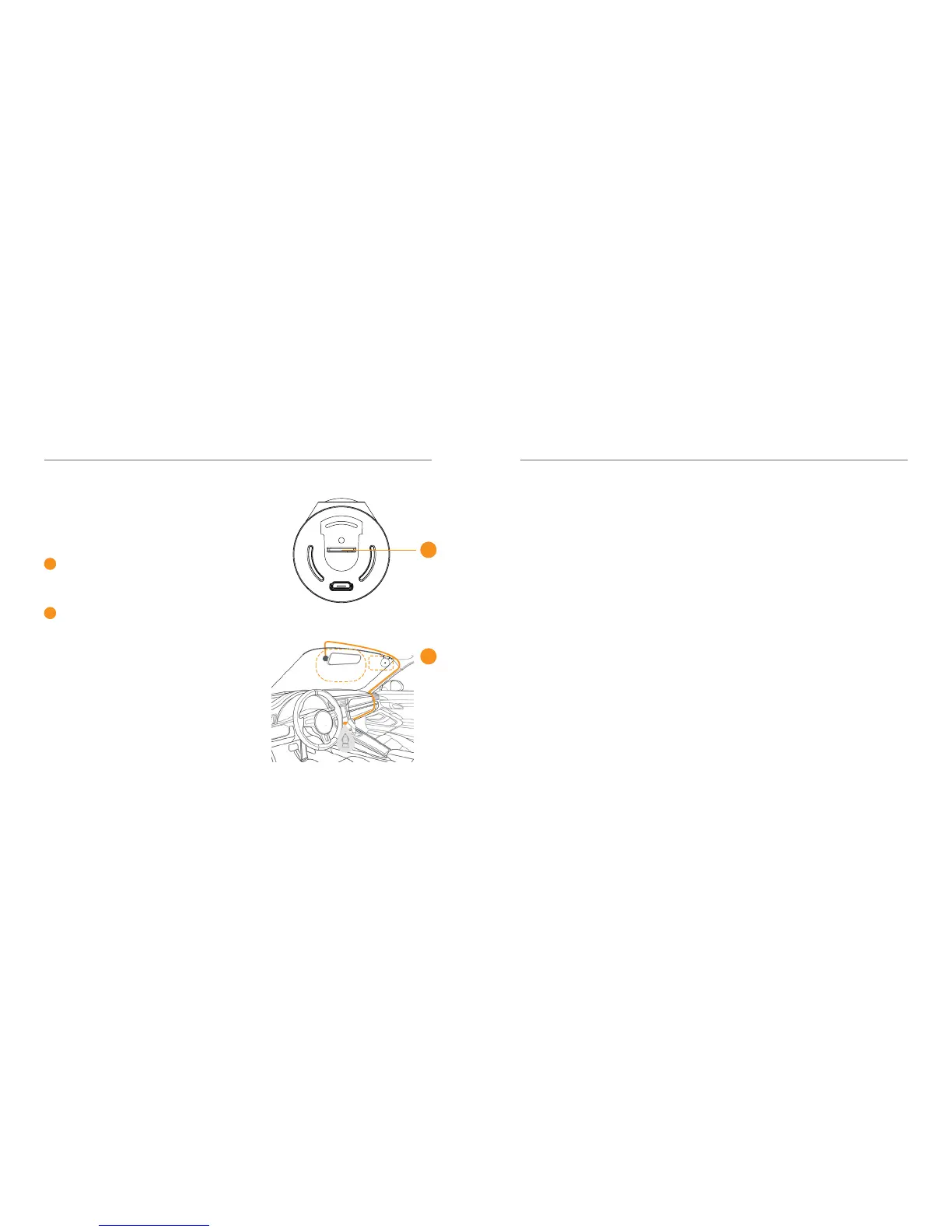
It is recommended that
the R50 be mounted behind
the Rear-view Mirror
Insert the MicroSD card
This will allow the camera to be out
of the drivers eld of view, with the
power cable around the outside of the
windscreen.
Connect the GPS cable to the camera
and plug it into the USB car charger.
The R50 will automatically turn on
and begin recording when the vehicle
starts.
1
2
01 - ENG
Suggested
GPS
1
2
USING THE R50
To take a photo using
Hands Free Control,
simply wave your hand
under the R50
In the Kaiser Baas Drive App, select
‘Photography with Video’ within
Settings to set up video recording.
Your Dash Cam will save 5 seconds
of footage from before and 5 seconds
of footage after your gesture.
In these settings, you can also
customise the Hands Free Control
function to register your hand gesture
from dierent lengths. Photos and
videos can be downloaded to your
smartphone from the Gallery Page.
The GPS module will track
your location and speed to
ensure that saved photos
and videos are accurate.
For optimal positioning of the
GPS module, it should be mounted
as far away from the camera as
possible, with an unobstructed
view of the sky.
The camera will say “GPS Working”
when it has a solid GPS signal.
02 - ENG



 To Next Page