04 - ENG
WiFi & KB APP WiFi & KB APP
Download the KB Drive
App to get started
Open your device’s WiFi settings
and select the Dash Cam Network
(KB-RSERIES-XXXXXX).
Use password 12345678 to connect.
Once connected, open the app to
see live video, track your journey,
change camera settings or download
captured footage and photos.
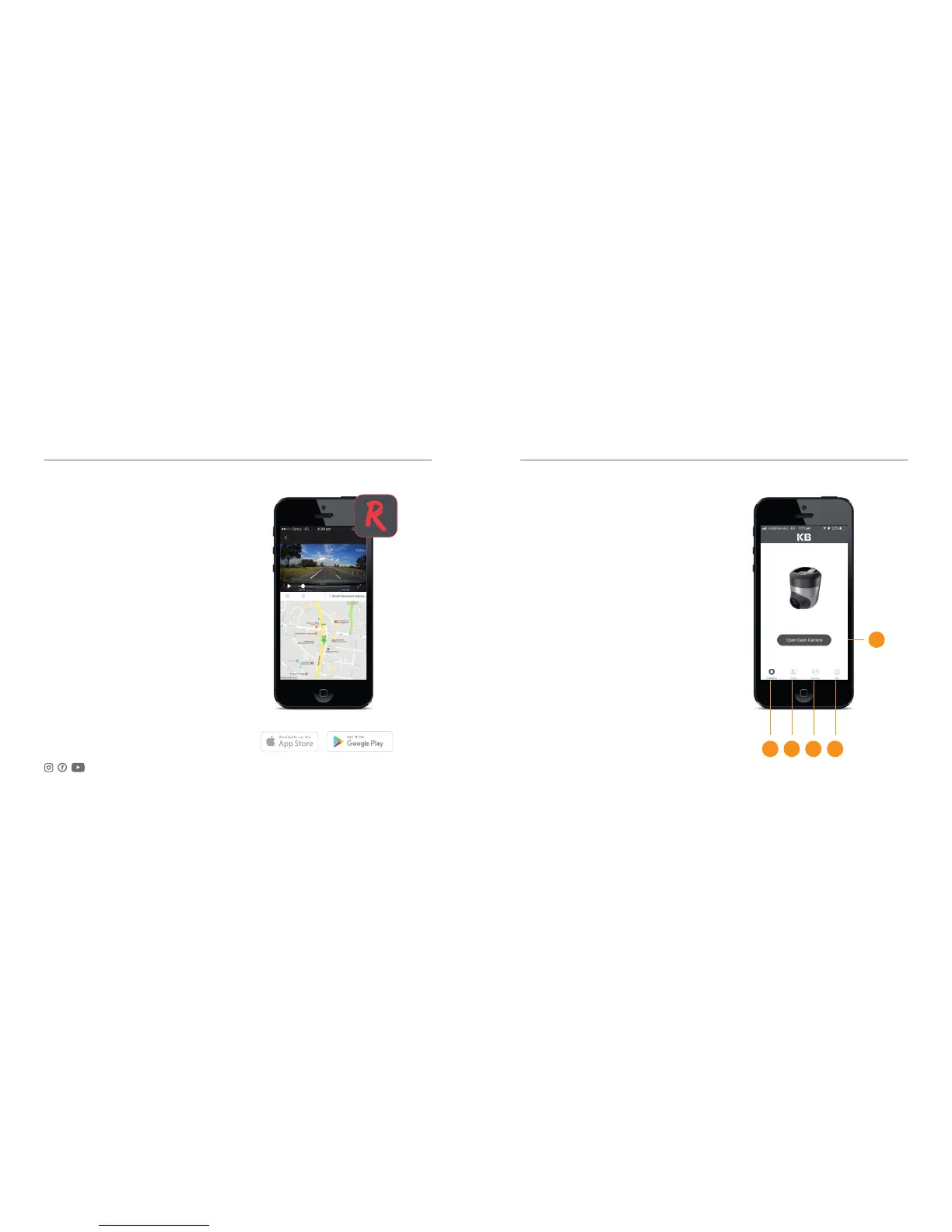
Home Screen
1. Home Screen
2. Route tracking
3. Local gallery
(Files downloaded to the phone)
4. Camera Info
5. Camera view
Join the Social Media Movement
03 - ENG
1 2 3 4
5



 To Next Page