FLIGHT MODES FLIGHT MODES
17 - ENG 18 - ENG
The Drone features a number of Flight Modes
and settings.
Speed Modes
There are 3 Speed modes on the Seeker Drone.
They can be cycled through on the Remote
Control Transmitter by pressing the Speed
Mode Button. Each mode is indicated by an
increasing series of beeps.
Mode 1-Beginner Mode
This is the default operating mode that the
Seeker Drone initializes in. Please ensure that
you use this mode in a large open space with
no obstacles.
The sensitivity is very low and is suitable for
beginner pilots. It is less responsive and more
forgiving.
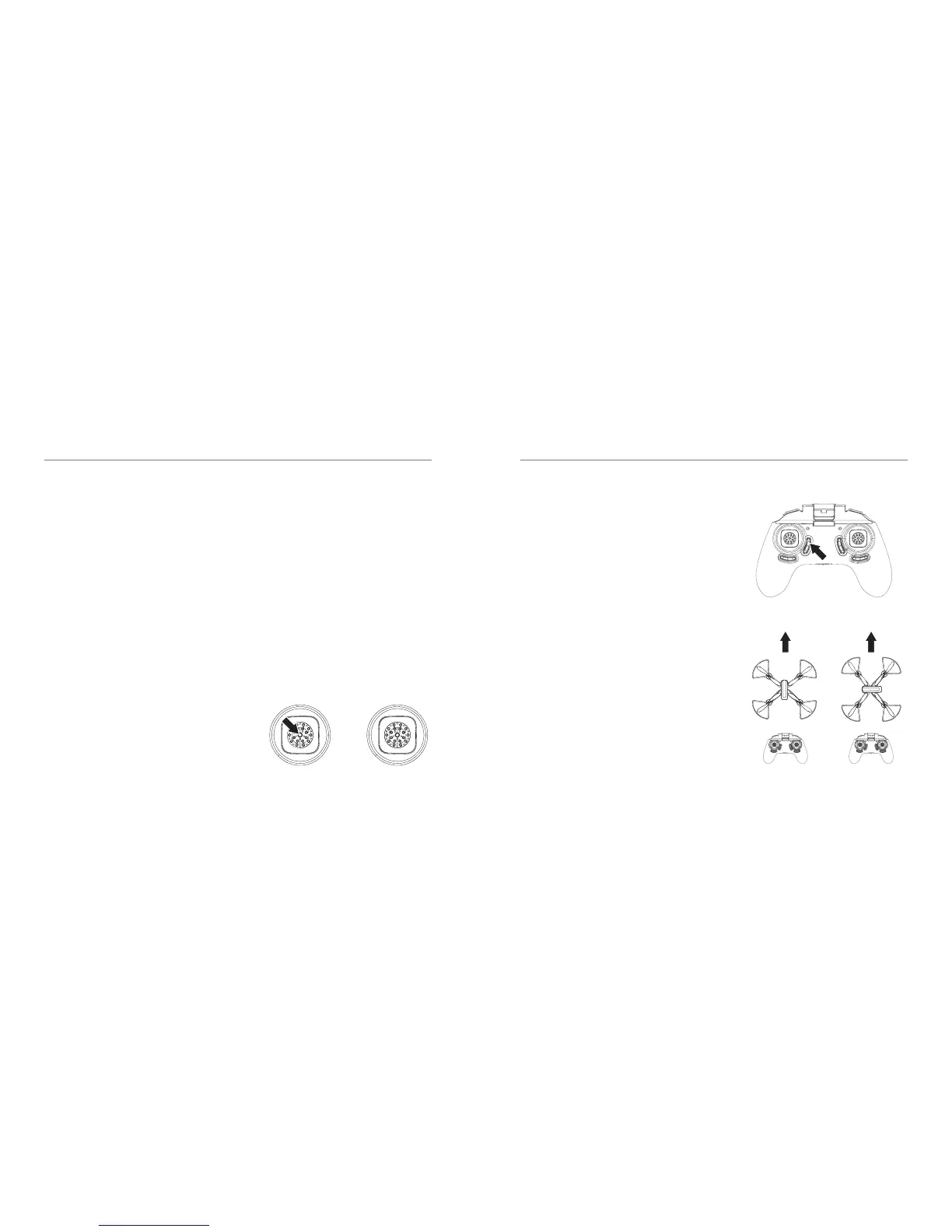
Headless Mode
Headless Mode allows you to control the
Drone relative to its direction from the take-o
location. This means you can y the drone
without worrying which direction it is facing.
Before you use Headless Mode, ensure the
Drone’s Direction/Heading is facing away
fromthe pilot/operator.
To enable Headless Mode, simply press
the Headless Mode Button on the Remote
Controller as indicated in the diagram. You
will hear a short beep and the drone light will
start ashing.
To avoid confusion, you should ensure the
controls are correct from take-o. Headless
Mode can be turned on while in ight.
You should arm the Drone while you are
standing behind it, so that you and Drone are
both facing in the same direction. Failure to do
this will result in incorrect control.
Mode 2-Intermediate Mode
To enable this mode, press the Speed
Mode Button ONCE. The Remote Control
Transmitter will beep twice indicating you
are in Intermediate Mode. This mode is more
responsive and ies faster.
Mode 3-Pro Mode
To enable this mode, press the Speed Mode
Button TWICE. The Remote Control Transmitter
will beep three times indicating you are in Pro
Mode. This is the most responsive and fastest
mode the Drone can operate in. This is only
recommended for pilots with experience ying
the Drone.
Headless mode
(Short press)
Headless modeNormal modePress to activate
Speed Modes



 To Next Page