FLIGHT MODES FLIGHT MODES
19 - ENG 20 - ENG
Return Mode
Return Mode is a simple function that puts
the Seeker Drone into reverse. It can be useful
when ying in headless mode and you cannot
determine the Drones orientation for it to return.
Warning: This mode does not use GPS or have
any position data.
To enable Return Mode
Fly the Drone in front of you, ensuring the path
to you is free of obstacles and persons.
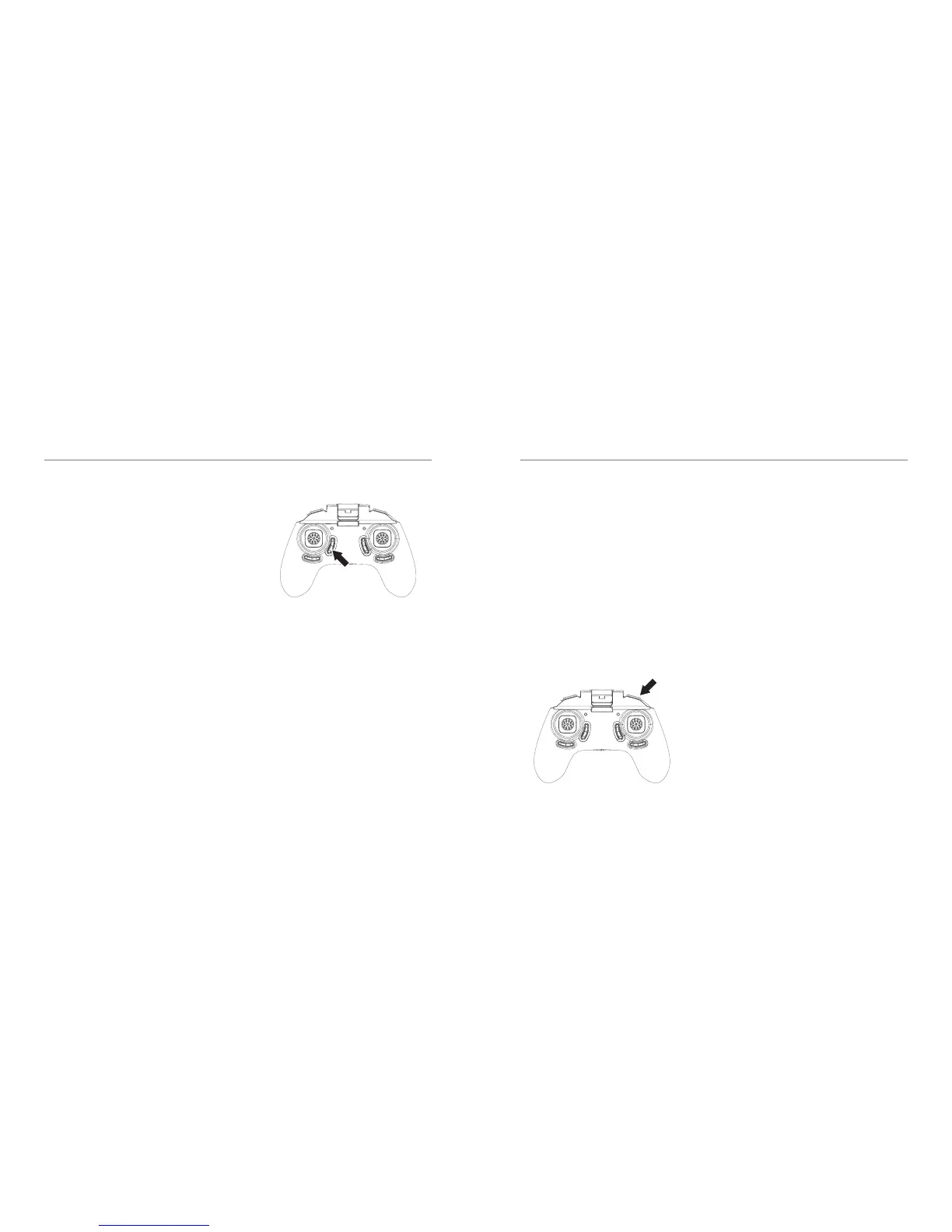
Press the return button on the Remote Control-
ler as indicated in the diagram. You will hear
multiple beeps beep and the drone light will
start ashing.
The Drone will y backwards towards you.
Always keep control of the Drones altitude and
speed using the Left Throttle/ Yaw Stick. When
it has reached your position or you want to
stop simply move the Pitch / Roll Right Stick
Forward to cancel Return Mode.
Return Mode
(Short press)
To capture the video with the remote
controller during the ight:
1. Insert the SD card
(Not included) into the drone.
2. Video - Press and hold the Capture button
on the remote control
3. Photo - Press the Capture button once.
4. Lights on the drone will start ashing when
recording starts.
Photo (Short Press)
Video (Long Press)



 To Next Page