12
English
Using Point-to-Point (PtoP)
Connection
If you do not have a home
WiFi network, SoundShift can
create a WiFi network to allow
a Point-to-Point connection
with your devices. If you do
have a home WiFi network,
skip to “Using Network (NET)
connection”.
After you have connected
SoundShift to a power point
and speakers, ensure the rear
PtoP/NET switch is set to PtoP.
Press the Power button on
the front of the SoundShift,
with the LED power indicator
changing from red to blue.
SoundShift will create a WiFi
network called “SoundShift”.
Use your computer,
smartphone or tablet to find
and join this WiFi network
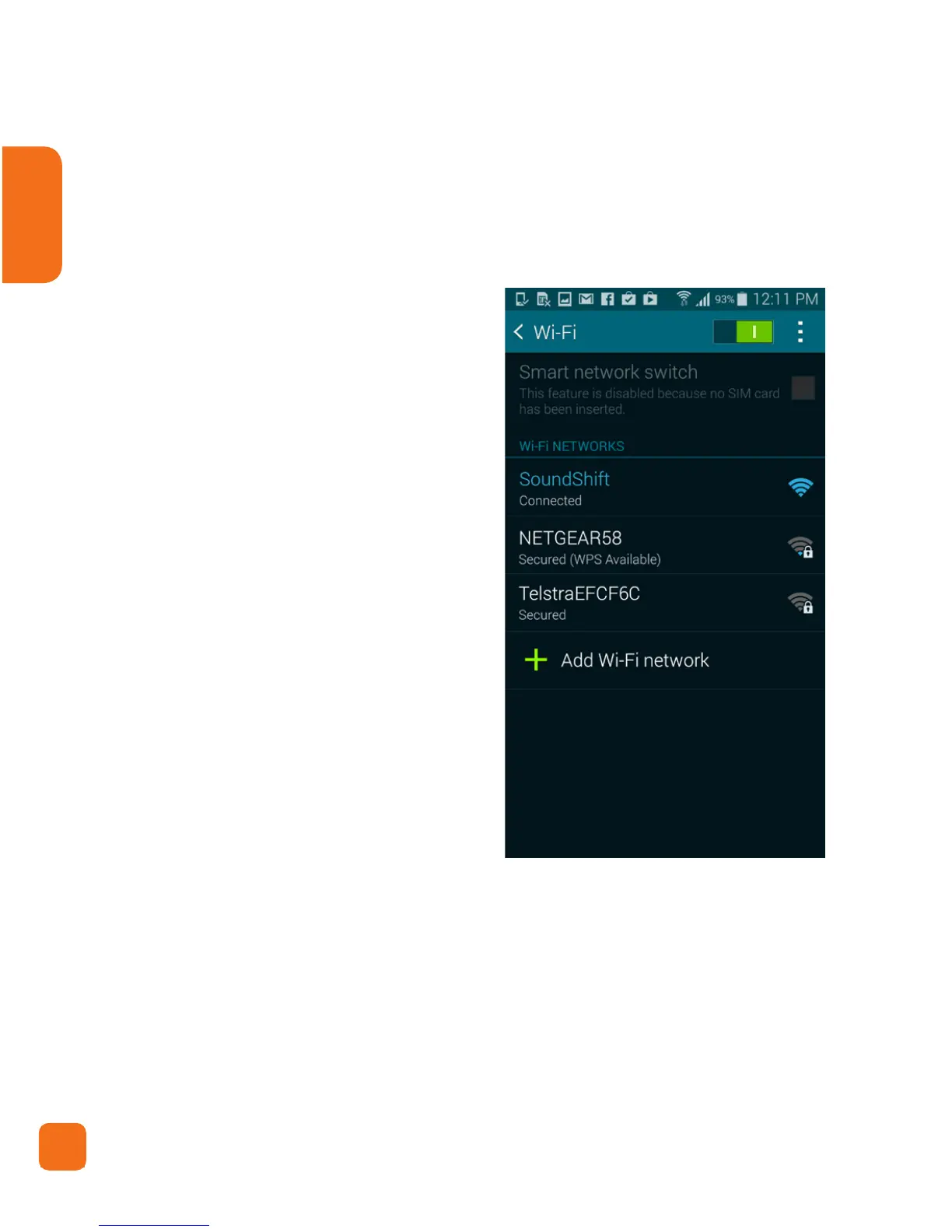
(see Android screenshot 1).
Your Point-to-Point connection is now complete (please
note, your device will not be connected to the internet).You
can advance to “Streaming music from your devices”.
Android Screenshot 1
Tip: If your computer, smartphone or tablet can not see
SoundShift, ensure that your device has not automatically
switched to another WiFi network.


 To Next Page