13
English
Using Network (NET) Connection
After you have connected
SoundShift to a power point
and speakers, ensure the rear
PtoP/NET switch is set to
PtoP. It should not be set to
NET at this stage. Press the
Power button on the front of
the SoundShift, with the LED
power indicator changing
from red to blue.
SoundShift will create a WiFi
network called “SoundShift”.
Use your computer,
smartphone or tablet to find
and join this WiFi network
(see Android screenshot 1).
Now you can configure
SoundShift to join your home
WiFi network. Open your
device’s internet web browser
app – such as Internet
Explorer, Safari or Chrome –
and enter the following
address:
http://192.168.0.1:50000
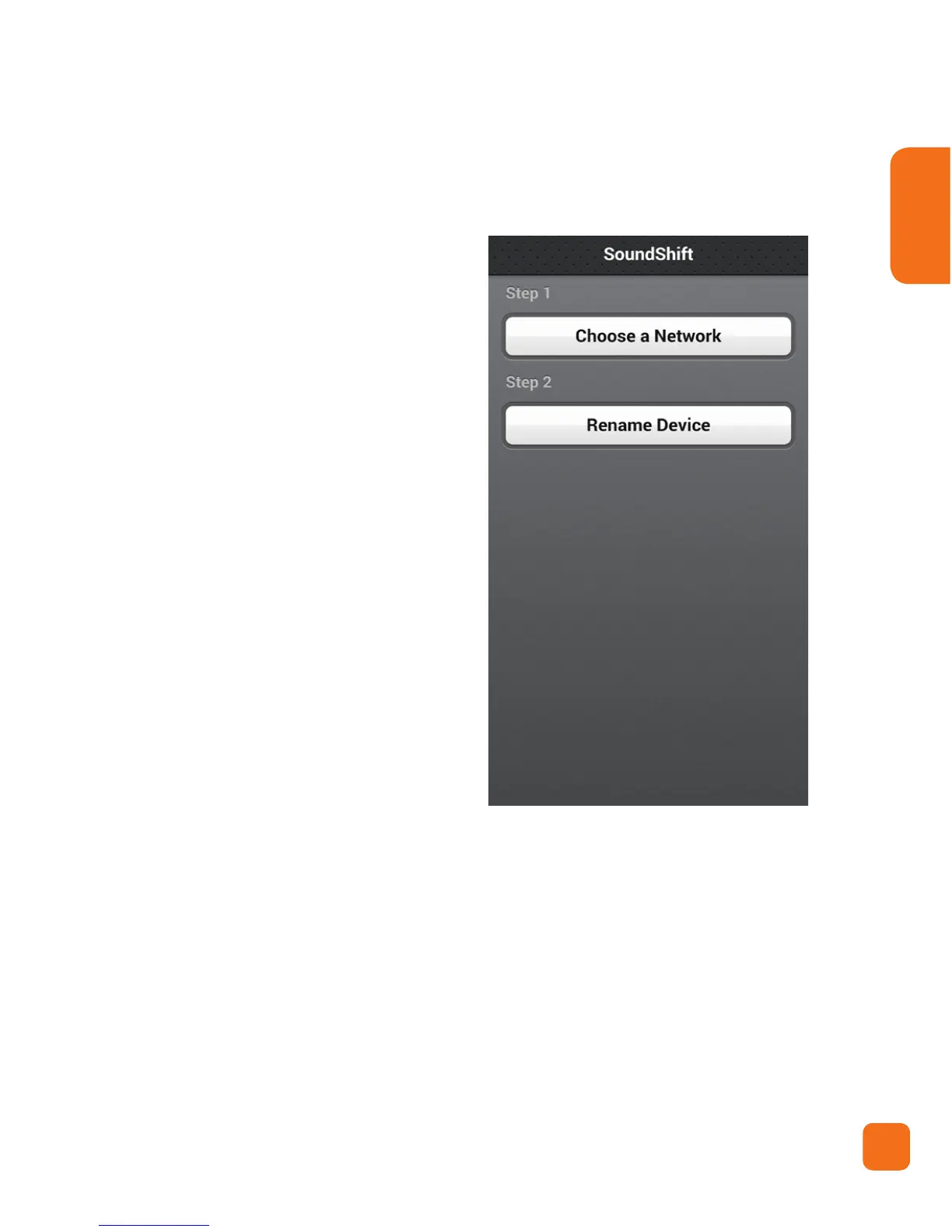
The screen in Android screenshot 2 will appear, or one
similar.
Select “Choose a Network”.
Android Screenshot 2


 To Next Page