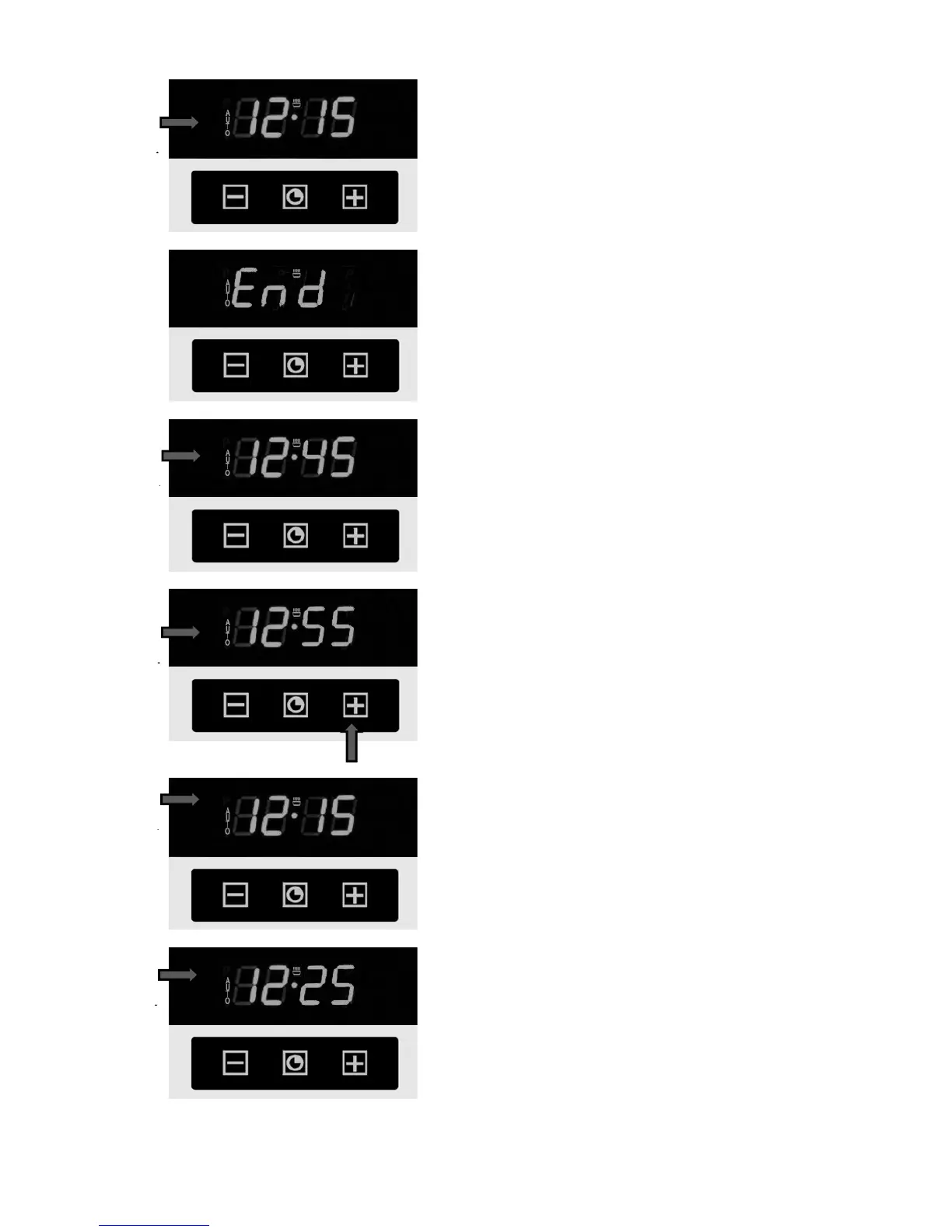
The symbol 1 (AUTO) appears on the display,
a successful programming of the
cooking duration and the current day time appears
again.
Now set the wanted end time (see chapter
«Setting the end time»).
The end time (2
) appears on the display, that
accords to the current day time plus duration (in
our example 12:45, that means plus 30 minutes).
•
Set the wanted end time with the choice
key 3 ( + ).
A few seconds later this time will be registrated 4
(in our example – 12:55
the end time 10 minutes).
The oven is in expectance state now.
The current day time is displayed 5
In our example the oven should be turned on at
) with the functions “Grill +
Thermocirculation” and be turned off at 12:55
according to your setting.



 To Next Page