switch off the oven after a
wanted duration automatically.
Before setting the duration you have to set an
oven operating function
temperature (see chapter «
oven»).
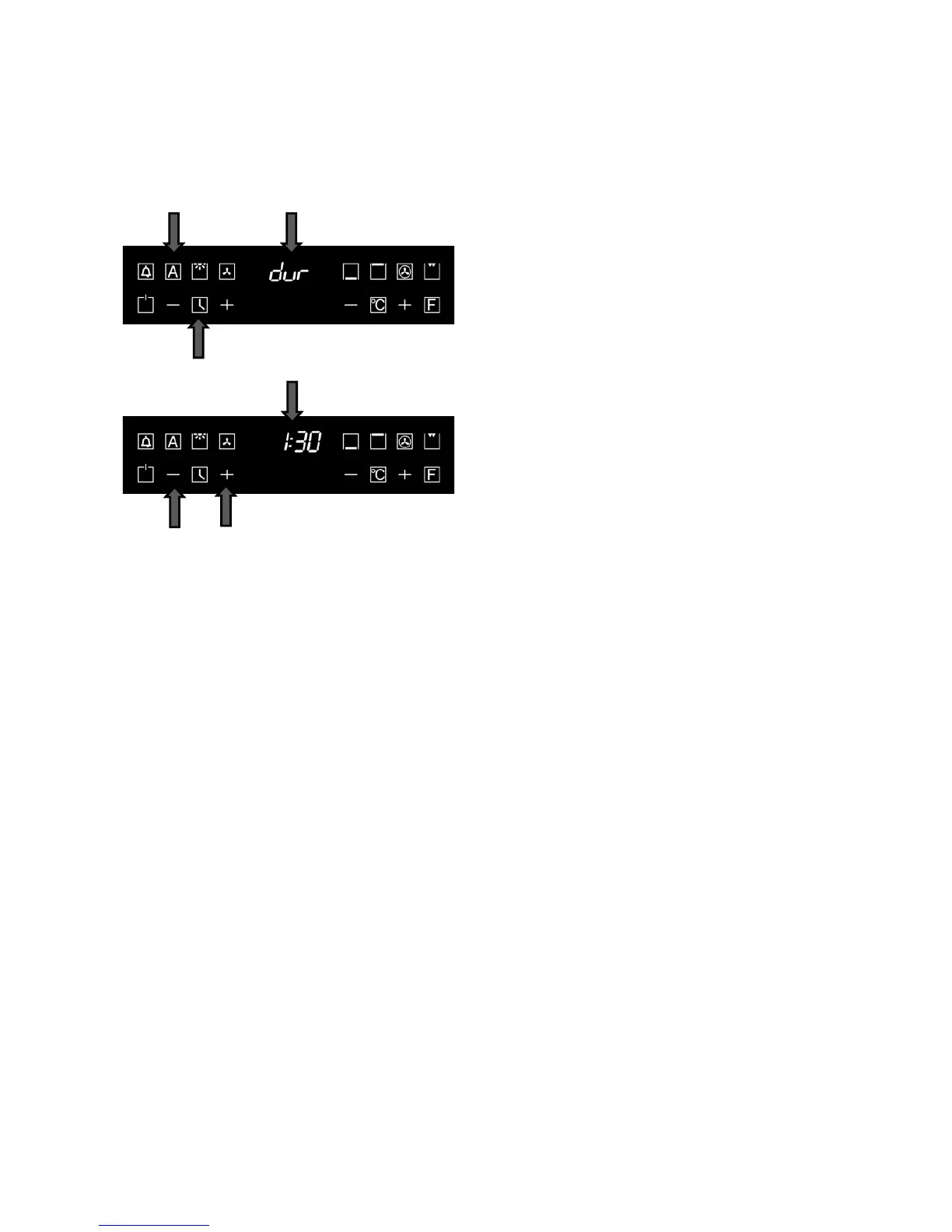
• Touch the key 1
lighting symbol 2.
The display 3 shows the symbol dur.
• Touch the choice keys 4, 5
desired cooking duration.
After setting the cooking duration the display 3
shows the actual time.
• After a few seconds it
comes a sound
signal and the countdown of the cooking
duration starts. The symbol 2 lights.
•
To find out the rest time during the
cooking, touch the key 1.
• By using the choice keys 4, 5 you can set
the wanted duration during the cooking. At
first you should toch the key 1.
After the end of the cooking time the oven emits a
beeping sound
(which increases its loudness)
On display blinks preseted
duration of cooking time.
• Touch any key to stop the bipping sounds
and blinking indication on display.



 To Next Page