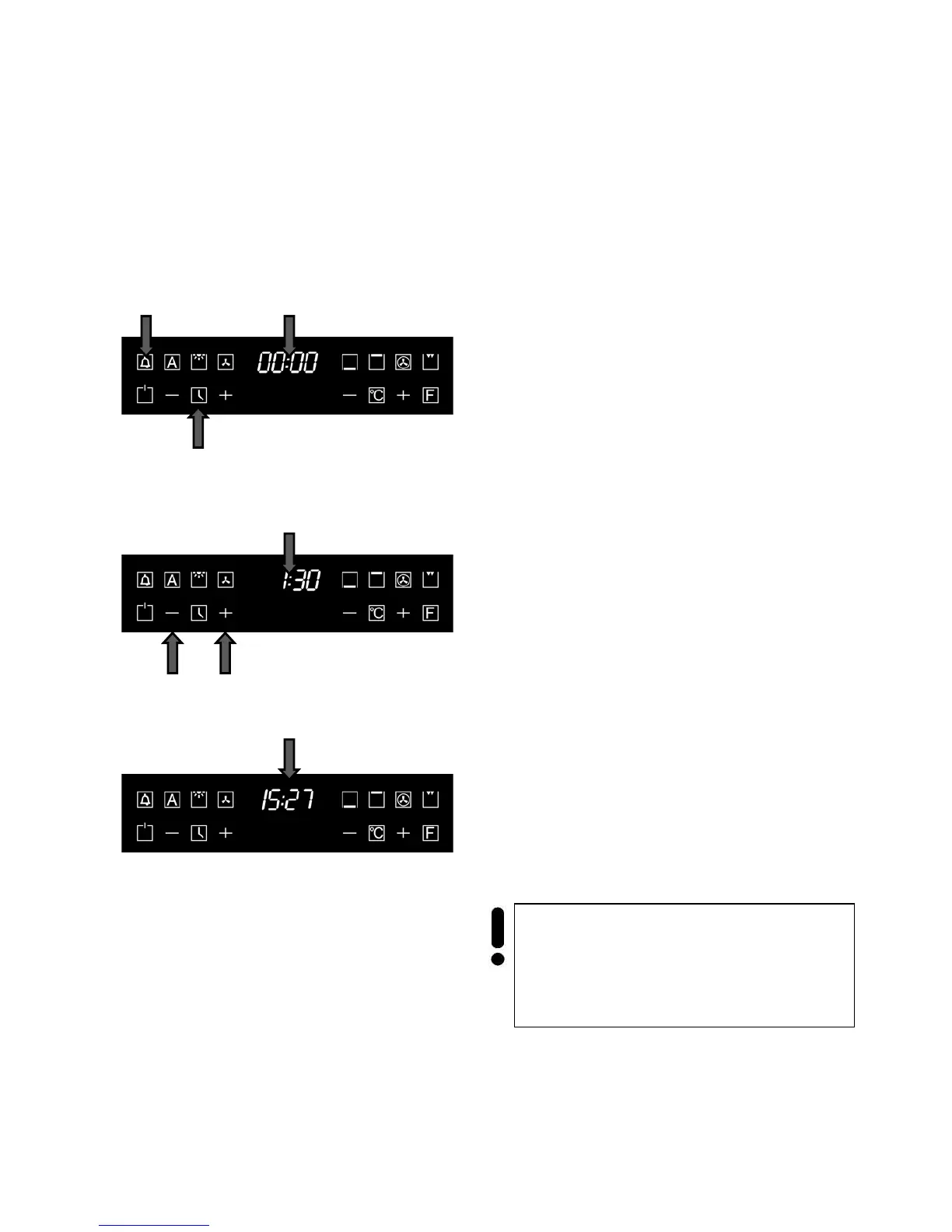
The countdown timer clock works independently of
all other functions, and can be used even when the
oven is switched off.
Countdown timer emits the beeping sounds at
the end of choosed time interval.
To switch on the countdown timer
• Touch the key 1, the symbol 2 blinks.
The display 3 shows the nulls. The dots blink.
• Touch the choice keys 4, 5 to set a desired
time 6 (in our example 1,5 hours).
After the time setting the display shows the current
time 7 (in our example 15:27).
The symbol 2 is highlightet. After a few seconds it
preseted time starts.
• To find out the rest time, touch the key 1.
• By using the choice keys 4, 5 you can set
the wanted duration during the cooking. At
first you should toch the key 1.
After the end of the preseted time the oven emits a
beeping sound during three minutes. Symbol 2
blinks.
• Touch any key to stop the bipping sounds
and blinking indication.



 To Next Page