PRODUCT DIAGRAM GETTING STARTED
01 - ENG 01 - ENG
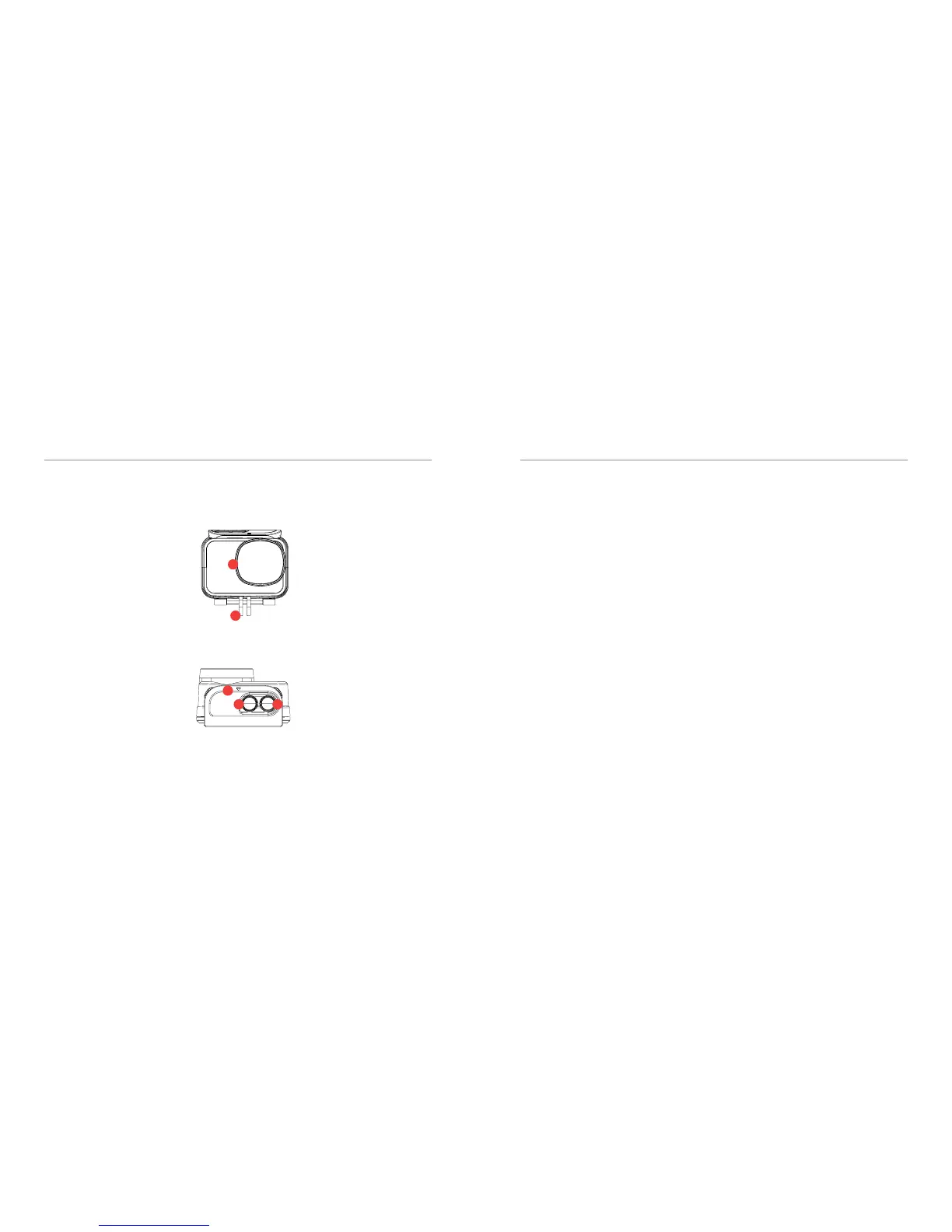
9. LENS
KEEP CLEAN FOR
CLEAR FOOTAGE
10. Mount Attachement
ATTACH TO TRIPOD
11.Case Latch
PULL TO OPEN
WATERPROOF CASING
12. Power / Record / OK
POWER: HOLD 2 SECONDS
RECORD: CLICK 1 SECOND
OK: CLICK 1 SECOND
13. Menu / Mode / Scroll
POWER: HOLD 2 SECONDS
RECORD: CLICK 1 SECOND
OK: CLICK 1 SECOND
9
10
11
12 13
Welcome to your new Kaiser Baas X500 Action
Camera. Before you get shooting, please review
the user guide carefully to ensure you get the
maximum performance out of your camera.
Battery Charging
We recommend that you fully charge your
camera before use. A full charge is approxi-
mately 2.5 hours using a 5V 0.5/1A Charger.
MicroSD Card Compatibility
Your camera requires a MicroSD Card
(not included). Kaiser Baas recommends the
use of a brand name Class UHS-1 or higher
MicroSD Card. Any content recording higher
than 1080P@60FPS will require a Class UHS-1
or higher card.
There is only one correct way to insert the
MicroSD card. Do not force the card into the
slot as it may damage the camera and card.
The maximum card size is 64GB.
The list of recommended MicroSD cards can be
found at: www.kaiserbaas.com/support
Format Card
Before you start recording for the rst time, we
recommend you format the MicroSD card.
The format option is found in the Settings
Menu.
For information on how to navigate the menu
please see the Menu Navigation section.
Note: Formatting the card will permanently
erase all data on the card. Be sure to backup
any content prior to formatting.
Firmware Update
Please check the www.kaiserbaas.com/support
page for the latest rmware on your camera.
The current rmware version can be found on
the last settings page.


 To Next Page
 Loading...