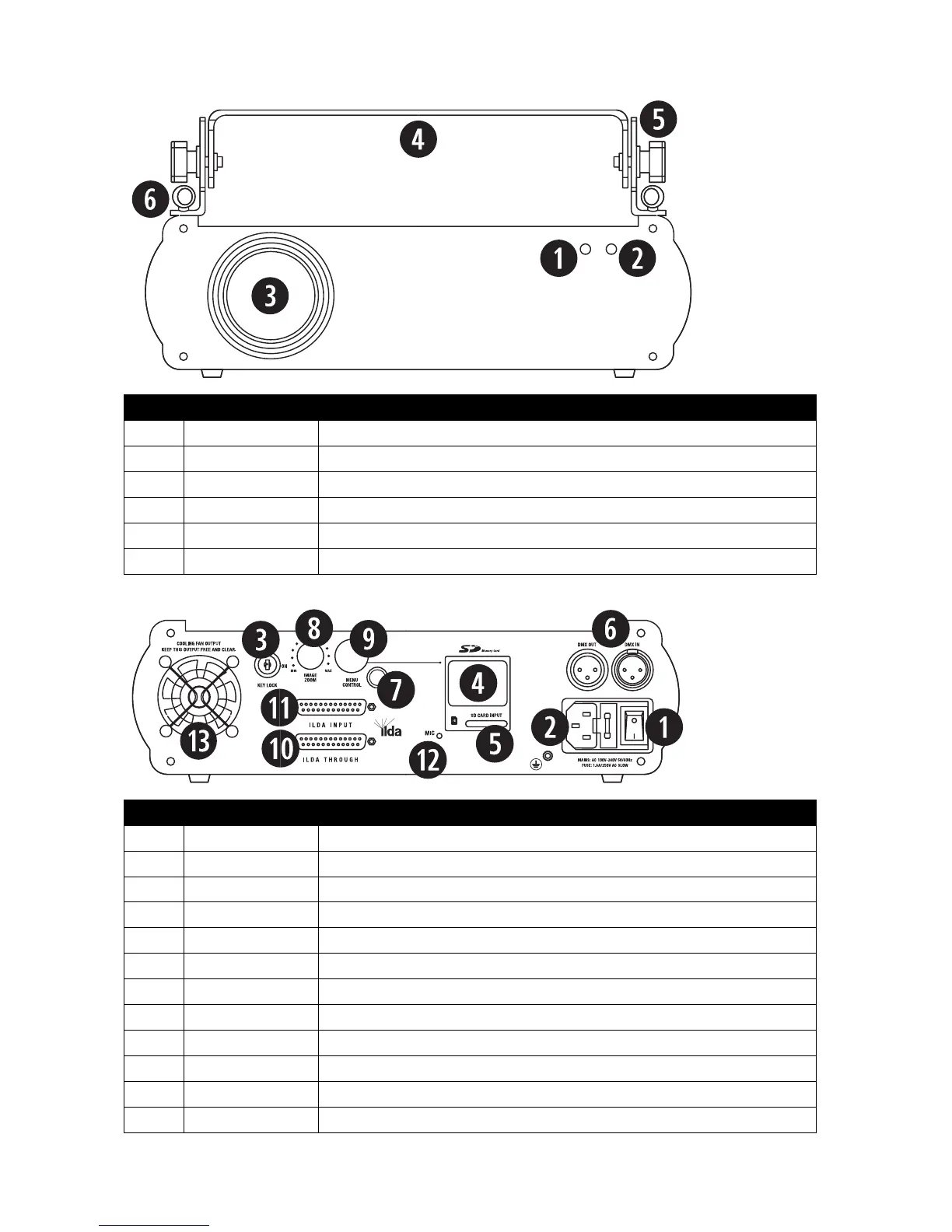
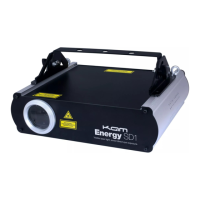
Illuminates red when the unit is turned on to show the unit is powered up.
Flashes when an audio signal is received by the built-in microphone for reference.
The laser light is emmited from here. Never look directly into the hole when the unit is on.
Adjustable handle for carrying the unit and for mounting.
Adjusts the angle of the handle bracket.
Attach safety chains to these eyelets when mounting the unit.
Turns the unit on or off when connected to the mains power supply.
Attach the mains cable here. Built-in fuse and spare fuse.
Even when powered up, the unit will not operate without the key inserted and turned to on.
Menu display to control and select the software from an inserted SD card.
Slot for inserting an SD card.
3 pin XLR connectors for DMX communication
Safety connector (optional) used to turn the unit of immediately.
Controls the projected laser image size from 5% to 100%.
Rotate the control knob to adjust the menu. Press to select/confirm/exit/etc.
Standard ILDA interface. Used to connect to other ILDA lasers.
Standard ILDA interface. Automatically switches between the internal program and ILDA.
Receives audio signal for use in Sound-to-Light mode.


 To Next Page