3
4
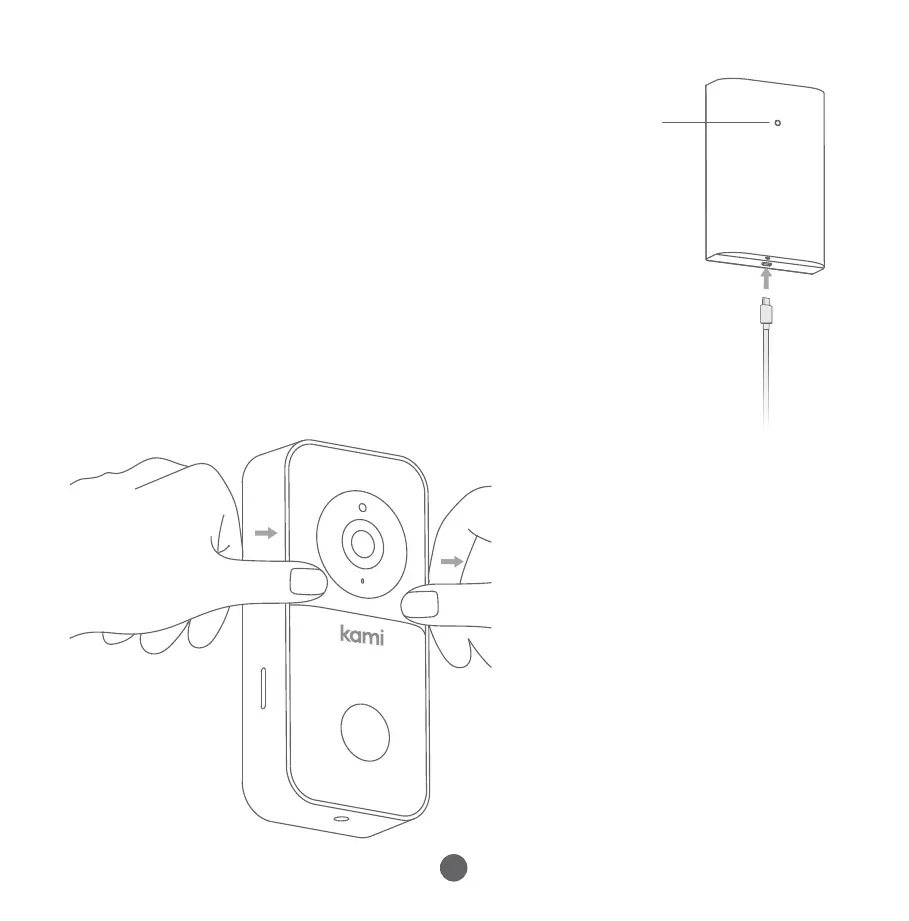
3.Charge+Insertbattery
Pleasechargethebattery,usingamicroUSBcable.
andapoweradapter(notincluded).
Theindicatorlightwillberedwhilechargingand
turnwhitewhenfullycharged.
a.ChargetheBattery
Power
Indicator
Pressdownonthefaceof
thedoorbellwithyour
thumbsandpulltheouter
protectivecoverupand
awayfromthemainbody,
asshowninthediagram
ontheleft.
b.Removethe
ProtectiveCover
ResetButton
Speaker
Tamper
Button
Power
Connector
ToresetthedoorbellfastpresstheResetButton(lessthan1second).


 To Next Page