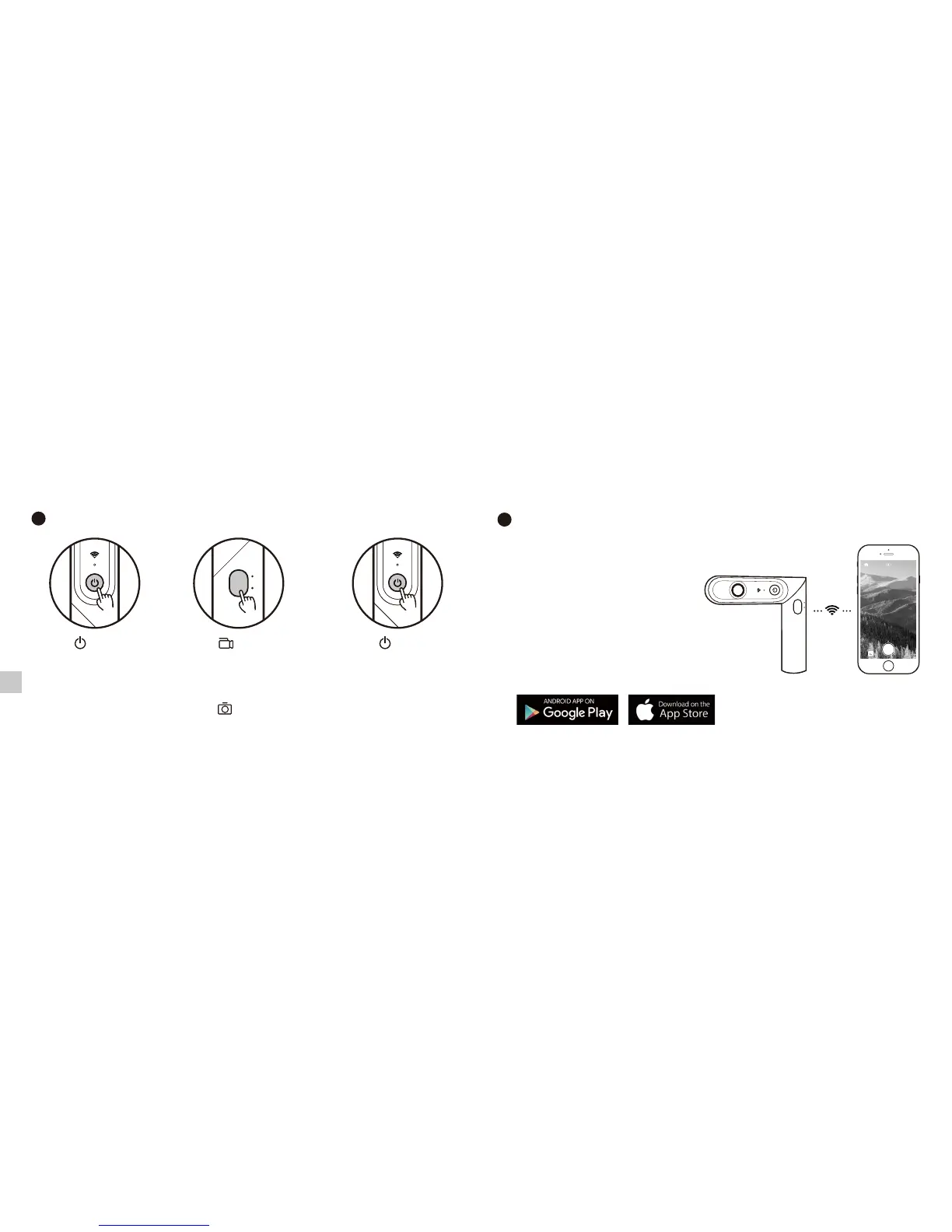
ON OFFVideo
photo
Press the shutter button to take a photo
Use the camera alone
Connect the camera to the mobile APP
Search QooCam on App Store, Google Play or
Apple Store to download and install the APP.
Press the power button for
2 seconds to power on
Press the power button for
2 seconds to power off
Press the shutter button for 2
seconds to start recording;
Press the shutter button again to
stop recording
PHOTO
VIDEO
Press the power button for 2 seconds
to power on
Press the power button again to
open WiFi function
Open the mobile APP and connect
the camera
On the shooting page, you can
choose to take a photo or video.
Tap the capture button to take a
photo or video.
(1)
(2)
(3)
(4)
EN



 To Next Page