Need help?
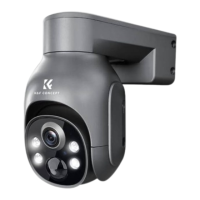
Do you have a question about the K&F Concept DQ201 and is the answer not in the manual?
Identifies and explains key parts of the camera and its accessories.
Instructions for acquiring and installing the mobile application.
Guide for new users to create an account via email for app functionality.
Steps to power on the security camera and its initial indicator status.
Detailed process for establishing a Wi-Fi connection for the camera.
Advice on placement, environmental factors, and necessary tools for mounting.
Guides the user through bracket installation and optimal camera height.
Recommends the best downward angle for the lens to maximize alarm detection range.
Step-by-step instructions for attaching and adjusting the solar panel.
Guidance on optimal orientation and testing Wi-Fi signal at the installation site.
Explains the primary interface and navigation options of the application.
Details the functions available on the camera preview screen.
Describes how to navigate and view recorded video footage.
Outlines various device settings accessible through the app's setup menu.
Instructions for sharing the camera with other users.
Requirements and process for storing video files on an SD card.
How to configure motion detection sensitivity and its impact on range.
Information on charging the camera, indicators, and troubleshooting charging issues.
Solutions for when the camera is not connecting or showing as offline.
Steps to reconfigure the camera if the Wi-Fi password changes.
Addresses problems with viewing historical videos and SD card recognition.
Explains poor battery performance and common charging failures.
Troubleshooting steps for when alarm notifications are not received.
Factors affecting solar panel performance and tips for optimization.
Guidelines for safe installation and operation regarding radio frequency exposure.
 General
| Resolution | 1080P |
|---|---|
| Night Vision | Yes |
| Connectivity | Wi-Fi |
| Lens | 3.6mm |
| Storage | Micro SD card (up to 128GB) |
| Wi-Fi Frequency | 2.4GHz |
| Power Supply | DC 5V/1A |
| Operating Temperature | -10°C to 50°C |

 To Next Page