Need help?
Do you have a question about the K&F Concept F8 and is the answer not in the manual?
Explains charging the battery using a DC 5V-2A adapter.
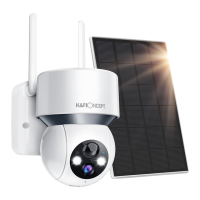
Explains charging the battery using the provided solar panel.
Details the procedure for inserting the SIM card before powering on the device.
Instructions for downloading the necessary mobile application.
Guide to find and download the 'UBOX' app from the App Store or via QR code.
Steps to register an account and log in using an email address.
Instructions on how to add the device to the mobile application.
Describes the process of initiating device addition via the app interface.
Guidance on selecting an installation location and performing an initial check.
Specifies recommended mounting height and angle for optimal PIR sensor performance.
Step-by-step instructions for physically mounting the camera.
Details the process of attaching the mounting bracket to a wall.
Explains how to align the camera's bracket with the wall mount.
Instructions for securely fastening the camera bracket in place.
Guidance on positioning solar panels for optimal sunlight absorption.
Overview of the main application interface and its functionalities.
Details on configuring basic device settings within the app.
 General
| Two-Way Audio | Yes |
|---|---|
| Resolution | 1080P |
| Night Vision | Yes |
| Wireless | Yes |
| Motion Detection | Yes |
| Storage | MicroSD card (up to 128GB) |
| Connectivity | WiFi |
| Weather Resistance | Yes |

 To Next Page